
How to order the Wise Visa FIFA World Cup 2026™ card, thanks to Visa
Follow the step-by-step instructions to order your Wise Visa FIFA World Cup 2026™ digital card, thanks to Visa.



When you make a transaction, it pops up in your activity list. That’s the first thing you see when you open our app or website.
But you can use your Wise account for all sorts of things — like money transfers, holiday spending, and even international banking. So that list can get messy, fast.
In the last few months, we’ve been working to improve how you keep track and manage all your Wise activity. And we spent a lot of time listening to what you want to see (and don’t want to see) on that screen.
From all your feedback, there were two common themes:
“Let me hide certain payments from my list. I value my privacy.”
“Please remove things like cancelled transfers that weren’t paid for from my list. They clutter things up and don’t add any value.”
With that feedback in mind, we built two things that’ll keep your activity list neat and tidy.
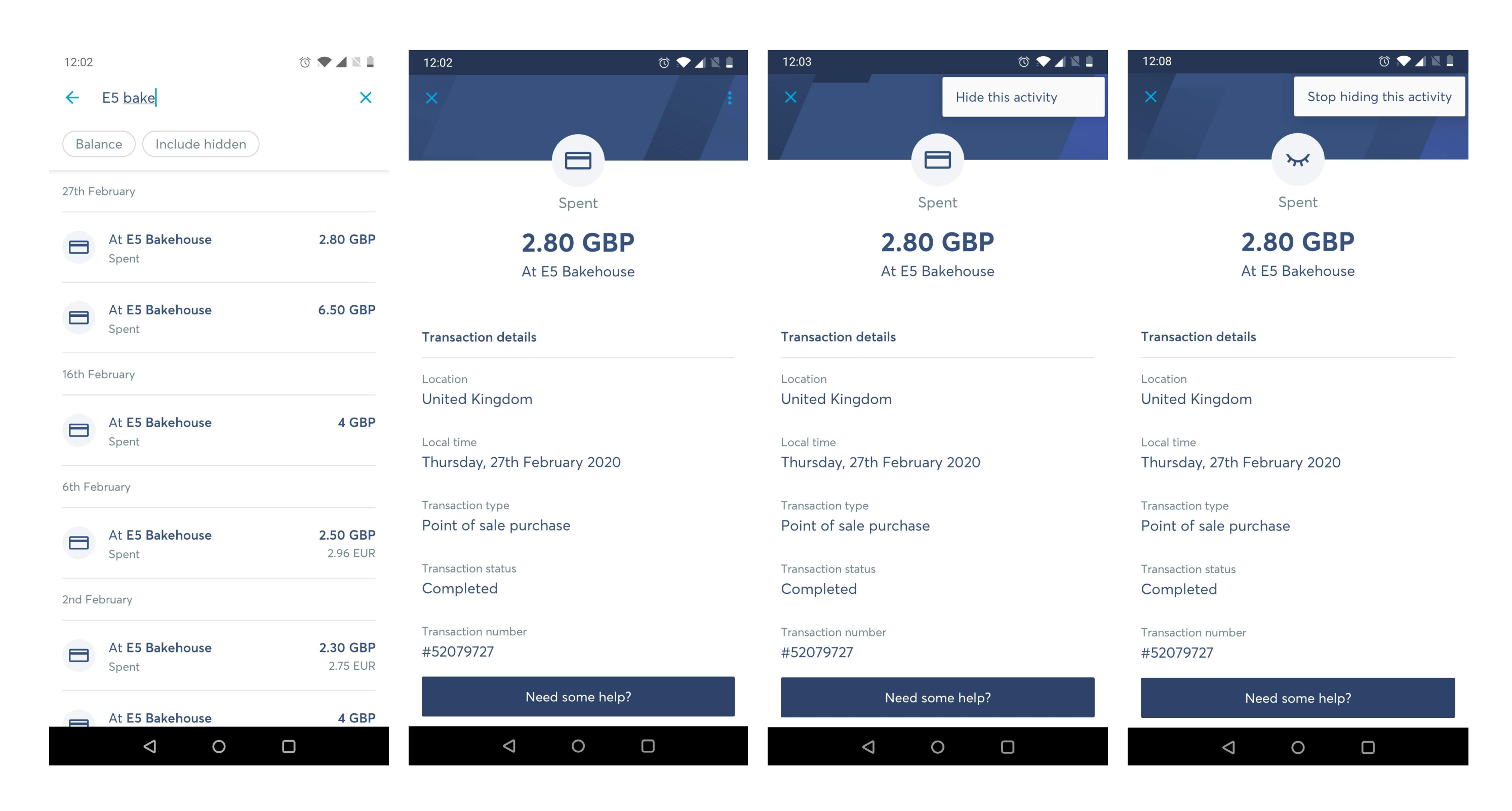
If you don’t want to see a particular activity in your list any more, just hide it. Hidden activities don’t show up in your activity list. But you can still find them by searching.
Search for the activity, open it, and then tap on the three dots in the top right-hand corner. There you’ll see the option to “Stop hiding this activity”.
When you leave the search screen, you’ll see that activity back in your list again.
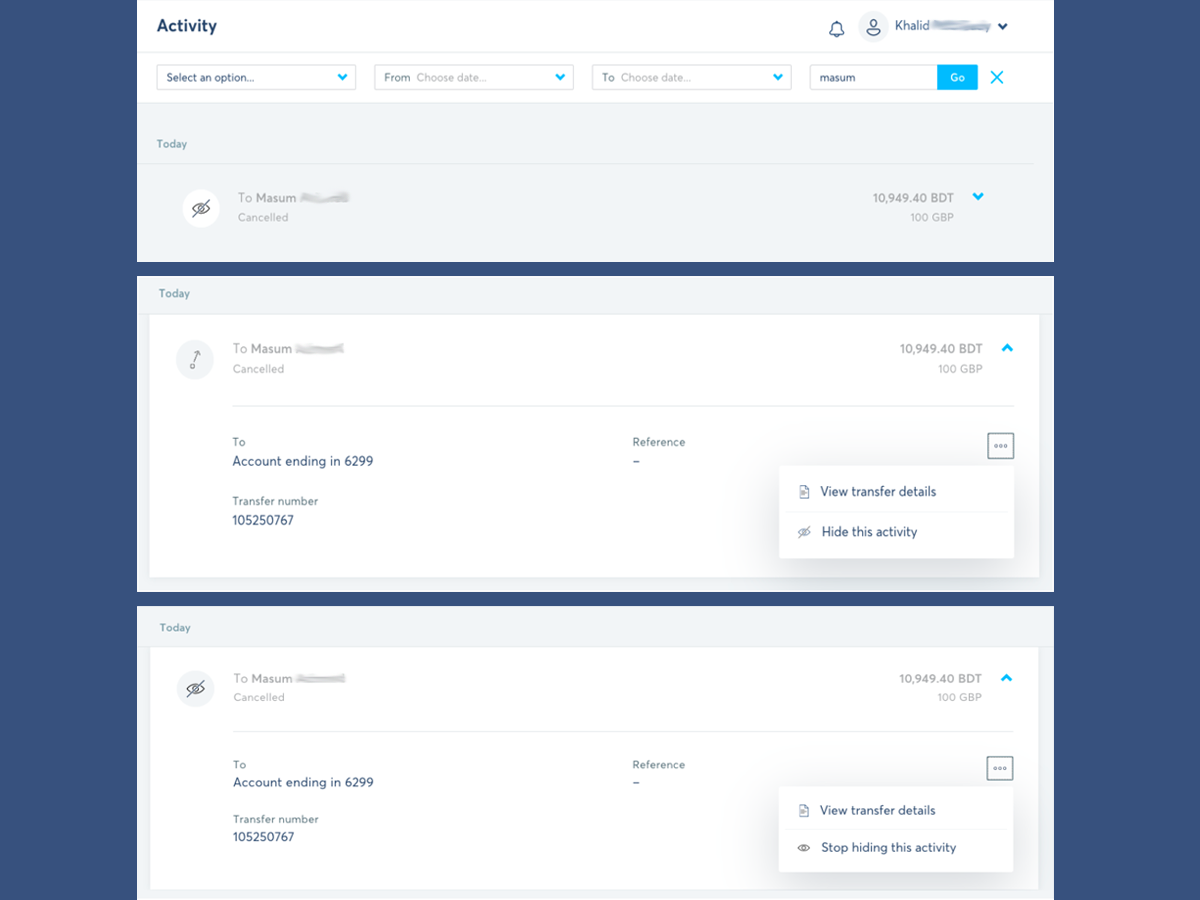
We’ll hide transfers that were cancelled over 3 days ago if they weren’t paid for.
And like the activities that you hide yourself, you’ll still be able to find these activities by searching.
And just to make sure it doesn’t come as a surprise, we’ll notify you the first time we’ve automatically hidden a transfer for you.
*Please see terms of use and product availability for your region or visit Wise fees and pricing for the most up to date pricing and fee information.
This publication is provided for general information purposes and does not constitute legal, tax or other professional advice from Wise Payments Limited or its subsidiaries and its affiliates, and it is not intended as a substitute for obtaining advice from a financial advisor or any other professional.
We make no representations, warranties or guarantees, whether expressed or implied, that the content in the publication is accurate, complete or up to date.

Follow the step-by-step instructions to order your Wise Visa FIFA World Cup 2026™ digital card, thanks to Visa.

Sending money to Estonia? Use the new Viitenumber field and AI invoice scanning to make your transfers to Estonia faster, easier, and perfectly matched.

Got an invoice to pay? A screenshot of someone's bank details? A QR code? Scan it, photograph it, or upload it — Wise reads the details and sets up the transfer

We're thrilled to introduce a powerful new feature designed to save you time and eliminate the frustration of manual data entry when sending money. Now,...

The new Wise Card is here! 🇧🇷

We have great news for our customers in Brazil! You can now set up your own Pix key directly in the Wise app


















































