Managing Remote Working like a Pro
Remote working has never been more popular. Driven by necessity during the recent pandemic, the trend for flexible, home and hybrid working now looks like...



A growing number of people are escaping the traditional office and choosing to work as digital nomads. They use technology to earn money while travelling or living abroad.
Most are international freelancers, but many are also remote employees or startup entrepreneurs.
You’ve probably seen them with their laptops and smartphones in coffee shops or beach bars around the world. And you're probably a little bit jealous.
They’ve got smart digital tools there at their fingertips to help with everything from finding work to managing money. If you're interested in becoming a full-time freelancer, here are 11 of the best tools to get started:

Time is money and you’ll need to manage it yourself as a freelancer. This gives you greater freedom, but ensures you get the most value from the time you do spend working.
If you bill by the hour then you must record your time accurately.
Toggl is a simple time tracker that’s popular with freelancers. It’s easy to use and works across mobile and desktop apps (including offline), as well as inside a browser. It even creates nice looking charts about your productivity to share with clients.
Timely is a time tracker based on your calendar so will suit you if you carefully schedule your time.
Sync your calendar then use it normally to estimate the time you intend to spend on different tasks. You can then update Timely about how long it really took so it can generate billing reports.
You may have escaped endless office meetings, but you still need to carefully plan your workload, often as part of a wider team of digital nomads.
Asana is a simple project management tool to keep track of tasks from the first pitch to getting paid.
It’s great for teams working remotely as you can easily see who is delivering which tasks and when, although it’s also useful when working on your own.
If you like covering your workspace in post-it notes then you’ll like Trello.
Digital nomads need digital post-it notes so this lets you visually arrange your thoughts on screen. You can use different boards for different projects then simply type, drag and drop information and deadlines between columns and cards. It’s easy to use on both mobile and desktop apps.

This bit is crucial to fund your global business lifestyle. You’ll need to keep track of your money and you’ll definitely want to avoid international bank fees.
This is a very comprehensive accountancy package for freelancers.
You can use it for free to track your finances, generate professional invoices, record expenses and lots more. It will even remind you when to chase clients for late payments.
With the Wise borderless multi currency account you can receive payments directly on your very own online bank account, in EUR, GBP, AUD and USD (with more on the way).
You can hold money in a total of 28 currencies, and convert between them whenever you want or need to, for instance when the exchange rate is really good. And from your borderless account you can transfer money to a regular bank account as well. In the beginning of 2018, Wise will also offer a debit card connected to your borderless account.
Head over to our guide about the best free accounting software to compare Wave to other handy solutions out there.

Any successful freelancers know the importance of good communication with those that matter most. That’s not just clients and team members, but also family and friends around the world, including those you meet along the way.
Slack is a really clever messaging platform that some of your clients and freelance partners might already use.
You can access Slack from any of your devices to send instant messages, hold group discussions and share files. It cuts down emails and integrates with your existing communication channels to keep all your messages in one place. There’s even a special area for digital nomads called Nomad List.
Face-to-face communication is important, even when working remotely.
Skype integrates with Slack and is great for video or voice calls, either as a team or one-on-one. Digital nomads will also love a new feature called Skype Translator, which allows you to chat with people in different languages.

You’re almost ready to begin work, but first you need clients. Freelancers can find work from a variety of sources, but there are digital tools for this too. It helps to build up your reputation within each one based on client feedback, but there’s no reason you can’t use several at a time.
Freelancer is the biggest online marketplace for freelancers to find work.
The site has been going since 2003 and helped create the digital nomad lifestyle. Some of the rates offered are quite low, but clients know there’s a huge variation in quality and experience too. Make sure you showcase your work and the value you offer.
UpWork was created recently from the merger of two popular freelancing websites, oDesk and Elance.
It may not be the biggest, but it’s simple to use and has great features to help you connect with other users and find the right jobs for you.

Now you’ve got work and can do it almost anywhere, but it’s great to be around other digital nomads too.
WorkFrom is a great site for finding the best working environment when you arrive in a new city.
Some people prefer a busy coffee shop or co-working space, while others need a quite place to concentrate. WorkFrom lets you choose what’s most important to you, whether that’s fast WiFi and plenty of plugs or just good coffee.
Learn more about what it means to be a 'Digital Nomad' in our interview with freelance designer Alisa.
*Please see terms of use and product availability for your region or visit Wise fees and pricing for the most up to date pricing and fee information.
This publication is provided for general information purposes and does not constitute legal, tax or other professional advice from Wise Payments Limited or its subsidiaries and its affiliates, and it is not intended as a substitute for obtaining advice from a financial advisor or any other professional.
We make no representations, warranties or guarantees, whether expressed or implied, that the content in the publication is accurate, complete or up to date.
Remote working has never been more popular. Driven by necessity during the recent pandemic, the trend for flexible, home and hybrid working now looks like...
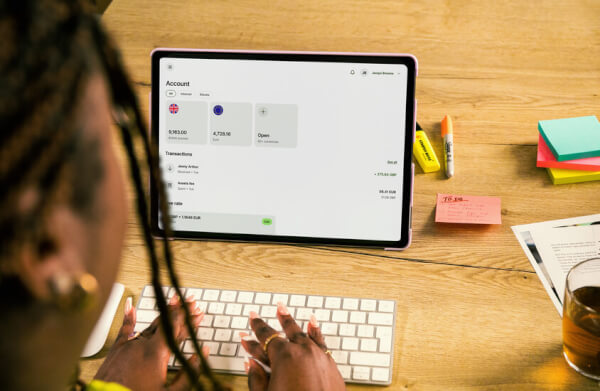
Getting paid by international clients as a freelancer can be tricky. Check out our guide to learn the best ways to get paid from abroad without losing on fees.

Essential advice for freelancers in Singapore, covering taxation and best practices for managing your finances effectively.

Freelancing and want to know which freelancer platform to choose - read our review of Upwork to help you decide.

There are three ways to withdraw money from Fiverr; the first two methods are provided by Payoneer, while Paypal provides the third method.

work from home jobs. customer service, writer, editing and proofreading, software engineering, web design, product design.



















































