
GCash US Virtual Account: How to Get and Use It
Learn how the GCash US Virtual Account works, who can apply, how to receive USD, and what fees and exchange rates to expect.




GCash is one of the most popular mobile wallets in the Philippines, used for everyday transfers, bills, shopping, and receiving money. If you need to send money to GCash, the right method depends on where you’re sending from.
You can send money to GCash from another GCash wallet, from a Philippine bank account, or from overseas using a bank or money transfer provider that supports GCash. The steps, fees, limits, and transfer times depend on the method you use.
We'll also introduce the Wise account, a handy companion to make your money go further with low, transparent fees.
| Table of Contents |
|---|


You can send money to another GCash account using GCash Express Send. GCash notes that you’ll need to stay within your wallet and transaction limits before sending. If you’re using a non-PH SIM, you can only send money to Fully Verified GCash users in the Philippines.¹
Here’s how to send money through GCash to GCash:
Check the recipient’s mobile number before confirming. If you send money to the wrong GCash number, it may be difficult to get it back.
If the recipient has a GCash QR code, you can use it instead of typing their mobile number. This can help reduce mistakes, especially if you’re sending to someone in person.
Open GCash, tap Send, and choose the QR option. Scan or upload the recipient’s QR code, enter the amount, review the details, and confirm the transfer.
Only scan QR codes from people or merchants you trust. Before you tap send, check that the name and amount are correct.
A bank transfer to GCash can be made from a Philippine bank account using InstaPay or PESONet. You can usually start the transfer from your bank’s app or online banking and select GCash as the receiving institution.
The exact steps vary by bank. For bank-specific instructions, see our guides on how to send money from BDO to GCash, how to transfer money from UnionBank to GCash, and how to transfer money from RCBC to GCash.
The process generally works like this:
InstaPay is generally the faster option for a bank transfer to GCash. GCash states that InstaPay transfers can be up to 50,000 PHP per transaction and are generally credited right away.
The sending bank may also set its own transfer limits and charge a fee, so check the details in your bank’s app before confirming the transfer.⁶
You can also transfer money from a bank to GCash using PESONet. PESONet can support transfers above 50,000 PHP, depending on the sending bank, and is usually credited on a banking-day schedule.
Banks can set their own fees and transfer limits, so check these before sending.
If you want to compare other ways of adding money to a wallet, including bank cash-ins and other funding methods, see our guide to GCash cash-in fees and methods.
If you're outside the Philippines, you may be able to send money to someone's GCash wallet through a bank, remittance provider, or money transfer app that supports GCash payouts, including Wise.
The sender usually chooses the Philippines as the destination, selects PHP, picks GCash or mobile wallet as the delivery method, and enters the recipient’s GCash-registered mobile number.
The recipient may need a verified GCash account, and their wallet must be able to receive the amount. Limits can vary depending on the provider, the recipient’s GCash profile, and GCash’s own wallet limits.
GCash also has GCash Overseas, which lets eligible users outside the Philippines access some GCash services with an international mobile number. Availability depends on the country and service. If you’re using GCash Overseas to send money, GCash states that you can only send to Fully Verified GCash accounts in the Philippines.⁴
Wise supports transfers to GCash and other supported mobile wallets in the Philippines. You'll see the exchange rate, transfer fee and estimated delivery time before you confirm your transfer.
For a detailed walkthrough, read our guide on how to transfer money from Wise to GCash.
You usually need a GCash account to send money inside the GCash app. However, if you're sending money from overseas with a provider like Wise, you don't need a GCash account yourself. You'll only need the recipient's full name and GCash-registered mobile number. The recipient must have a GCash account and may need to stay within their wallet or receiving limits.
Looking to move money in the other direction? Learn how to transfer money from GCash to Wise.
The details you need depend on how you’re sending the money.
| Sending method | Details usually needed |
|---|---|
| GCash to GCash | Recipient’s GCash mobile number or QR code |
| GCash Overseas | Recipient's GCash-registered mobile number (recipient may need a Fully Verified GCash account) |
| Wise to GCash | Recipient’s full name and GCash-registered mobile number |
If you’re sending from overseas, check that the mobile number is registered to the recipient’s GCash account. You should also confirm the recipient’s name before sending.
GCash wallet and transaction limits depend on the user’s GCash profile. GCash also notes that limits can apply across wallet, incoming, and outgoing transactions.³
You can send up to 50,000 PHP per transfer to GCash. GCash may also apply its own wallet or receiving limits.²
Before sending, check:
Before confirming a transfer, take a minute to review the details.
Check the recipient’s GCash number, name, and the amount. If you’re sending from abroad, review the exchange rate, transfer fee, and estimated delivery time. Keep the receipt or transaction reference until the money arrives.
For GCash-to-GCash transfers, GCash Express Send is for sending money to other GCash users. If you’re using a non-PH SIM or GCash Overseas, GCash states that you can only send money to Fully Verified GCash users in the Philippines.
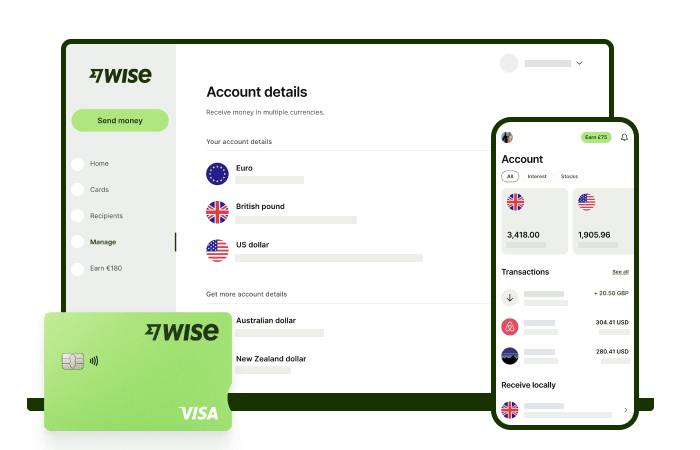
Wise international money transfers can be set up online or within the Wise app with low fees from 0.57% and the mid-market rate, to over 140+ countries. There’s no markup added to the exchange rate that’s used to convert your currency, which makes it easier to see exactly what you're paying for a transfer, and what the recipient will get in the end. Just transfer the amount indicated in PHP and let Wise do the rest.
To make sending foreign currency even easier, create a free Wise account, and you'll be able to manage and convert your money in PHP and 40+ other currencies. You'll get the same great rates, and be able to track your transfers all from one place. You can also get 8+ local account details to be able to receive money in PHP, USD, GBP, and more.
You can send money to GCash from another GCash account using Express Send. If you're sending from overseas, you can also use a bank or money transfer provider that supports GCash payouts, such as Wise.
Open the GCash app, tap Send, choose Express Send, enter the recipient’s GCash number or QR code, review the details, and confirm the transfer.¹
Yes, if you’re using a provider that supports GCash payouts. The recipient will need a GCash account, and their wallet must be able to receive the amount.
Limits depend on the transfer method, provider, and recipient’s GCash profile. With Wise, you can send up to 50,000 PHP per transfer to mobile wallets such as GCash.²
Contact GCash support as soon as possible and keep your receipt or transaction reference. Avoid sending more money until the issue is checked.
*Please see terms of use and product availability for your region or visit Wise fees and pricing for the most up to date pricing and fee information.
This publication is provided for general information purposes and does not constitute legal, tax or other professional advice from Wise Payments Limited or its subsidiaries and its affiliates, and it is not intended as a substitute for obtaining advice from a financial advisor or any other professional.
We make no representations, warranties or guarantees, whether expressed or implied, that the content in the publication is accurate, complete or up to date.
Learn how the GCash US Virtual Account works, who can apply, how to receive USD, and what fees and exchange rates to expect.

Learn how GCash Overseas works, who can register, where it's available, the fees, limits and features, and whether it's right for Filipinos abroad.

See Metrobank Travel Signature Visa benefits, annual fee, lounge access, miles conversion and requirements, plus ways to save on travel spending.

Compare 7 PayPal alternatives in the Philippines for freelancers, online payments and international transfers, including Wise, Payoneer, GCash and Maya.

Learn how to pay PLDT online via Pay Express, GCash, Maya, BPI and credit card, plus posting times, fees, late-payment rules and tips for paying from abroad.

Learn how to pay Home Credit loans via GCash, BPI, Maya, online banking, auto debit and payment centers, plus key steps and tips for paying from abroad.

















































