
Pag-IBIG Contribution for OFWs: How Much to Pay and How to Pay It
How much is Pag-IBIG contribution for OFWs? Learn rates, benefits, and how to pay your Pag-IBIG contributions online from abroad.




UnionBank is one of the 10 biggest banks in the Philippines,¹ but it can’t cover all your financial needs on its own. For convenient day-to-day spending, many Filipinos connect their bank account to a popular digital wallet.This article will explain how to transfer UnionBank to GCash, including step-by-step instructions, fees, transfer limits, and estimated processing times.
We'll also introduce the Wise account, a handy companion to make your money go further with low, transparent fees.
| Table of contents |
|---|


Sign up for a free account now
Yes, transferring money from UnionBank to GCash is possible and straightforward once you have your accounts properly linked. This allows UnionBank customers to enjoy the convenience of instant digital payments with GCash while keeping most of their funds securely in their bank account.
You can also transfer money from UnionBank to GCash via InstaPay without linking your accounts, but the fee is higher, and you’d have to log into both accounts separately.
Before you can transfer funds from UnionBank to GCash, you must meet a few prerequisites²:
- Have an active UnionBank account
- Have a Filipino mobile number
- Be a Filipino citizen
- Have sufficient funds to cover the transfer and any fees
- Have a fully verified GCash account³
- Have a linked GCash and UnionBank account
Linking your UnionBank account to your GCash wallet allows you to transfer funds between them quickly and securely without having to enter your bank details every time. It also qualifies you for a potential increase in your GCash wallet and transaction limit to 500,000 PHP.³
So, if you want to know how to link UnionBank to GCash, follow these steps:
When you’re done, you’ll see a confirmation page stating the linking was successful.
Wondering how to send money from UnionBank to GCash? Well, there are two methods: Linking your UnionBank and GCash accounts for direct cash in or using UnionBank Online and InstaPay.
Here’s how to transfer UnionBank to GCash if your accounts are linked⁴:
If your UnionBank and GCash accounts aren’t linked or you want to transfer funds to someone else’s GCash account, you can follow these steps instead⁵:
If the transfer was successful, you’ll see a confirmation screen, and your GCash balance will update immediately.
The UnionBank to GCash transfer fee is low, but it changes depending on whether your accounts are linked and you cash in directly on GCash or you transfer funds via InstaPay.
- UnionBank to GCash transfer fee for linked cash-ins: 5 PHP⁶
- UnionBank to GCash transfer fee for InstaPay transfers: 10 PHP⁷
If you’re curious about UnionBank to GCash how many days it takes for your funds to arrive, the good news is that transfers are typically instant when using InstaPay⁸ and when cashing in directly on GCash.⁴
However, it may take up to 2 hours depending on several factors, such as the time of day the transaction is initiated, network issues, or system maintenance.⁹
UnionBank and GCash both impose their own transaction limits to ensure safe and responsible use.
- UnionBank: 50,000 PHP per transaction and 500,000 PHP per day¹⁰
- GCash incoming transaction limit: 5,000 to 1,000,000 PHP per month, depending on the type of GCash account your recipient has¹¹
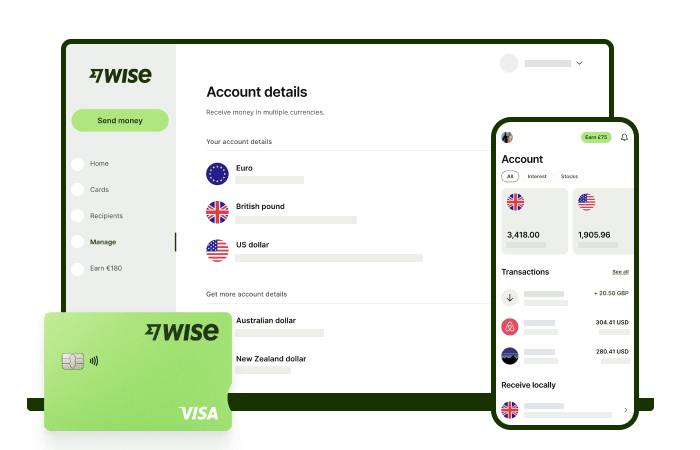
Wise international money transfers can be set up online or within the Wise app with low fees from 0.57% and the mid-market rate, to over 140+ countries. There’s no markup added to the exchange rate that’s used to convert your currency, which makes it easier to see exactly what you're paying for a transfer, and what the recipient will get in the end. Just transfer the amount indicated in PHP and let Wise do the rest.
To make sending foreign currency even easier, create a free Wise account, and you'll be able to manage and convert your money in PHP and 40+ other currencies. You'll get the same great rates, and be able to track your transfers all from one place. You can also get 8+ local account details to be able to receive money in PHP, USD, GBP, and more.
Sources used:
*Please see terms of use and product availability for your region or visit Wise fees and pricing for the most up to date pricing and fee information.
This publication is provided for general information purposes and does not constitute legal, tax or other professional advice from Wise Payments Limited or its subsidiaries and its affiliates, and it is not intended as a substitute for obtaining advice from a financial advisor or any other professional.
We make no representations, warranties or guarantees, whether expressed or implied, that the content in the publication is accurate, complete or up to date.

How much is Pag-IBIG contribution for OFWs? Learn rates, benefits, and how to pay your Pag-IBIG contributions online from abroad.
Applying for a BPI credit card as an OFW? Learn the requirements, documents, income rules, and how to apply online from abroad step by step.

Looking for your first credit card? Compare UnionBank credit cards for beginners, including fees, requirements, and how to apply.

Compare OFW savings accounts in 2026, including BPI, Metrobank, and PNB. Learn fees, requirements, and smarter ways to manage money abroad.

Learn how to get a TIN number in the Philippines, including online application steps, requirements, and BIR registration.

Learn how OFW SSS contribution works, including rates, payment methods, and benefits. See the latest SSS contribution table and manage payments easily.

















































