
Guide on small business payment processing in Australia
Learn how small business payment processing works in Australia, including costs, setup steps, and how to manage domestic and international payments efficiently.



For some businesses, payments still sit across multiple systems that aren’t connected. A sale happens in an online store, the payment is processed separately, and then the full details are copied into accounting software later. It’s an unwieldy process that creates extra admin and makes it hard to get a clear view of your finances.
An integrated payment system connects these steps so everything works together and stays in sync. In this guide, we’ll define what integrated payments actually are and how to set up a system for your business. There’s also an intro to Wise Business – a payment solution you can use to integrate and manage all your international finances.
| Table of Contents |
|---|


Integrated payments are a system where your payment processing — the tech that authorises and settles transactions — is directly connected to your POS (point-of-sale), e-commerce platform, and other business tools you use to run your business. This “integrated” approach ensures everything works together and updates automatically, instead of being handled separately.
In simple terms, it means your payments don’t just sit on their own. They instead flow straight into systems that track your sales, manage your accounts, report on performance, and handle inventory.
This solves a common problem for businesses: disconnected tools. Without integration, the whole payment system can be sprawling and messy, creating extra admin and wasting resources.
With integration, payments are much smoother:
With a non-integrated system, none of these things are connected. You’ll have to switch between systems manually, taking payments with one tool and then jumping to others to input details ‘by hand’.
With integrated payments:
However, with non-integrated payments, you have a system that’s isolated from other business systems.
We’ve briefly covered some of the advantages of an integrated approach, but let’s look in more detail at how these seamless solutions can really streamline and improve everyday payment workflows.
Setting up an integrated payment system might sound overly technical, but for most Australian businesses, it’s simply a process of connecting the tools you already use, or adding one or two that ‘stitch’ everything together. With the right payment processor, it can mostly be done with off-the-shelf integrations.
Here’s how to get started.
1. Start by assessing your current payment setup. For many Australian businesses, this means reviewing how your POS system, online store, and accounting software (such as QuickBooks) currently handle transactions. Are there any ‘gaps’ where payments are either recorded manually or systems aren’t in sync? This is where integration can have a big impact.
2. Research and choose a payment provider or integrated system. Look for tools that connect easily with your existing software and make sense for your industry. For example, small retailers in Australia might want a POS system that integrates directly with inventory and accounting tools to make end-of-day reconciliation easier.
3. Now, it’s time to connect your systems. Link your payment gateway, POS, and other business tools so transactions can flow automatically through the ‘ecosystem’. You’ll likely have two options here: a pre-built integration or a custom integration with an API. The aim is for payments to sync in real time across your systems — most tools have a ‘sandbox’ environment where you can test integrations.
4. Set up your payment methods. This is where you configure the ways customers can pay. More than a third of Australians use alternative payment methods like PayPal, Buy Now Pay Later (e.g. Zip), and Pay ID, so they could offer these alongside credit cards and bank transfers¹. Offering the right mix helps you meet customer expectations and reduce friction at checkout.
5. Finally, test your integrated payment system before going live. Run a series of sample payments through different bits of your system: checkout, refunds, reporting, and how transactions appear in your accounting software to make sure everything looks and works as intended. Once live, monitor the system and make any adjustments where necessary.
As you assess your current setup and go through each of the previous steps, keep these factors in mind.
Integrated payments work best when everything connects. This is true for the systems within your business, and your finances, too. Unfortunately, a well-integrated POS and accounting setup can work well locally, but international payments often sit outside that system, making it very difficult (and expensive) to manage a flow of currencies other than AUD.
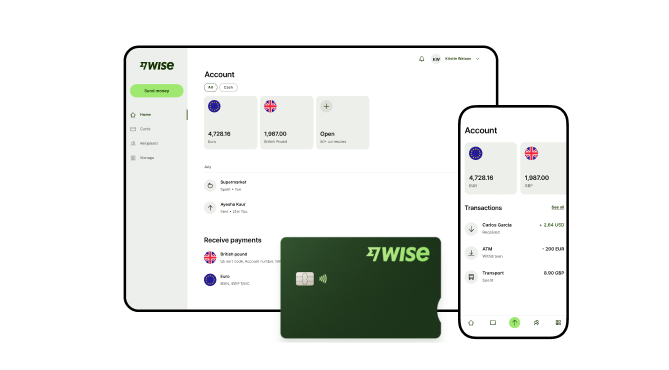
Managing international transactions often adds a layer of complexity to your financial reporting. Wise Business helps solve the challenge of fragmented global data by connecting your multi-currency account directly to accounting tools like Xero or QuickBooks.
This integration means your cross-border payments and local transactions sync automatically, reducing the need for manual data entry and helping you stay on top of your reconciliation. A Wise Business account allows users to can send, receive, and hold in multiple currencies. Experience hassle-free global transactions by transacting like a local business. Here's what you get with a Wise Business account:
Sign up for the Wise Business account! 🚀
This general advice does not take into account your objectives, financial circumstances or needs and you should consider if it is appropriate for you.
**Capital at risk, growth not guaranteed. Interest is the name of a custody and nominee service provided by Wise Australia Investments Pty Ltd in partnership with Franklin Templeton.
1. What is an integrated transaction?
An integrated transaction is a payment that’s automatically recorded and synced with your business systems, such as your POS or accounting software, without any manual input. This means the transaction flows straight through your systems, keeping records accurate and up to date.
2. How do you process an integrated payment?
An integrated payment is processed through a connected system where the payment gateway, POS, and backend system ‘work together’ to capture and record a transaction. When a customer pays, this transaction is automatically processed and synced across all your systems in real time.
Sources:
*Please see terms of use and product availability for your region or visit Wise fees and pricing for the most up to date pricing and fee information.
This publication is provided for general information purposes and does not constitute legal, tax or other professional advice from Wise Payments Limited or its subsidiaries and its affiliates, and it is not intended as a substitute for obtaining advice from a financial advisor or any other professional.
We make no representations, warranties or guarantees, whether expressed or implied, that the content in the publication is accurate, complete or up to date.

Learn how small business payment processing works in Australia, including costs, setup steps, and how to manage domestic and international payments efficiently.

Not sure what a merchant account is? No worries. From definitions to benefits, requirements, and setups, we’re covering everything the Aussie SMB should know.
Learn how secure online payments work in Australia, the safest methods for businesses, and how to protect customer transactions and international payments.

From payment networks to processes, we’re detailing what EFTPOS means and how it differs from the Australian domestic-only eftpos card scheme.

Learn how electronic funds transfers work, domestic vs international requirements, processing times, and the different types of EFTs for Australian businesses.

Compare Adyen vs Stripe for Australian businesses. Explore features, fees, and how Wise Business can reduce international payment costs.

















































