
Revolut business review: Plans, fees, and Australian alternatives
Read here for a review on Revolut Business in Australia. Compare multi-currency features, subscription plans, out-of-hours transfer fees, and alternatives.



If you want customers to pay directly through your website, you’ll need a way to securely authorise and process online payments. Stripe is a popular tool for this task, providing everything from pre-built checkout pages to more advanced website integrations. It also supports 100+ payment methods, making it suitable for SMEs that sell both locally and internationally¹.
In this guide, we’ll explain in detail how the Stripe gateway works in Australia, what it costs and how you can integrate it with your website.
| Table of Contents |
|---|


Stripe’s payment gateway securely transfers a customer’s payment information from your checkout to the payment systems that approve or decline the transaction. It also combines this with payment processing functionality, so you can accept payments without having to arrange a separate merchant account with another provider².
A typical Stripe payment is a relatively simple, repeatable process that works like this³:
The whole process happens very quickly, usually just a few seconds from the customer’s perspective.
Stripe offers multiple ways to take online payments, so you won’t be limited to just one when using the gateway, which is useful if you want to scale or tweak your setup as your business evolves or grows. Most of its payment gateway features are listed within its ‘Payments’ product category, which is a core service¹.
These include:¹
Pre-built checkout - A simple checkout page with ready-made functionality, including payment collection and the customer-facing checkout flow. You can embed it into your website or use it as a Stripe-hosted page. And there are customisation options (fonts, colours) to keep things on-brand, plus support for recurring payments and tax.
Embedded form - This puts Stripe’s payment form directly into your own website’s checkout, so customers can enter their details and complete the payment without being sent to a separate hosted page. Stripe still handles everything securely.
Payment Links - If you don’t have the resources for a website (or checkout), there’s the option to create payment links quickly without code and share them through channels such as SMS, email, and social media.
Customisable elements - For businesses that need more control over the look and functionality of their website, Stripe Elements lets you put together flexible, “rich UI building blocks”⁴. This is targeted mainly at developers.
Multiple payment methods - Stripe supports 100+ payment methods, with options for local audiences in Australia (like PayTo and BECS), as well as overseas, so you can offer a mix of cards, digital wallets, BNPL, and other methods as you see fit⁵.
Fraud prevention - Stripe includes built-in fraud protection, backed by machine learning algorithms through its ‘Radar’ product, to flag high-risk payments.
Terminal - There’s support for in-person payments, too. Stripe Terminal lets AU businesses with physical stores integrate payments with their POS system.
Payouts - Stripe also provides ‘flexible’ payout options to get the funds into your bank account.⁶

Stripe uses a pay-as-you-go pricing model for businesses on its Standard plan⁶. For larger enterprises with more complex requirements, there is a Custom plan that offers volume discounts and country-specific rates, but you’ll need to contact sales for an exact quote.
For most Australian businesses using Stripe to accept online payments on Standard, the main costs you’ll encounter are⁶:
| Domestic card payments | 1.7% + 0.30 AUD* |
|---|---|
| International card payments | 3.5% + $0.30 AUD* |
| Currency conversion fee | +2% |
| PayTo and BECS Direct Debit | 1% + $0.30 AUD, capped at $3.50 AUD |
| Zip (Buy now, pay later) | 5.49% + $0.30 AUD |
| Card payment dispute received | $25 AUD |
| Card payment dispute countered | $25 AUD |
| Custom domain (using your own domain with payment page hosted on Stripe) | $10 AUD per month |
*Stripe says it will update card pricing from 1 October 2026, lowering the cost of domestic card processing to 1.65% + $0.30 AUD and international card processing to 2.80% + 0.30 AUD, due to new caps on interchange fees introduced by the Reserve Bank of Australia⁷.
The process for integrating Stripe will depend on your website and level of customisation, but here’s a general guide for both no-code and bespoke integrations.
Start by signing up for a Stripe business account. The registration process is quite straightforward, but you’ll need to provide key business details, such as an Australian Business Number (ABN), and connect the bank account where you want to receive your payouts.
Next, think about the gateway features listed earlier: what’s best for your website architecture and how you want customers to pay? The process will be different for a website built on an ecommerce platform such as Shopify compared with a custom-built site.
If you’re using an existing ecommerce platform, check that Stripe has an integration or plugin that supports it. This can save you from having to create the connection yourself. If your website is custom-built, you’ll likely need a developer to set everything up using Stripe’s developer tools.
Use the knowledge from the previous step to start connecting your website. If you have a WordPress site with WooCommerce, for example, it might be as easy as quickly linking to an existing Stripe plugin or extension, which will handle most of the technical work. Stripe’s pre-built checkout pages are also much easier to get up and running.
There is much more to do for custom-built sites, though – a developer will have to use ‘API keys’, install libraries for programming languages, and sort out server-side functionality to set things up. Stripe’s documentation has very detailed guidance for these complex integrations⁸.

Once Stripe is connected, you can configure the payment experience customers will use. This will again be shaped by the type of integration you’re using from Stripe’s payment features. It could be a Stripe-hosted checkout, for example, or an embedded payment form.
Just make sure that the checkout clearly shows what customers are buying, the total amount they’ll pay, and the payment methods available to them.
Now it’s time to put the gateway through its paces by using Stripe’s test environment to check everything works as intended. You can simulate different payment scenarios, which helps to flag and resolve any problems early on. Test both successful and failed payments to see if your website responds appropriately after each transaction.
The final step is to switch your Stripe integration from test mode to live mode and start taking payments⁸.
To make sure integrating a Stripe payment gateway goes smoothly, you should:
Stripe can collect and process payments from your customers, but you’ll need somewhere to receive and manage the money afterwards. Wise Business is a multi-currency account you can connect to Stripe to manage all of your international payouts. You can use it to receive money in 22+ currencies, so you don’t have to automatically convert everything into AUD straight away. This gives you much more control over your revenue, and it can save you money.
Expanding a business globally opens up exciting opportunities, but also new challenges like receiving payments across borders. Hidden foreign transaction fees and hefty currency conversions involved with international payments can eat into your profits and time.
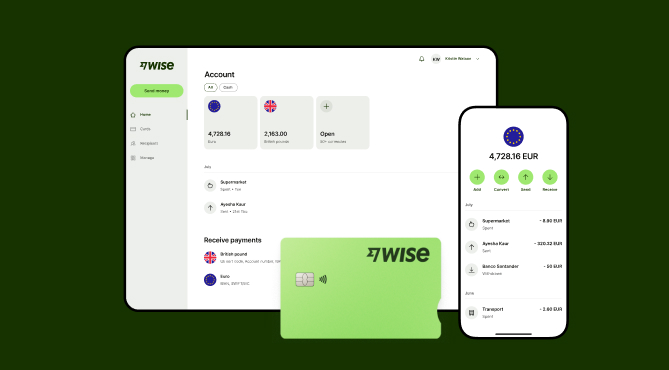
Wise Business serves as a cost-effective solution where you can receive money from around the world at the speed and price of local payments.
Transform the way you receive payments with Wise Business:
Sign up for the Wise Business account! 🚀
This general advice does not take into account your objectives, financial circumstances or needs and you should consider if it is appropriate for you.
1. Is Stripe a payment gateway or a payment processor?
Stripe is technically a payment gateway and payment processor – it functions as both, securely collecting payment details at checkout and then processing the transaction, with the funds then made available through Stripe payouts. You can use the service to get funds from A to B into your business bank account.
2. How long do Stripe payouts take in Australia?
Stripe supports different payout schedules. It’s set to ‘daily’ by default, but there are also options for weekly, monthly, and manual time scales. The exact time between a payment being made and the funds becoming available is likely to vary. Stripe says the initial payout can take 7-14 days.
3. Do I need a developer to integrate Stripe into my website?
Stripe offers pre-built checkout options and no-code Payment Links, so there are a few integration options if you don’t have a developer ‘in-house’. However, if you want deeper customisation or your website has a more exotic architecture, you’ll likely need technical expertise to get things set up.
Source:
*Please see terms of use and product availability for your region or visit Wise fees and pricing for the most up to date pricing and fee information.
This publication is provided for general information purposes and does not constitute legal, tax or other professional advice from Wise Payments Limited or its subsidiaries and its affiliates, and it is not intended as a substitute for obtaining advice from a financial advisor or any other professional.
We make no representations, warranties or guarantees, whether expressed or implied, that the content in the publication is accurate, complete or up to date.

Read here for a review on Revolut Business in Australia. Compare multi-currency features, subscription plans, out-of-hours transfer fees, and alternatives.

Compare the best payment gateways for WooCommerce in Australia, including features, fees, payment methods, and how to choose the right integration.

Need a fast, frictionless, and cost-effective payment solution for your online store? We cover the best payment gateways for ecommerce.

Compare OFX vs Airwallex for Australian businesses. Explore their features, multi-currency accounts, expense management, integrations, and fees.

Learn how to set up online payments for a small business in Australia, including payment methods, providers, costs, setup steps, and common challenges.

Learn how to take payments on a website, from choosing a payment provider to setting up a checkout, accepting cards, and managing fees.

















































