
International shipping from Australia: Duration, countries, & customs
Learn how long international shipping takes from Australia. This guide covers delivery times by region, major couriers, customs thresholds and restricted items.


If you’re running WooCommerce on a WordPress website, you’ll need a payment gateway to accept and process customer payments. There are plenty of options in Australia, and the fees, supported methods and how easily they plug into your checkout can have a big impact on customer experience and how much of each transaction you keep.
To give you a better idea of what might be best for your site, this guide will cover 6 of the best payment gateways for WooCommerce, covering key features and fees. We’ll also explain how to add a gateway to WooCommerce and what to consider when selling to customers overseas.
| Table of Contents |
|---|


A payment gateway connects your checkout to the payment provider, so customers can pay by card (and other supported methods). The gateway securely passes the payment details to the provider for authorisation, while WooCommerce records the order and updates its payment status.
Most payment gateways can be added quite easily to WooCommerce through an extension or plugin, so you can integrate them without building payment functionality from scratch. Some gateways redirect customers to the provider’s website to pay, while others let them complete payment directly on your site¹.
The specific payment gateway you choose will then also affect things like:
There are lots of payment gateways that integrate seamlessly with WooCommerce. Here are six of the best options specifically for Australian businesses, starting with a quick overview of the key features and pricing.
| Payment methods | Pricing | |
|---|---|---|
| Stripe | Cards, Apple Pay & Google Pay, Link, BNPL, international payment methods³ | 1.7% + $0.30 AUD domestic cards, 3.5% + $0.30 AUD international cards⁴ |
| PayPal | PayPal, cards, Pay Later⁵ | 2.90% + $0.30 AUD standard domestic, other rates available⁶ |
| Square | Cards, Apple Pay & Google Pay, Afterpay⁷ | 2.2% online payments⁸ |
| eWay | Cards, subscriptions¹⁰ | 1.5% + 0.25 AUD domestic cards, +1.99% international cards¹¹ |
| Airwallex | Cards, wallets, BNPL, 60+ local methods¹² | 1.65% + $0.30 domestic cards, 3.45% + $0.30 international cards¹³ |
| Pin Payments | Credit cards, subscriptions¹⁴ | 1.6% + $0.30 AUD domestic cards, 3.4% + $0.30 AUD international cards¹⁵ |
Now, we’ll look at each payment gateway in more detail, outlining what they do best and what they offer, plus the main fees you’ll be charged when using them.
Stripe is a global payments platform that lets businesses take online payments and build a complete financial infrastructure. It’s a flexible option for Australian WooCommerce stores, particularly for those that sell internationally or want to offer several payment methods with one integration.
When paired with WooCommerce, a Stripe payment gateway offers a fast, smooth checkout experience – businesses that use the Stripe integration see a 11.9% uptick in revenue on average³. There’s support for credit and debit cards, plus multiple alternative methods, which are designed for accepting payments from customers around the world.
Key features include³:
Pricing⁴:
Stripe uses a pay-as-you-go pricing model with no setup or monthly fees in Australia, charging a percentage plus a small AUD fee for most payment methods. It recently announced lower prices for both domestic and international card transactions, taking effect from 1 October 2026 and 1 April 2027, respectively, so check the current rates before signing up.
Australian shoppers are familiar with using PayPal online, and it can be added to WooCommerce through the official PayPal Payments extension. It’s billed as an ‘all-in-one’ solution, covering PayPal balances, as well as cards and pay later, which are available in Australia⁵. For card processing via WooCommerce, there are two options: Standard for a simple pre-built user experience, and Advanced to customise the look and feel.
Key features include⁵:
Pricing⁶:
PayPal also adopts pay-as-you-go pricing, using rates for what it calls “commercial transactions” for goods and services sold. The standard rate domestically is 2.90%, rising to 3.90% for receiving international transactions, plus a small fixed fee for both, based on the currency received, e.g. $0.30 AUD.
![][image10]
Square is an established payments provider in Australia, combining online payments with tools for businesses that also sell in person. Its WooCommerce integration goes beyond just payments, connecting online sales to a broader ecosystem, so businesses can manage orders, inventory and customer data as well⁷.
For transactions, Square promises to “take every payment, everywhere”, supporting major cards, digital and wallets, with advanced features such as saved cards and pay-now, capture later⁷. There is also the option to create discount codes in Square that customers can redeem at a WooCommerce checkout.
Key features include⁷:
Pricing⁸:
Square says it’s committed to “fair, transparent rates”⁹. Online payments made via its eCommerce API cost 2.2% per transaction across all card types. However, Afterpay transactions are charged separately at 6% + $0.30 AUD, excluding GST. There are no monthly processing fees for the standard payment service.
eWay is an Australian payments provider with a WooCommerce extension that’s built primarily for the needs of local businesses. It keeps things simple, focusing mainly on “effortless online payments”¹⁰. eWay lets you process credit cards and all major debit cards, including JCB and Diner’s Club, plus subscription payments directly through your store.
Key features include¹⁰:
Pricing¹¹:
eWay has a transparent pricing structure – there are no setup or monthly fees, and a flat rate of 1.5% + $0.25 AUD charged for each Amex, Visa, and Mastercard transaction. For international credit cards, a 1.99% fee is added on top.
Airwallex is built primarily for international ecommerce, providing WooCommerce stores access to cards, digital wallets, and dozens of local payment methods¹². Its plugin also supports multi-currency payments, so you’ll be able to settle funds in currencies other than AUD, which can reduce the burden of forced FX costs when selling overseas.
Key features include¹²:
Pricing¹³:
Airwallex says customers can save on “unnecessarily high processing fees” for payment plugins. When using WooCommerce, it costs 1.65% + $0.30 AUD for domestic cards and mobile wallets, and 3.45% + $0.30 AUD for international cards. There are also specific fees for the 60+ local payment methods on offer.
Pin Payments is another Australian payments provider based in Melbourne, offering a no-frills way for small businesses to accept credit card transactions online. Its WooCommerce integration lets customers connect Pin without having to set up a separate merchant account.
Key features include¹⁴:
Pricing¹⁵:
Pin’s standard Australian pricing starts at 1.6% + $.0.30 AUD for domestic cards and 3.4% + $0.30 AUD for international cards – again, with no setup or monthly fees to use the plugin. There is also an extra 1.7% fee if you use Pin to convert a foreign currency to AUD.

It’s relatively easy to integrate most gateways with WooCommerce using the official extensions, then configure your preferred payment methods. The exact process will vary by provider, but the general steps are:
When selecting a payment gateway, you’ll want a plugin that works well with your current WooCommerce setup, but it’s also worth weighing up other factors:
While a WooCommerce gateway handles the customer-facing part of the online transaction and processes the payment, you’ll still need to think about getting the funds into a business bank account afterwards.
Expanding a business globally opens up exciting opportunities, but also new challenges like receiving payments across borders. Hidden foreign transaction fees and hefty currency conversions involved with international payments can eat into your profits and time.
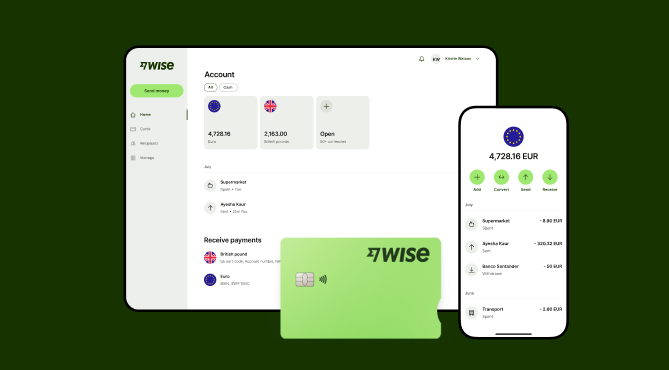
Wise Business serves as a cost-effective solution where you can receive money from around the world at the speed and price of local payments.
Transform the way you receive payments with Wise Business:
Sign up for the Wise Business account! 🚀
This general advice does not take into account your objectives, financial circumstances or needs and you should consider if it is appropriate for you.
1. Can WooCommerce accept PayPal and cards together?
Yes, WooCommerce can accept both PayPal and card payments on the same store. You can integrate more than one payment processor with WooCommerce if that works best for your business, although PayPal’s official plugin supports card payments as standard.
2. How much do WooCommerce payment gateways charge?
WooCommerce itself doesn’t set payment gateway fees - these are charged by each payment provider, which sets its own rates. These can include fees for transactions, account-keeping, payouts, and currency conversion. In Australia, transaction fees usually include a small percentage of the payment plus a fixed fee.
3. Can I create a custom WooCommerce payment gateway?
Yes, you can create a custom payment gateway for WooCommerce using its payment gateway API and integrating it with a specific payment provider. However, this is likely to require ‘in-house’ expertise from a developer with technical knowledge of WooCommerce and payment processing.
Source:
*Please see terms of use and product availability for your region or visit Wise fees and pricing for the most up to date pricing and fee information.
This publication is provided for general information purposes and does not constitute legal, tax or other professional advice from Wise Payments Limited or its subsidiaries and its affiliates, and it is not intended as a substitute for obtaining advice from a financial advisor or any other professional.
We make no representations, warranties or guarantees, whether expressed or implied, that the content in the publication is accurate, complete or up to date.

Learn how long international shipping takes from Australia. This guide covers delivery times by region, major couriers, customs thresholds and restricted items.

Learn how to set up Shopify international shipping in Australia. Explore shipping zones, custom requirements, calculating costs and carrier integrations.

Read here for a review on Revolut Business in Australia. Compare multi-currency features, subscription plans, out-of-hours transfer fees, and alternatives.

Learn how the Stripe payment gateway works in Australia, including features, fees, integration options, and tips for accepting online payments.
Need a fast, frictionless, and cost-effective payment solution for your online store? We cover the best payment gateways for ecommerce.

Compare OFX vs Airwallex for Australian businesses. Explore their features, multi-currency accounts, expense management, integrations, and fees.


