


Taxi Apps in South Korea: Best Apps, Fares, and Safety Tips

This article was reviewed on 11 October 2025. Information may have changed since publication. Please verify with the relevant provider.
Planning a short trip to South Korea from Japan and thinking about how to get from point A to point B? Taxis can be a convenient, affordable, and safe way to get around Seoul, Busan, and Jeju Island. This is especially true if you're traveling in a large group or have lots of luggage.
This guide to taxi apps in South Korea covers the best taxi apps for international travellers, current fares, how to pay (including taxi apps that accept Japanese and international credit cards), and practical tips so you can travel with confidence.
We'll also go through which apps can be used without a local Korean number and how taxis in South Korea are different from taxis in Japan. Lastly, we'll explain how you can save when you travel in South Korea with Wise.
Discover the Wise Account today
| Table of contents |
|---|
Best Taxi Apps in South Korea for Foreigners
Here's an overview of reservation fees, region availability, whether Japanese and international cards are supported for in-app payments, vehicle selection, and English UI availability.
| Feature | App |
|---|---|
| No Reservation Fee | |
| Available in Seoul | |
| Available in Busan | |
| Available in Jeju Island | |
| Accepts Japanese and international cards | |
| Vehicle selection | |
| English UI |
Kakao T 1-3
Formerly known as Kakao Taxi, Kakao T is operated by the team behind Korea's dominant messenger, KakaoTalk. It is widely used by not only the locals but also tourists for travelling around South Korea due to their wide availability. Moreover, if you already use Kakao services, you can sign in with the same account.
- Coverage: Seoul, Busan, Jeju, and most major cities
- Language: App is available in English
- Payment: International credit card, Cash, Kakao T Point, KakaoPay
No Korean phone number?
Sign up for a Kakao Account
- Download the KakaoTalk app
- Sign up for a KakaoTalk account
Sign up for a Kakao T account
- Install the Kakao T app
- Sign up for a Kakao T account using your newly created Kakao Account
- Verify your Kakao T account using your existing mobile phone number
Payment method registration
- To set up your payment method, locate the profile icon labelled 'My Info'
- Under the 'My Info' menu, look for the 'Payment Method' option marked with a wallet icon
- Select 'Non-Korean Credit Card' to add either a Japanese or international credit card
- Input your credit card details and complete the setup process
Practical Tip
- Because fares are calculated automatically based on distance/time, the risk of incorrect billing is lower when booking through the app
- Consider setting up your KakaoTalk and Kakao T account before leaving for South Korea to ensure smooth travel once you reach your destination
- Both the physical and virtual Wise card can be added as a payment method※1
※1 Last tested on 11 October 2025
Uber 4-8
Also known as UT, Uber operates as Uber Taxi in select parts of South Korea. Existing Uber users can continue to use their Uber accounts in South Korea right away without changing the country settings when using it overseas.
- Coverage: Most reliable in Seoul, Incheon, and Busan; availability varies by city and time
- Language: Full English UI
- Payment: International credit cards, Google Pay, Apple Pay, Cash
No Korean phone number?
Many travelers report Uber works with non-Korean numbers, but you still need SMS verification. Consider enabling international roaming or using an eSIM.
Sign up for an Uber Account
- Download the Uber app from the App Store or Google Play Store
- Sign up for a new account with either your existing phone number or email address
- Verify your phone number or address
- Fill in the required information and complete the sign up process
Payment method registration
- To set up your payment method, locate the profile icon labelled 'Account'
- Under the 'Account' menu, look for the 'Wallet' option marked with a wallet icon
- Select 'Add Payment Method'
- Select 'Credit or Debit card' to add your Japanese or international credit card
- Input your credit card details and complete the setup process
Practical Tip
- Consider setting up an Uber account before your trip to South Korea to ensure a smooth trip
- Both the physical and virtual Wise card can be added as a payment method※1
※1 Last tested on 11 October 2025
TADA 9
TADA is a ride-hailing service with a focus on safe and courteous drivers.
- Coverage: Urban areas; availability can be more limited than Kakao T
- Language: English UI is available (in some app versions/settings)
- Payment: In-app payment methods available; international card support may vary by user account and version
No Korean phone number?
Sign up for a TADA Account
- Download the Tada app from the Apple App Store or Google Play Store
- Select 'Are you a Foreigner?'
- Register with your existing phone number
- Complete the verification process
Payment method registration
- To set up your payment method, locate the menu icon labelled 'Menu'
- Look for 'Payment'
- Select 'Add payment method'
- Select 'Register Foreign Bank Card' to add either a Japanese or international credit card
- Input your credit card details and complete the setup process
Practical Tip
- Service features and coverage can change. Check the latest app description and recent reviews before you fly
- There's an option to register with a Kakao Account but a Korean ID is required for verification
- Both the physical and virtual Wise card can be added as a payment method※1
※1 Last tested on 11 October 2025
K.Ride 10
K.Ride is built for international travelers by Kakao Mobility, Korea's leading taxi platform. The app stands out with its automatic translation for driver chats and multilingual destination search.
- Coverage: Centered on Seoul with expansion underway
- Language: English UI available
- Payment: Register an international card and use in-app payment for fuss-free rides
- Reservation fee: A reservation fee may apply depending on service type
No Korean number?
Sign up for a K.Ride Account
- Download the K.Ride app from the Apple App Store or Google Play Store
- Select 'Get Started'
- Register with your existing phone number
- Receive your verification code and complete the verification process
- Connect your K.Ride account to either your Google, Apple or email account
Payment method registration
- To set up your payment method, locate the profile icon labelled 'My'
- Look for 'Payment Method'
- Select 'Add payment method'
- Select 'Credit/debit card' to add either a Japanese or international credit card
- Input your credit card details and complete the setup process
Practical Tip
- Setup can be more traveler-friendly, but SMS verification may still be required
- Only the physical Wise card can be added as a payment method※1
※1 Last tested on 11 October 2025
Taxi fares in South Korea
Below is a quick look at Seoul's taxi fare structure. Charges can stack (for example, a late-night surcharge plus an out-of-hours surcharge).
| Base fare | Distance included | Late-night surcharge | Out-of-hours surcharge |
|---|---|---|---|
| 4,800 KRW | Up to 1.6 km | 20% | 20% |
In practice, surcharges can add up to around 60% on top of the base meter during certain times/conditions. Always check the app's estimated fare before you book.
Incheon International Airport ↔ Central Seoul flat fares (tolls included)
| Zone | Destination area | Fare (mid-size taxi) |
|---|---|---|
| Area A | Gangseo-gu | 70,000 KRW |
| Area B | Mapo-gu, etc. | 75,000 KRW |
| Area C | Jongno-gu, etc. | 85,000 KRW |
| Area D | Gangnam-gu, Dongdaemun-gu, etc. | 90,000 KRW |
| Area E | Songpa-gu, etc. | 95,000 KRW |
Practical Tip
City rules and fares change from time to time. Confirm the latest fares in your app or on the city website when you travel.
Benefits of using taxi apps in Korea

- Transparent pricing: See your estimated fare upfront and avoid surprises
- Easy to use: Set your destination in the app, reducing language barriers
- Simple payments: Pay easily with in-app payment methods
- Privacy and security: Track your ride for added peace of mind and share trip details with friends
- Diverse vehicle options: Choose vehicle types for groups or luggage where available
What to watch out for when taking taxis in Korea
Watch out for scam taxis
In tourist areas and at airports, be cautious of unlicensed taxis or drivers who refuse to use the meter. Book through reputable taxi apps or use official taxi stands inside the airport. Always ensure the meter is set to 0 before the start of your journey.
Late-night and early-morning surcharges
From roughly 22:00 to 04:00, a late-night surcharge may apply, and combined surcharges can reach around 60%. Expect higher demand on Friday and Saturday nights, when finding a street taxi can be difficult. Taxi apps can definitely be a lifesaver during those moments.
Doors are not automatic
Unlike in Japan, taxi doors in Korea are not automatic. Open and close them yourself, and check for cyclists and cars when exiting.
Paying cash? Carry small bills
Cashless payments are common, and drivers may not always have change. If you plan to pay cash, bring smaller notes like 1,000 KRW and 5,000 KRW.
Pay in Korean taxi apps with Wise
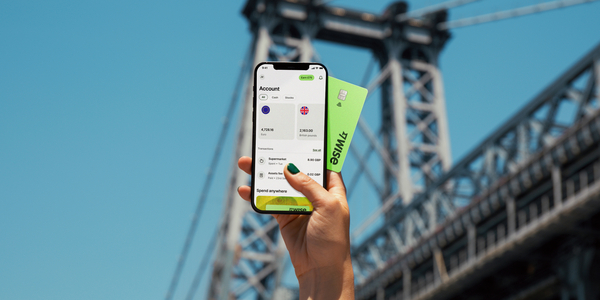
Cash is a hassle and Japanese debit and credit cards might have extra fees when you pay in KRW. Check out the international debit card from Wise, which lets you pay anywhere in the world at the real exchange rate, with just a small, transparent conversion fee.
Getting started is simple. Open your Wise account online or through the app, then order your card for a one-time fee of 1,200 JPY. Add JPY to your account and either convert to KRW before you travel, or let the card convert automatically when you pay.
The Wise card detects when you need KRW and converts your balance using the mid-market exchange rate and a low conversion fee from 0.43%. That means no foreign transaction fees and no need to carry lots of cash.
Why travellers choose the Wise debit card:
- Works in 150+ countries: Use your card worldwide with no annual fees
- Real exchange rate: Convert money at the mid-market rate with no markups
- Low, transparent fees: Conversion fees from 0.43% make it perfect for travel spending
- Automatic conversion: Even without holding foreign currency, your card converts from your cheapest currency automatically when you pay
- Free ATM withdrawals: Withdraw free twice a month up to 30,000 JPY total (third-party ATM fees may apply)
- No foreign transaction fees: Save compared to traditional credit card charges
- Free virtual card included: Create a virtual card instantly in your Wise account for online payments
- Stay secure: Freeze your card instantly in the app if it's lost or stolen
With these taxi apps on your phone and Wise in your wallet, you're ready to explore South Korea confidently and affordably.
Make your travels in South Korea easier. Sign up for Wise
Common phrases (Korean taxi and app terms)
All four apps work in English, so language won't be a barrier. Still, these Korean phrases might come in handy for receipts, signs, or those just-in-case moments.
Katakana is provided to help pronunciation.
| Korean | English | Katakana |
|---|---|---|
| 호출료 hochullyo | Reservation fee / Call-out fee | ホチュルリョ |
| 앱 내 결제 aep nae gyeolje | In-app payment | エンネ ケルジェ |
| 심야 할증 simya haljeung | Late-night surcharge | シミャ ハルチュン |
| 외국인 요금 oegugin yogeum | Foreign passenger surcharge | ウェグギン ヨグム |
| 영업시간 외 추가요금 yeongeop sigan oe chugayogeum | Out-of-hours extra charge | ヨンオプシガン ウェ チュガヨグム |
| 정액 요금 jeongaek yogeum | Flat fare | チョンエク ヨグム |
| 기본요금 gibon yogeum | Base fare | キボン ヨグム |
| 영수증 yeongsujeung | Receipt | ヨンスジュン |
| 카드 결제 kadeu gyeolje | Card payment | カドゥ ケルジェ |
| 현금 결제 hyeongeum gyeolje | Cash payment | ヒョングム ケルジェ |
FAQ
Do I need a Korean phone number to use taxi apps?
The apps covered in this guide don't require a local Korean number. However, it's recommended that you sign up for the taxi apps before you leave for South Korea as SMS verification is needed for some apps. You can also consider getting a local SIM card or an eSIM with a local number from the airport. Not only will it make booking a cab easier, it can help with making reservations for restaurants or signing up for delivery apps.
Which taxi apps accept international credit cards?
The taxi apps covered in this guide all accept payments by international credit cards. However, some apps like K.Ride may not accept the virtual version of your credit card. As such, it's best to always have your credit card on hand as you travel around South Korea. That said, it's recommended to test whether your card works with the app before your trip.
Are taxis cheap in South Korea?
Base fares in Seoul start around 4,800 KRW for 1.6 km, which many visitors find affordable when compared to Japan's taxi prices. However, do take note that surcharges apply late at night and for specific conditions so it's always best to check the app estimate.
Conclusion

Now you're set to get around South Korea with confidence. Whether you choose Kakao T, Uber, Tada, or K.Ride, you can book in English, see prices upfront, and pay with your international card.
Make your money go further with the Wise debit card. You'll always get the real exchange rate when you spend in KRW, with low, transparent fees.
Travel wisely. Travel with Wise
This article was created based on the Japanese article posted on July 7, 2025, using AI tools: https://wise.com/jp/blog/taxi-app-south-korea. While our staff have proofread and edited this content to ensure accuracy and usefulness, we do not represent or warrant, whether explicitly or implicitly, that this content is accurate, complete, or up-to-date. If you require professional opinions or advice, please consult a financial advisor or other specialists.
Sources
- Kakao T
- Kakao Mobility Support (Payments/Card registration FAQ)
- Kakao Mobility Support (Paid Service Details)
- Uber Korea
- Uber (How to create an account FAQ)
- Uber (Change country setting)
- Uber (Availability in South Korea)
- Uber (Paying with Apple Pay or Google Pay)
- Tada Korea
- K.Ride
*Please see terms of use and product availability for your region or visit Wise fees and pricing for the most up to date pricing and fee information.
This publication is provided for general information purposes and does not constitute legal, tax or other professional advice from Wise Payments Limited or its subsidiaries and its affiliates, and it is not intended as a substitute for obtaining advice from a financial advisor or any other professional.
We make no representations, warranties or guarantees, whether expressed or implied, that the content in the publication is accurate, complete or up to date.



















































