
Revolut business review: Plans, fees, and Australian alternatives
Read here for a review on Revolut Business in Australia. Compare multi-currency features, subscription plans, out-of-hours transfer fees, and alternatives.



Xero is accounting software that lets small business owners manage finances and cut down on the amount of time and effort it takes to sort accounts and bookkeeping. However, it’s not just standalone software. There are a ton of integrations — 1,000+ apps that connect with Xero to make it easier to run most aspects of business.
In this blog, we’ll look at Xero integration in detail, covering the benefits and how it all works, and offer a rundown of the different types of apps that can be connected. We'll also touch on one of the integrations with Wise Business, a business account for global transactions with low, transparent fees.
| Table of contents |
|---|
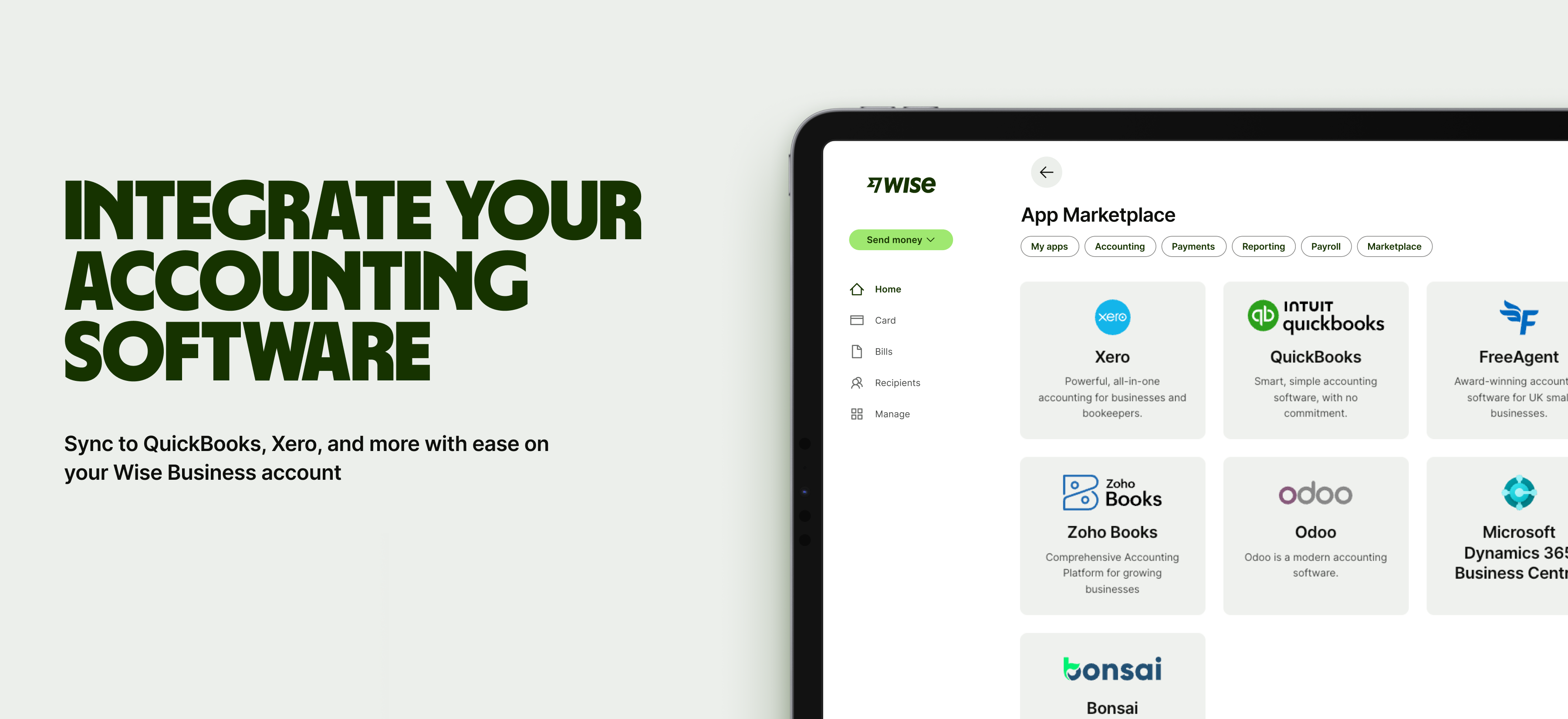
Sign up for the Wise Business account! 🚀
Xero integration is when a third-party app connects directly to your Xero account to create a more rounded and feature-rich platform for managing all aspects of business. Instead of having to juggle between these different apps in different windows to transfer data, with Xero integration, information flows between the tools in real time.
For example, if you decide to integrate payroll software with Xero, all your employee payments and super contributions will sync straight into your accounts. Or if your ecommerce platform connects to Xero, every sale and refund gets logged instantly.
For small businesses, this sort of integration is a big time saver as everything just works together seamlessly, meaning fewer manual tasks and errors. This gives you more hours per week to focus on running your business.
Connecting all of these apps through Xero gives you access to more business tools that ‘talk’ to each other and take the hassle out of managing finances and other tasks.
Here are five benefits of Xero integration:
90% of customers say Xero reduces admin and makes it easier to manage all their business finances and tasks in one place, rather than having to switch between multiple platforms². Automating repetitive tasks, like importing transactions or reconciling invoices, frees up precious time for added-value endeavours.
Integrations reduce the number of moving parts and manual inputs. All data is synced between systems automatically, which reduces human error. You won’t have to deal with the frustration of mismatched spreadsheets or duplicate records. More accurate data supports better decision-making, too, and makes it easier to stay compliant.
Because integrated systems update instantly, you can get a true snapshot of everything that’s going on in your business. You’ll have a live view of things like cash flow, sales, and expenses, without having to second-guess if everything is correct.
Xero integrations let you connect apps and shape the platform for the needs of your business. You can build a bespoke system that’s perfect for your workflows, adding (and disconnecting) apps when you see fit, allowing you to scale as your business grows and changes.
The small benefits of these integrations compound every day at work. Employees no longer have to switch between dozens of tools or re-enter data multiple times. Xero integrations keep everything flowing smoothly to improve the productivity (and quality) of different teams.
Xero integration is pretty straightforward if you just want to use the library of pre-approved apps on its store. There’s a lot more to handle and expertise required to build custom integrations. You’ll need in-house developers for a start, and Xero’s toolkit, which includes APIs and SDKs.
There are two main ways to connect tools: via the Xero App Store or using an API for custom integrations.
First, let’s look at how to connect a tool using the App Store. This is the easiest way to integrate. All you need to do is³:
It’s important to note that lots of apps are either paid for or have subscription models, so you might have to take out a plan or start a free trial when integrating Xero apps from the store.

For custom integrations, you’ll first need to be approved as a Xero developer partner. You can sign up for a free account, but there are quite a few steps to complete afterwards to get approval status, like building the integration and onboarding beta customers⁴.
This option is primarily for larger or more technical companies. For most startups and small businesses, the plug-and-play apps will do the job and flesh out Xero’s feature set and functionality.
Xero’s open API makes all of these integrations possible. Developers can plug in lots of pre-built apps easily through the Xero app store, which lists 1,000+ options, or build their own integrations¹.
Xero software integration tool types you’ll find include:
Here’s a breakdown of the most popular integration categories on Xero, with specific examples and what they can do for your business.
Payroll integration in Xero aims to streamline employee management and reduce the time spent on payroll, so your books are prepared in less time and reflect what’s really happening in your business.
You’ll need a bank account to use Xero, but you can get a better view of your finances with integrations.
Xero’s CRM integrations allow you to manage all your customer data in one place.
For businesses that need to manage stock and relationships with suppliers, there are multiple apps for getting a clearer visibility of inventory movements.

If you’re running an ecommerce store, Xero can integrate with your online shopfront so everything syncs, helping you to keep tabs on profitability.
Knowing what’s going out and what you need to pay is vital for small businesses. Xero’s bills and expenses apps bring structure to money management.
Xero integrations can magic up reports and forecasts to help make sense of all your numbers without having to manually plug them into separate software.
There are also a few Excel ‘Add-ins’ that connect Xero to Microsoft’s popular spreadsheet software and pull in data automatically, so it’s simpler to visualise and analyse, without needing to export CSVs all the time.

Xero supports dozens of payment gateway integrations, which allow customers to pay invoices quickly through “Pay Now” buttons and other links.
Examples include:
All these integrations make it easier to get paid on time, and they automatically record everything in Xero.
If your business deals with clients or suppliers overseas, keeping track of foreign currency transactions can quickly become a manual burden.
Connecting a Wise Business account to Xero helps solve this by automatically syncing your activity across more than 40+ currencies directly to your books. With Wise Business, users can process global business transactions like bill payments and processing invoices at the mid-market exchange rate, and the details flow straight into Xero for easier reconciliation.
Expanding a business globally opens up exciting opportunities, but also new challenges like receiving payments across borders. Hidden foreign transaction fees and hefty currency conversions involved with international payments can eat into your profits and time.
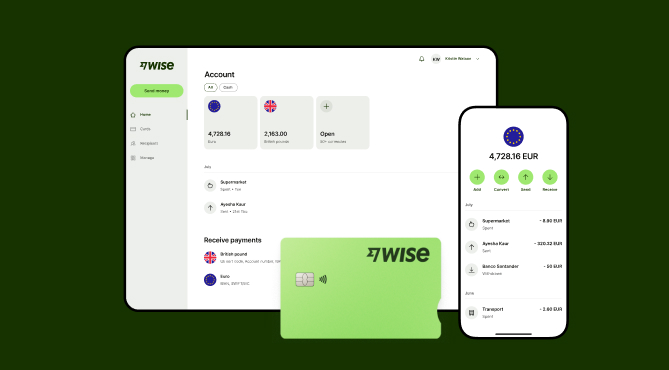
Wise Business serves as a cost-effective solution where you can receive money from around the world at the speed and price of local payments.
Transform the way you receive payments with Wise Business:
Sign up for the Wise Business account! 🚀
This general advice does not take into account your objectives, financial circumstances or needs and you should consider if it is appropriate for you.
1. Can I connect Xero to my bank account?
Yes, you can connect Xero directly to your bank account. Setting up a dedicated business account is one of the things you’ll need to do to actually use Xero, as all the features are built around managing business finances (incomings, outgoings, etc.)⁵.
To link your bank account, you need to navigate to the Accounting menu in Xero, select “Bank accounts,” click “Add Bank Account,” and then complete the process⁶.
2. Do I need to be a developer to connect apps to Xero?
No, you don’t have to be a developer to connect apps with Xero. Most tools are plug-and-play. Usually, all you need to do is find your preferred app in the Xero App store, and then click “Connect” and follow the prompts afterwards to complete the integration. However, you’ll probably need a developer for more advanced, custom integrations.
3. What happens if I disconnect an app from Xero?
If you disconnect an app from Xero, the data connection stops immediately. Your historical data remains in Xero (and in the app), but new transactions or transfers won’t sync. You can reconnect the app later using the same method used to integrate the app to start syncing data again.
Sources:
*Please see terms of use and product availability for your region or visit Wise fees and pricing for the most up to date pricing and fee information.
This publication is provided for general information purposes and does not constitute legal, tax or other professional advice from Wise Payments Limited or its subsidiaries and its affiliates, and it is not intended as a substitute for obtaining advice from a financial advisor or any other professional.
We make no representations, warranties or guarantees, whether expressed or implied, that the content in the publication is accurate, complete or up to date.

Read here for a review on Revolut Business in Australia. Compare multi-currency features, subscription plans, out-of-hours transfer fees, and alternatives.

Compare the best payment gateways for WooCommerce in Australia, including features, fees, payment methods, and how to choose the right integration.

Learn how the Stripe payment gateway works in Australia, including features, fees, integration options, and tips for accepting online payments.

Need a fast, frictionless, and cost-effective payment solution for your online store? We cover the best payment gateways for ecommerce.

Compare OFX vs Airwallex for Australian businesses. Explore their features, multi-currency accounts, expense management, integrations, and fees.

Learn how to set up online payments for a small business in Australia, including payment methods, providers, costs, setup steps, and common challenges.

















































