
Guide on multi-currency business accounts in Australia
Compare multi-currency business accounts in Australia. Learn how they work, the fees to expect, and the best options.



eWay and Stripe are two popular payment gateways that Australian businesses can use to take card payments online. eWay is a long-standing local provider that keeps things simple, while Stripe is more of a global powerhouse with developer-friendly tools.
This guide will compare eWay vs Stripe in detail, looking at how the features stack up and all the costs for international transactions, so you can see which best fits your business.
| Table of Contents |
|---|


eWay is a payment processor that was founded in Canberra in 1998, built to make online payments simple for local businesses¹. It now supports 97,000+ merchants and is backed by Global Payments Inc, a financial tech multinational that acquired the company in 2016, giving it a global infrastructure, but still with the same strong Australian focus.
Historically, eWay has been a go-to for regional e-commerce businesses due to its compelling combo of ‘effortless’ online payments and local support that gets the job done, without fuss.
eWay offers³:
Stripe is a global payments and financial infrastructure platform designed for businesses that want to scale, both locally in Australia and internationally. It operates in 160+ countries, and processed around $1.9 trillion in payments in 2025, which really emphasises its global presence⁴.
Stripe’s reputation has been built on modern, API-driven technology. It’s designed to give businesses full control over their payments – how they’re integrated, customised, and managed. This has made it a top option for SaaS companies and tech-forward teams.
Stripe offers⁴:
To understand which platform is a better fit, it’s useful to see how the two payment processors measure up across key features that affect daily operations and customer experience. Here’s a quick overview of Stripe vs eWay.
| Feature | eWay | Stripe |
|---|---|---|
| Payment methods | Major cards and digital wallets (including Click to Pay) | 125+ global payment methods |
| Multi-currency support | Limited (requires a NAB merchant account) | 135+ currencies |
| Merchant account option | Can use your own or opt for bundled service | Aggregated only |
| Integrations | 250+ payment integrations across 23 categories | Stripe App Marketplace across 18 categories + APIs |
| Billing | Basic recurring payments and subscriptions | Advanced billing with usage-based pricing and contracts |
| Fraud & security | Free Fraud Lite with every account | Radar AI included with all payment methods |
Now, let’s take a look at what the two providers offer in more detail, starting with payment types.
eWay groups its payment methods in three categories: credit and debit cards, other cards, and digital wallets, which include Visa, Mastercard, and Amex, as well as Apple Pay, Google Pay, and Click to Pay³. However, multi-currency support is thin on the ground. eWay says you need to get a merchant facility with NAB to process transactions with different currencies⁵.
Stripe has more options, with support for 125+ payment methods across 135+ currencies, which makes it easier to tailor experiences for local markets and take payments from international customers⁶. Its checkout is also highly customisable, so you’ll have lots of control over how things work.
One key difference between eWay vs Stripe is how they handle merchant accounts and payment gateways. eWay has a bit more flexibility here, as you can either use it ‘all-in-one’ with both a payment gateway and merchant account, or connect your own merchant account from a bank to its payment gateway⁷.
Stripe, on the other hand, works as a payment processor with a built-in merchant account, which is often called an aggregated model. You don’t need a separate merchant account, as everything is sorted through Stripe’s platform⁸.
However, eWay’s approach does give you more control and flexibility, especially if you’re an established business and already have banking relationships in place. Stripe offers a simpler setup for this particular feature.
Stripe gets a lot of attention for its integrations, but eWay isn’t a slouch in this department, offering a suite of 250+ tools that let you connect accounting software, CRMs, booking systems, and more⁹. There are popular tools, such as Xero, Shopify, WooCommerce, and NetSuite, with everything designed to be quick to set up and easy to maintain.
Stripe’s App Marketplace has a huge number of apps you can “use to run your business” across 18 categories, including accounting, data and analytics, logistics, marketing and sales, and tax¹⁰. It’s very flexible, and you’ll be able to connect Stripe to all sorts of platforms through APIs and pre-built components.
eWay supports recurring payments and subscriptions, either at weekly, monthly, annual, or “ad hoc” intervals, which should be enough for most small to mid-sized businesses with straightforward billing needs¹¹.
Stripe is much more advanced in this area, with a feature-rich billing system that lets you manage subscription tiers, usage-based pricing, contracts, and invoicing workflows from one platform¹².
With eWay, you get Fraud Lite for no extra charge, so you don’t have to pay to screen each and every transaction³. There’s also ‘Advanced Cybersecurity’ with PCI DSS Level 1 compliance and data protection¹³ that eWay says is “trusted by the biggest banks”. For even more protection, there are two paid plans: Fraud Essentials and Fraud Ultimate – you’ll need to ‘book a call’ to enquire about these¹⁴.
Radar is one of Stripe’s core features, with AI that’s trained on an annual payment volume of $1+ trillion dollars15. This allows it to assign risk scores to every transaction and move quickly to block fraudsters. When added to a global security infrastructure and extensive compliance support, it makes for a very robust package overall.
Now, let’s look at the costs of using both of these services, covering core pricing models, fees, and international transactions.
First, let’s compare the standard price plans on offer. eWay keeps things simple with a flat-rate pricing model³:
There are no fees to get set up or maintain the account thereafter, and you’re free to leave whenever you want – eWay says there are no “lock-in contracts”. This makes costs predictable and easy to manage for businesses in Australia that process mostly local payments.
Stripe also uses a flat-rate, pay-as-you-go model¹⁶:
As you can see, Stripe is slightly more expensive for standard transactions. But its pricing is more flexible: larger businesses can negotiate custom rates or switch to alternative pricing models, which isn’t usually possible with eWay as it sticks to a fixed structure.
As we’ve noted, eWay doesn’t have any setup fees or monthly fees, and basic fraud protection is built into the platform for business accounts³.
However, you will need to pay a monthly subscription fee to use the payment gateway. There are two main options: Budget and VIP, costing $30 and $60 per month, respectively, when billed annually⁷.
Stripe has a much more comprehensive pricing list covering most of its features¹⁶. You have to pay a 0.7% fee on the billing volume when managing recurring payments, for example. There aren’t any setup fees, but expect to pay:
eWay and Stripe support full and partial refunds, but there are some key differences. eWay allows refunds through its dashboard (to the original card only)¹⁷, while Stripe doesn’t return its original processing fees when a payment is refunded¹⁸.
Both platforms also charge for chargebacks and disputes.
eWay charges¹⁹:
Stripe charges¹⁶:
Stripe is now also testing a ‘Smart Disputes’ feature where AI automatically compiles and submits evidence on your behalf. If you win the case, there’s a charge of 30% of the dispute amount (no fee if you lose).
When taking international cards, there are additional fees. eWay charges an +1.99% fee on top for international card transactions³, and you’ll need separate accounts if you want to process multi-currency payments⁵.
Stripe is more flexible with currencies, but the price for international cards is higher: 3.5% + $0.30 AUD. There’s also an additional 2% added when converting currencies and a 1% charge of pay out volume for multi-currency settlement¹⁶.
Finally, let’s weigh up the pros and cons of using eWay or Stripe for payment processing.
| eWay | Stripe | |
|---|---|---|
| Pros | Simple flat pricing | Supports 135+ currencies |
| Local Australian support | Built-in global payment infrastructure | |
| Fast settlement (1-3 days) | APIs are very customisable | |
| Option to use your own merchant account | Advanced billing and subscription tools | |
| Cons | Multi-currency setup is much less flexible | Higher international transaction fees |
| Limited global reach and capabilities | Might be complex for non-technical users | |
| Fewer advanced features | Pricing less predictable with more ‘add-ons’ |
If you’re mainly servicing Australian customers or want to connect your own merchant account, something trusted and locally supported might make sense (eWay). However, if you’re expanding overseas and need more flexibility with integrations and payment flows, Stripe could be a better fit.
Some things to consider:
Cross-border payments are often a big blind spot. Stripe supports a wide range of currencies, for example, but the currency conversion markups and settlement costs can quickly add up and affect your margins.
While choosing the right online payment processor secures a reliable checkout experience for your customers, managing the international revenue can be crucial too. Converting foreign sales back into Australian dollars directly through a standard gateway may triggers high currency conversion fees and unfavorable exchange rates.
Expanding a business globally opens up exciting opportunities, but also new challenges like receiving payments across borders. Hidden foreign transaction fees and hefty currency conversions involved with international payments can eat into your profits and time.
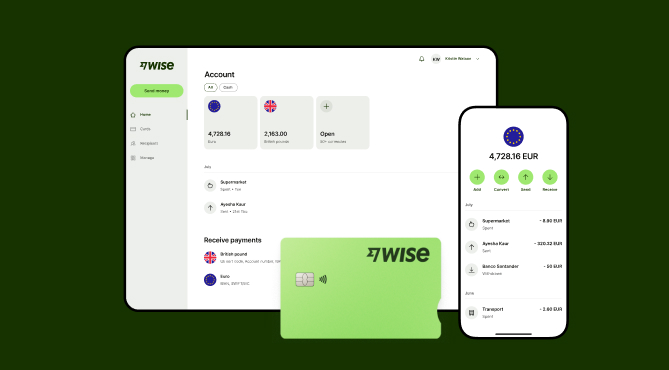
Wise Business serves as a cost-effective solution where you can receive money from around the world at the speed and price of local payments.
Transform the way you receive payments with Wise Business:
Sign up for the Wise Business account! 🚀
This general advice does not take into account your objectives, financial circumstances or needs and you should consider if it is appropriate for you.
Sources:
*Please see terms of use and product availability for your region or visit Wise fees and pricing for the most up to date pricing and fee information.
This publication is provided for general information purposes and does not constitute legal, tax or other professional advice from Wise Payments Limited or its subsidiaries and its affiliates, and it is not intended as a substitute for obtaining advice from a financial advisor or any other professional.
We make no representations, warranties or guarantees, whether expressed or implied, that the content in the publication is accurate, complete or up to date.

Compare multi-currency business accounts in Australia. Learn how they work, the fees to expect, and the best options.

Learn what third-party payments are, how they work, and their benefits. This guide covers the main types, challenges, and how to set them up for your business.

Keen to incorporate cashless payments into your small Australian business? From benefits to costs and challenges, we’re covering everything you need to know.

Learn what ACH payments are, how ACH transfers work, fees, timelines, and ways Australian businesses can send and receive ACH payments with ease.

Learn what a recurring payment is, how it works, types, benefits, and how to set up recurring payments with Wise Business in Australia.

Compare Stripe vs Square in Australia, including features, fees, and key differences. Find the right payment solution for your business.

















































