
Revolut vs Airwallex: Guide for Aussie businesses
Compare Revolut vs Airwallex for Australian businesses. Explore features, fees, and exchange rates, plus see how both platforms stack up against Wise Business.



Stripe and Square are two widely used payment processing platforms in Australia, helping small businesses to take cards online and in-store. Each brings its own approach to payment services, which may suit different ways of running a business.
In this guide, we’ll break down Stripe vs Square in Australia, covering everything from features and pricing to real-world use cases, so you can decide which is the best fit for your business. There’s also an intro to Wise Business for managing all your international transactions and finances.
| Table of Contents |
|---|


Stripe is an online payment processor first-and-foremost, with tools and checkouts that convert customers and take domestic and international card payments. It’s very customisable with lots of powerful APIs and payment options (including Zip and AfterPay in Australia), making it ideal for ecommerce and SaaS platforms that need a bespoke system that scales.
On the other hand, Square is streamlined and designed for simplicity with its all-in-one ecosystem that’s essentially plug-and-play. You get point-of-sale hardware, software, and online tools bundled together, which is popular with small businesses and physical store-first enterprises like retailers and hospitality businesses.
Both Stripe and Square let you take online and in-store payments, and there’s quite a bit of overlap between their services, but they target slightly different audiences.
Here’s a quick side-by-side comparison to give you a better idea of how they fare.
| Feature | Stripe | Square |
|---|---|---|
| Best for | Online-first businesses, Saas, ecommerce | Small businesses, retail, hospitality, in-person sales |
| Ease of use | Requires technical setup | Beginner friendly |
| Accepted currencies | 135+¹ | Payments accepted in local currency (AUD) |
| Accepted cards | Visa, Mastercard, American Express, EFTPOS² | Visa, Mastercard, American Express, JCB, EFTPOS³ |
| Digital wallets | Apple Pay, Google Pay, AfterPay, Klarna, Zip² | Apple Pay, Google Pay, AfterPay, ClearPay³ |
| POS system | Stripe Terminal with 11+ devices and third-party integrations⁵⁴ | Complete POS ecosystem with wide hardware range⁴⁵ |
| Online store | No native builder | Built-in online store with inventory management⁶ |
| Integrations | Extensive APIs, Stripe Connect for platforms⁷ | 15 categories via App Marketplace⁸ |
| Customer support | 24/7 digital support (chat, Discord)⁹ | Phone and community forum¹⁰ |
Now, let’s look at a few core features these payment processors offer in more detail and how they differ.
Stripe is built for online payments — this is its forte. There are flexible options for pre-built checkout pages, payment links, fully customisable UI components, and other tools, with support for 100+ payment methods and multiple local currencies for 195+ countries¹¹. This makes it well-suited to international businesses accepting payments from overseas.
Square takes a broader, all-in-one approach to payment processing with a built-in online store that has ‘everything you need’⁶. You can create a site quickly, manage orders, inventory, and customer data within a single integrated system¹². There’s also the option to sell across like channels, like your website and social media (and in-store).
What this means:
Square offers a complete POS ecosystem, packing in everything you need to get going out of the box, with hardware, software, and a single app that can be tailored to different business types, like retail, beauty, services, and hospitality⁴. There’s a wide range of card reader options, too.
Stripe also offers in-person payments via Stripe Terminal, which lets businesses unify their online and in-store payments in a single system¹³. It’s flexible, allowing businesses to build a custom POS or integrate with third-party solutions. There are currently 11 payment devices listed that support this service¹⁴.
What this means:
The Square App Marketplace offers integrations with apps from 15 categories, including accounting and tax, invoicing, marketing and analytics, items and inventory, and ticketing and events⁸. These are all designed to help you run your business more efficiently.
Stripe fleshes out its payment processing with APIs and integrations, designed for businesses that need customer payment infrastructure. Stripe Connect, for example, lets platforms and marketplaces embed payments, handle payments to third parties, and sort a pretty complex chain of money movement across multiple users⁷. This tech is used by big brands like Shopify and DoorDash.
What this means:
Both platforms support charging customers at regular intervals, either monthly, annually, or per-usage. The key difference here is complexity.
Stripe is built for SaaS businesses and platforms that need customisable payment structures with handy automated invoicing and revenue recognition on top¹⁵. This is ideal for businesses that, for example, have usage-based pricing and tiered plans with multiple billing cycles that need to be coordinated.
Square supports recurring payments through its invoicing system and online store subscriptions¹⁶. These are designed for simplier uses cases, like membership fees or regular services. Setup is straightforward with pre-built templates that allow you to collect revenue without configuring too much.
What this means:
For security, Square monitors every transaction in real-time and encrypts payment data immediately. It also handles PCI-DSS compliance — a mandatory set of security standards to protect cardholders — on your behalf¹⁷. One key difference between the two platforms is that Square manages chargebacks and disputes for you and doesn’t charge a fee²⁴.
Meanwhile, Stripe’s Radar service uses AI trained on $1+ trillion in annual payments to assign risk scores and automatically block any high-risk payments¹⁸. It crunches through hundreds of signals to ‘identify and prevent fraud in real time’. There are also advanced tools, such as custom rules and dispute prevention tools.
What this means:
After taking payments, both platforms automatically transfer funds to your bank account.
You can keep track of your transactions on both Square and Stripe by using the respective dashboards and reporting tools.
Square provides live chat and phone support, designed to be accessible for non-technical users — there are lots of simple troubleshooting topics on the support page for queries on payments, orders, appointments, and more. There’s also an ‘ask the community’ where you can get answers from other sellers¹⁰.
Stripe has a library of in-depth documents and resources built for developers, including a live chat through an official Stripe Discord channel⁹. You can also contact support staff directly for 24/7 assistance.
What this means:
Stripe and Square have different pricing models. Stripe charges per transaction and for services rendered, while Square uses a base subscription with fees on top. Here’s a break down of the pricing and fees.
Square has three subscription plans: Free, Plus, and Premium²³. The entry-level tier covers the basics — you can use Square to take payments wherever your customers are without any setup or monthly fees. Plus then adds ‘advanced features’ geared towards specific business types, such as retailers and restaurants.
There are also processing fees on top, charged per transaction: in person (1.6%), online (2.2%), MOTO (2.25%), and custom rates if you process over $250,000 per year.
Stripe uses a simpler pay-as-you-go model with no fees for getting things set up or account maintenance²². You pay 1.7% + $0.30 per domestic card transaction and 3.5% + $0.30 per international card transaction, with custom pricing for higher-volume businesses. Other features, like Radar and Billing, also have fees.
Stripe provides more transparency around FX fees, while Square bundles costs into its existing rates.
While Stripe and Square excel at capturing customer payments, managing international revenue can quickly become expensive due to standard processor conversion fees.
Wise Business helps solve the challenge of high foreign exchange costs by working right alongside your chosen payment platform. Currency conversions at the mid-market rate with no hidden markups.
By linking local Wise account details to your Stripe or Square setup, you can withdraw your earnings in the original currency rather than forcing an immediate, costly conversion. For example with Stripe, all you need to do is log into the Stripe Dashboard, add your Wise account details, and select the local currency you want to use²⁷.
Expanding a business globally opens up exciting opportunities, but also new challenges like receiving payments across borders. Hidden foreign transaction fees and hefty currency conversions involved with international payments can eat into your profits and time.
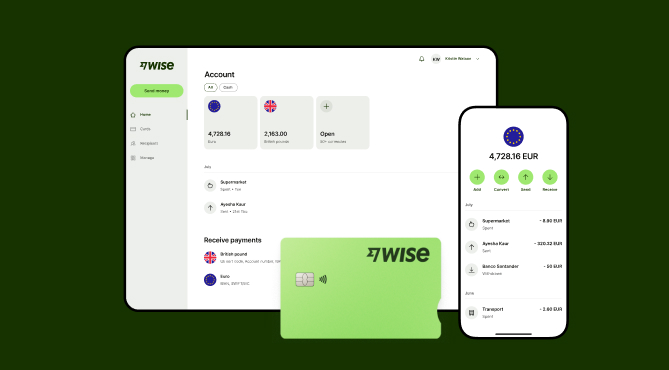
Wise Business serves as a cost-effective solution where you can receive money from around the world at the speed and price of local payments.
Transform the way you receive payments with Wise Business:
Sign up for the Wise Business account! 🚀
This general advice does not take into account your objectives, financial circumstances or needs and you should consider if it is appropriate for you.
Sources:
*Please see terms of use and product availability for your region or visit Wise fees and pricing for the most up to date pricing and fee information.
This publication is provided for general information purposes and does not constitute legal, tax or other professional advice from Wise Payments Limited or its subsidiaries and its affiliates, and it is not intended as a substitute for obtaining advice from a financial advisor or any other professional.
We make no representations, warranties or guarantees, whether expressed or implied, that the content in the publication is accurate, complete or up to date.

Compare Revolut vs Airwallex for Australian businesses. Explore features, fees, and exchange rates, plus see how both platforms stack up against Wise Business.

Compare Payoneer alternatives in Australia. Discover the best platforms for international payments, compare fees and features, and how Wise Business fares.

Considering selling a business in Australia? From valuations to negotiating with buyers and fulfilling tax obligations, we’re covering the need-to-know info.

Searching for the best small business payment gateway in Australia? We’re comparing the top options in this explainer guide.

Compare Pty Ltd vs sole trader in Australia. Learn the key differences, tax implications, and costs, and how to choose the right structure for your business.

Learn how to secure a small business loan in Australia. Explore loan types, eligibility requirements, and a guide to preparing your application and docs.

















































