
What is PayFac?
Learn how the PayFac model works, its benefits, and key challenges like regulatory compliance for digital payment platforms and sub-merchants in Singapore.



Every business receives invoices. But how those invoices are handled can affect daily finance operations more than most people realise. When the process works well, businesses can avoid late payments, maintain good relationships with vendors, track spending with more clarity, prepare for audits and tax filing with less effort, and reduce repeated follow-ups between teams.
When the process is slow or disorganised, businesses face delayed approvals, duplicate payments, missing invoices, and payment errors.
This guide covers what invoice processing is, how the process works, the different ways businesses handle it today, and the tools worth knowing about in Singapore to manage it better.
| Table of Contents |
|---|
Invoice processing is the series of steps that happens behind every business payment. It is a core accounts payable function that finance teams rely on to manage vendor payments, keep records accurate, and make sure invoices are paid on time.
The process begins when a business receives an invoice from a vendor for a product or service. This includes details such as the invoice number, due date, payment terms, tax information, and the total amount due. From there, the finance team checks the invoice, gets the right approvals, processes the payment, and stores the record for future reference.
In Singapore, invoice processing is also tied closely to compliance. Businesses need to keep financial records, including invoices, for at least five years to meet the Inland Revenue Authority of Singapore (IRAS) requirements1 for GST and income tax.
As invoice volumes grow, the process becomes harder to manage manually. Businesses may have to deal with multiple approvers, overseas vendors, and tight payment timelines all at once. A clear invoice process helps keep records organised and makes audits, reporting, and tax filing easier to manage.
Invoice processing is not one size fits all. The approach that works best for your business depends on factors like invoice volume, team size, approval workflows, and the systems you already use.
1. Automated invoice processing
Automated invoice processing uses software to capture invoice data, match it with purchase orders, route approvals, and update accounting records. Many solutions also use OCR to extract invoice details automatically, reducing manual work and errors.
2. AI-powered invoice processing
AI-powered invoice processing can handle different invoice formats, learn vendor-specific layouts, and identify unusual transactions. It improves accuracy over time and helps finance teams focus on exceptions rather than routine invoices.
3. ERP-based invoice processing
ERP-based invoice processing manages invoices within platforms such as SAP, Oracle, or NetSuite. It connects invoicing with purchasing, payments, and financial records, providing greater visibility and control over spending.
4. Paperless invoice processing
Paperless invoice processing replaces physical documents with digital workflows. Invoices are submitted, approved, and stored electronically, helping businesses reduce paperwork, speed up approvals, and simplify record-keeping.
According to Ardent Partners, the average AP organization invoice takes 9.2 days² to process manually. That is a significant slice of the working week going to tasks that software can handle.
Here are some of the biggest benefits of having a clear invoice process in place:
1. Invoice receipt : Businesses receive invoices through email, vendor portals, e-invoicing systems, or sometimes even via post. The first step is making sure every invoice is captured properly and stored in one place.
2. Data capture : The invoice details are then recorded, including the vendor name, invoice number, payment terms, amounts, and tax information. In manual workflows, someone enters these details by hand. Automated systems can extract this data instantly from the invoice using Optical Character Recognition (OCR) or AI.
3. Three-way matching: Before payment, the invoice needs to be checked for accuracy. This often involves three-way matching, comparing the invoice against the original purchase order and the goods receipt note to confirm that what was ordered was actually delivered, and that the amounts match.
4. General ledger (GL) coding: Each invoice gets assigned to the right account code in the general ledger, so the expense is recorded in the correct category. In automated systems, this happens via API integration with your financial software and follows predefined rules.
5. Approval : Once validated, the invoice goes to the relevant person for approval. Depending on the business, approvals may depend on the invoice amount, department, or vendor type.
6. Payment: After approval, the business schedules the payment based on the agreed payment terms. Payments may happen through bank transfers, online payment systems, or international transfers for overseas vendors.
7. Archiving: Once the payment is complete, the invoice and related records are stored in an accounting system or document management platform. Good recordkeeping helps businesses stay organised and makes audits, reporting, and tax filing easier to manage later on.
Several platforms handle invoice processing well and are used by businesses in Singapore. Here are three worth knowing:
Xero: Xero³ is a cloud accounting platform widely used by SMEs in Singapore. It handles invoicing, bill processing, GST compliance⁵, and bank reconciliation⁴ in one place. It also supports InvoiceNow, Singapore's national e-invoicing framework.
Xero has three plans priced⁶ in SGD, including GST. Starter is at SGD 7.80/month (usually SGD 39/month) and covers basic invoicing with a cap of 20 invoices and 5 bills per month. Standard, which is at SGD 14/month (usually SGD 70/month), removes those limits and suits most growing businesses. The Premium plan which is at SGD 19/month (usually SGD 95/month), adds multi-currency support, best for businesses with more complex needs.
QuickBooks⁷: A household name in accounting and invoicing, and widely trusted by businesses in Singapore. It is known for its intuitive interface, customisable invoice templates, automated payment reminders, and strong reporting on outstanding payables and cash flow⁸.
QuickBooks plans⁹ start at SGD 9.30/month (usually SGD 31), with all plans supporting invoice creation and automated bookkeeping, while higher tiers add bill management, recurring and multi-currency invoicing, lead management, and advanced reporting capabilities.
Stampli: Stampli¹⁰ is an AP automation platform known for centralising invoice communications, approvals, and documents on a single screen. Its AI assistant automates GL coding, duplicate detection, and approval routing, making it the go-to for teams processing high invoice volumes¹¹.
Pricing¹² is not publicly listed and is tailored based on business needs and invoice volumes. Contact Stampli directly for a quote.
Wise Business lets Singapore businesses create, send, and track invoices from the same account they use to manage multiple currencies. With a Wise Business account, freelancers and businesses can get paid by clients all over the world.
Customers get an email with a pay button and can pay by card, bank transfer, or PayNow in their own currency. Once the payment arrives, Wise Business matches it to the invoice automatically, and the funds are in your Wise account ready to hold, convert at the mid-market rate, or use to pay your own suppliers.
When it's time to pay a supplier, you can upload the invoice to Wise as a PDF. Wise reads the document and fills in the payment details for you. You review the information, confirm the payment, and send it. If you need to pay several suppliers at once,

| 💡Whether you're handling one-off invoices, recurring payments, or mass payouts, Wise Business makes it easy to simplify your financial operations across borders. Wise Business helps streamline overseas business payments without foreign transaction fees, saving up to 5x compared to other providers. |
|---|
➡️ Get started with Wise Business!
FAQs
1. What is the difference between AP invoice processing and PO invoice processing?
AP invoice processing covers all supplier invoices, while PO invoice processing only applies to invoices linked to a purchase order and matched against the order and received goods. Since many invoices, such as utility bills and service fees, don't involve purchase orders, AP invoice processing covers a broader range of invoices.
2. How long does invoice processing typically take?
It depends on the process. Manual invoice processing can take days or even weeks, especially when multiple approvals are involved. Automated systems can shorten that timeline to a few hours by reducing data entry and speeding up approvals.
Sources:
*Please see terms of use and product availability for your region or visit Wise fees and pricing for the most up to date pricing and fee information.
This publication is provided for general information purposes and does not constitute legal, tax or other professional advice from Wise Payments Limited or its subsidiaries and its affiliates, and it is not intended as a substitute for obtaining advice from a financial advisor or any other professional.
We make no representations, warranties or guarantees, whether expressed or implied, that the content in the publication is accurate, complete or up to date.

Learn how the PayFac model works, its benefits, and key challenges like regulatory compliance for digital payment platforms and sub-merchants in Singapore.

Discover the top online payment methods in Singapore. Learn how they work and which are best for your business.

Discover how Singapore businesses can use link payment to handle transactions with customers, and how easy it is to set up payment links with Wise Business.
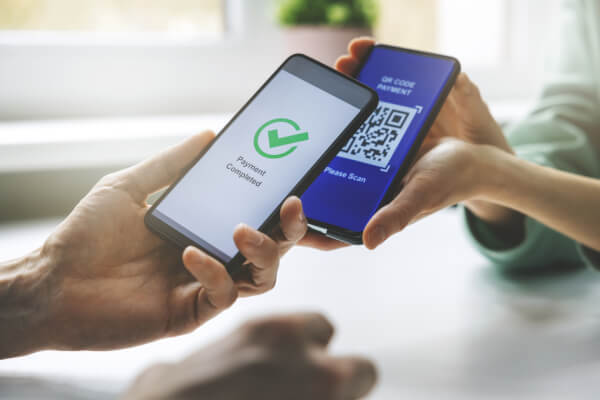
Tired of slow payments? Learn how to set up a PayNow QR code, get paid instantly in SGD, and keep your cash flow happy — no chasing, no fuss.

Proforma invoice and commercial invoice may be very similar, but only one lets you get paid. Learn about the differences and what matters for your business.

Explore the best invoicing software for small businesses in Singapore—compare tools, pricing, and features to help you scale and get paid faster.


















































