
Guide on B2B payments in New Zealand
Learn how B2B payments work for New Zealand businesses. Explore key terms, different methods, step-by-step processes, and challenges.



What does POS mean? No. It’s not an expletive-laden slur, at least not in this context. In the business world, POS stands for “Point of Sale,” a modern digital system with specialised software that handles in-person payments and simplifies accounting.
In today’s post, we’re covering all things POS, including definitions, systems, features, setups, and software integrations.
| Table of Contents |
|---|


Think of the POS system as a modern alternative to the old-school cash register. Instead of loading it with notes and coins, POS systems accept card or mobile wallet payments, while built-in software calculates GST, processes the transaction, and updates inventory.
Like a cash register, the POS system usually sits at the front of the store, where customers queue to pay for their wares. Accessories like barcode scanners and contactless card readers speed up proceedings.
Most in-person businesses in New Zealand use POS systems.
The ideal type and accessories vary by industry and business. For example, a sole-trading sparkie might want a cloud-based mobile POS with a card reader, while a busy independent newsagent may prefer an on-premise countertop system with a receipt printer and cash drawer.
The manual cash register is an older, near-obsolete technology that harks back to when cash was king. Also known as a till, these simplified mechanical devices can ring up cash sales, store currency, and track payments. Staff may need to memorise item prices or hit certain buttons to finalise a sale – they’re prone to human error.

Some cash-only, low-volume businesses still use manual cash registers due to their simplicity and low upfront costs. More advanced electronic cash registers (ECRs) feature a digital display with a barcode scanner and can automatically calculate totals.
POS systems, on the other hand, can support multiple payment methods, including cash, vouchers, Buy Now Pay Later, and contactless payments. Many also have advanced analytical tools for inventory management and reporting.
Cloud-based and on-premise POS systems offer unique pros and cons.
The traditional approach is on-premise POS, where data is stored securely within the terminal or a dedicated in-house server. On-premise POS has a higher upfront cost for hardware and one-off software licensing, but doesn’t have ongoing subscriptions.
On the downside, remote access isn’t possible, it’s harder to scale, and on-premise systems don’t communicate with other branches.
Cloud POS is the more common and modern alternative with lower upfront costs. Managers can access data from anywhere, and the system scales more easily as multi-branch or omnichannel businesses expand. Many include automatic updates, tech support, and training.
The main downside is a hefty subscription fee. You also get less control over how data is accessed and stored, and will be entirely reliant on a stable internet connection.
POS software adds scanned items, subtracts discounts, calculates GST, and confirms the final price. Upon receiving payment, it reconciles the transaction and generates a paper or email receipt.
Many POS systems update inventory and send alerts when stock levels drop. Managers can track sales, retrieve customer details, and view real-time sales reports.
Most Kiwis pay via an EFTPOS card reader, which supports contactless card or mobile wallet payments. The POS system communicates with the customer’s bank to verify sufficient funds and initiate the transaction. Some EFTPOS transactions settle instantly, but others may take up to 3 days. Many businesses factor in such delays when managing cash flow.
Some POS systems also include a secure cash drawer. The POS calculates the correct change and may lock the drawer in-between transactions.
For omnichannel businesses that trade both online and offline, some POS systems can integrate with e-commerce stores.
Here’s a standard POS workflow:
Modern POS systems come in different shapes and sizes to suit varying business needs. Almost all have built-in card readers for contactless payments.
Kiwi businesses can purchase or lease POS systems from a manufacturer, payment processor, or through a New Zealand business bank.
Businesses can add accessories to existing POS systems or purchase them from day one.
Various brands sell POS accessories in New Zealand and around the world. Many businesses use accessories from the same POS brand to ensure compatibility.
Consider the following when shopping for a POS system.
The POS set-up process varies between systems and businesses, but you can expect something like the following:
The POS system is an indispensable tool for most in-person businesses. But there are a few challenges to consider.
While a modern POS system streamlines your physical checkout, the way you manage those funds behind the scenes is just as important for your bottom line. Accepting international cards or dealing with tourist spend often leads to high conversion markups and hidden costs from traditional banks.
Expanding a business globally opens up exciting opportunities, but also new challenges like receiving payments across borders. Hidden foreign transaction fees and hefty currency conversions involved with international payments can eat into your profits and time.
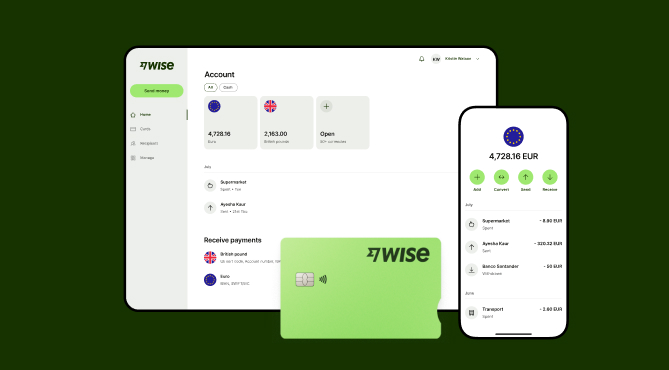
Wise Business serves as a cost-effective solution where you can receive money from around the world at the speed and price of local payments.
Transform the way you receive payments with Wise Business:
Sign up for the Wise Business account! 🚀
This is not financial or investment advice - Wise has not taken into account your objectives, financial circumstances or needs and you should consider if it is appropriate for you.
What POS system types are available in New Zealand?
The main POS types are countertop terminals, tablets, mobile devices, and self-service kiosks.
What POS accessories do I need?
The most important accessory is the card reader. Other options include cash drawers, receipt printers, and barcode scanners.
Is cloud POS better than on-premise POS?
It depends on your needs. Cloud-based POS is more popular due to its lower upfront costs, scalability, and flexibility.
What is a POS system?
A POS system is a hardware-and-software combination designed to calculate, process, and reconcile in-person payments.
What is the best point of sale software in NZ?
It varies between businesses. Some small Kiwi businesses prefer Square, while some omnichannel brands might like Shopify.
Sources:
*Please see terms of use and product availability for your region or visit Wise fees and pricing for the most up to date pricing and fee information.
This publication is provided for general information purposes and does not constitute legal, tax or other professional advice from Wise Payments Limited or its subsidiaries and its affiliates, and it is not intended as a substitute for obtaining advice from a financial advisor or any other professional.
We make no representations, warranties or guarantees, whether expressed or implied, that the content in the publication is accurate, complete or up to date.

Learn how B2B payments work for New Zealand businesses. Explore key terms, different methods, step-by-step processes, and challenges.

earn how Wise Business helps NZ companies send international payments, pay global invoices, and handle bulk payouts using the real mid-market exchange rate.

Discover what remittance advice means for Kiwi SMBs. Learn its benefits, types, how to use a template, and tips for managing international supplier payments.

Learn how direct debit works for New Zealand businesses, its benefits, how to set it up, and how Wise Business simplifies international recurring payments.

















































