
How to Buy a House in Malaysia: A Complete Buyer’s Guide (2026)
Planning to buy a house in Malaysia? Find out how much you’ll need, what fees to expect and how the buying process works.



Don’t want to rely on cash in Malaysia? Get QR payments sorted before you go. Use Wise to scan DuitNow and Alipay+ QR codes and pay at food stalls, markets and smaller shops that don’t take cards.

 *For product availability and more information, visit wi.se/pay-qr.
Malaysia's DuitNow network has become the backbone of everyday payments, enabling instant bank transfers and QR code payments across the country. Whether you're splitting a dinner bill, paying a hawker stall vendor, or sending money to family in real time, DuitNow can handle it.
For international users and travellers, Wise offers a practical way to tap into this network without needing a Malaysian bank account. With Wise, you can send money directly to a DuitNow ID from overseas, or scan DuitNow QR codes in Malaysia straight from the Wise app. When travelling abroad, eligible Wise customers can also scan Alipay+ QR codes in supported countries.
This guide covers everything you need to know about how the Wise-DuitNow system works – the key features, the benefits, and how to get started. We'll also introduce the Wise account, a handy companion to make your money go further with low, transparent fees.
| Table of Contents |
|---|
Sending money to a DuitNow ID and scanning a QR code are two different things.
Here's how they compare across processing speed,¹ uses,² fees³ and requirements.⁴
| Feature | Sending to DuitNow ID | Scanning DuitNow QR |
|---|---|---|
| Primary Use | Transfer money to individuals | Pay merchants in person |
| Does Wise Support It? | Yes | Yes |
| How it Works | Send MYR to a phone number, NRIC, business ID, passport, business registration, army number or police number | Scan DuitNow QR codes in the Wise app |
| Processing Speed | Instant | Instant |
| Fees & Conversion | Low, transparent fees, mid-market exchange rate | Mid-market exchange rate |
| Sender / User Requirements | Wise account | Wise app and account |
| Payee Requirements | Registered DuitNow ID | Merchant with DuitNow QR enabled |
Traditional banks often advertise low transfer fees but build their profit into the exchange rate. That hidden markup means you end up paying more than expected when converting your currency into MYR.
Wise works differently.
It uses the mid-market exchange rate, the same rate you'd see on Google, and charges a transparent fee you can review before completing your transfer.
If you travel to Malaysia regularly or send funds there often, using Wise for DuitNow transfers and QR payments can help you avoid those hidden exchange rate markups and keep your costs predictable.
Want to see the mid-market rate for yourself? Take a look below:
To make a Wise DuitNow transfer, follow these steps³:
- Log in to your Wise account on the app or desktop site.
- Select Send and choose a recipient.
- If it's a new recipient, select Add, then choose MYR as their currency.
- Select DuitNow and enter their full name and DuitNow ID.
- Input the amount you want to send – either in your local currency or in MYR. You'll see a full fee breakdown and estimated delivery time before you proceed.
- Select Continue, review all the details, then select Send now.
Wise now supports DuitNow QR payments in Malaysia, which means you can scan and pay straight from the Wise app – no separate wallet needed.
To pay with Wise using DuitNow QR, look for a supported DuitNow QR code at checkout. Then follow these steps⁴:
- Open the Wise app and tap Scan on your Home tab.
- Or go to your Cards tab, swipe to the front of your card queue, and tap the QR code symbol.
- Scan a supported QR code, choose Photo to upload one from your image gallery, or choose Document to upload one from your device.
- Enter the payment amount if needed, review any fees, and confirm your payment. Once submitted, you can review the transaction in your Wise app transaction history.
And there’s more. Wise also supports Alipay+ QR payments for eligible customers from the UK, Europe, Australia, New Zealand, Singapore, Malaysia and Brazil when they’re travelling outside their home country.
Your payment is taken directly from a currency in your Wise account, with currency conversion handled at the mid-market exchange rate.
If you’re a Wise user in Malaysia, Alipay+ QR payments are only available in supported countries abroad.
Wise supports DuitNow QR payments in Malaysia for all Wise customers, except customers registered in Israel.⁴ If you can’t scan a DuitNow QR code with Wise, the merchant’s QR code may not be supported or you may need to use another payment method.
In those situations, you still have a few options:
- Ask if card payments are accepted and use your physical or virtual Wise card.
- Use your Wise card at a local ATM to withdraw MYR – handy for cash-only vendors like hawker stalls.
| For more on handling international transactions in Malaysia, see our guide on how to use Wise in Malaysia |
|---|
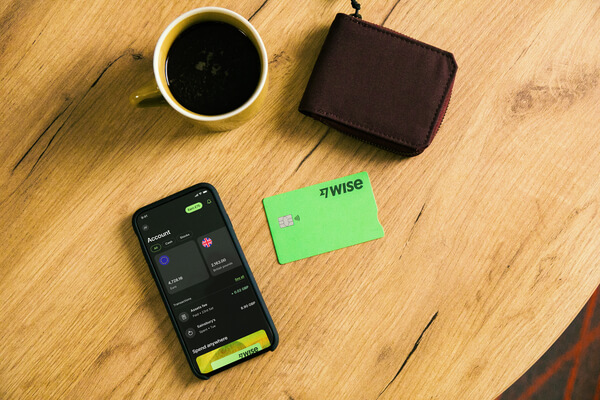
The Wise account is an easy way to hold and exchange 40+ currencies, including MYR, USD, GBP, and more. All you need to do is create a free account to get started.
With Wise, you can exchange currencies at the mid-market rate each time, with low, transparent conversion fees from 0.25% and absolutely no markups. Plus, you can order a linked Wise card for convenient spending without any foreign transaction fees, and up to 1,000 MYR free ATM withdrawals to the value of 1,000 MYR when you're overseas. You'll even get 8+ local account details to get paid conveniently to your Wise account in MYR and a selection of other major global currencies.
Sending money or making payments abroad? Wise also offers fast, low cost transfers to 140+ countries - you can track your transfer in your account and your recipient will also be notified when a transfer reaches them.
Yes. Wise is regulated in Malaysia by Bank Negara Malaysia (BNM) through its local entity, Wise Payments Malaysia Sdn. Bhd.⁵ It operates in the country as a licensed remittance business, money changer and e-money issuer under Malaysian financial law.
Yes, you can receive MYR into your Wise account using DuitNow.⁶ This means someone in Malaysia can send funds to your DuitNow ID, and the money will be credited to your Wise MYR balance.
Once received, you can:
- Convert the MYR into other currencies at the mid-market exchange rate
- Spend the MYR using your physical or digital Wise card in Malaysia
- Send money onward to other countries directly from your Wise account

*Please see terms of use and product availability for your region or visit Wise fees and pricing for the most up to date pricing and fee information.
This publication is provided for general information purposes and does not constitute legal, tax or other professional advice from Wise Payments Limited or its subsidiaries and its affiliates, and it is not intended as a substitute for obtaining advice from a financial advisor or any other professional.
We make no representations, warranties or guarantees, whether expressed or implied, that the content in the publication is accurate, complete or up to date.

Planning to buy a house in Malaysia? Find out how much you’ll need, what fees to expect and how the buying process works.

Want to top up your EPF from your phone or desktop? Here's how to transfer money to EPF using the MAE app and Maybank2u, step by step.

Unsure whether to use OFX or Wise? Compare their real exchange rates, upfront fees, and minimum transfer amounts for Malaysians in our 2026 guide.

Sending money via IBG from Hong Leong Bank? Check the full transfer schedule, cut-off times, fees, and step-by-step instructions for HLB Connect.

Sending money via Bank Islam IBG? This guide has the full timetable, transaction limits, and everything else you need before you hit send.

Not sure when your IBG transfer will arrive? This guide covers Bank Rakyat's full schedule, cut-off times, fees, and how to send – all in one place.

















































