
Payoneer India review: Fees, features, limits and alternatives
Explore how Payoneer works in India. Learn about its features, fees, 24-hour auto-withdrawal rules, account setup requirements, safety, and alternatives.


When a client in the US pays your USD 5,000 invoice, the amount you receive in India depends on the fees and exchange rate. The difference can add up, especially if you get paid from abroad on a regular basis.
Skydo and PayPal are common options for Indian freelancers and businesses that work with clients overseas. But they charge in different ways. PayPal takes a percentage of each payment and adds a margin to the exchange rate.¹ Skydo charges a flat fee per payment and uses the live exchange rate.¹⁸
This guide compares Skydo vs PayPal on fees, exchange rates, features, and ratings. It also looks at Wise Business as another option for Indian businesses.
| Table of Contents |
|---|


PayPal is a global online payment platform. It is best known for its checkout service and for letting people send money to other PayPal users.
In India, PayPal works a little differently. It only supports international payments for Indian users.¹ This means Indian businesses cannot use it to collect payments from customers in India. They can use it to get paid by clients and buyers abroad.
To receive payments, you need to verify your PAN, link an Indian bank account, and select a purpose code.² This code tells regulators why you're receiving the payment.¹⁹ PayPal then converts the money into rupees and sends it to your bank account.
Here's what Indian businesses can do with PayPal:
Skydo is an Indian platform for cross-border payments. It was founded in Bengaluru in 2022 and serves exporters, freelancers, and agencies that work with clients abroad. Skydo says it has full RBI authorisation as a cross-border payment aggregator (PA-CB).7
With Skydo, you get virtual accounts in currencies such as USD, EUR, GBP, CAD, AED, SGD, and AUD.8 Your client can pay into one of these accounts through a local transfer. Skydo then converts the funds to rupees and sends them to your bank account.
Here’s what you can do with Skydo⁷:
| Feature | Skydo⁷ | PayPal |
|---|---|---|
| Built for | Indian exporters and freelancers | Global online payments |
| How clients pay | Bank transfer to a virtual account; card or ACH through InstaLinks (US only)⁹ | PayPal, card, or Apple Pay4 |
| Exchange rate | Live mid-market rate | Base rate plus 3%1 |
| FIRA | Free, for every payment | Free, once a week⁶ |
| Invoicing | GST-compliant invoices | Free invoicing tool3 |
| Seller protection | Not listed | On eligible payments5 |
| eBRC | Automated for Amazon Global Selling | Not listed |
With Skydo, your client sends a bank transfer to your virtual account. They can pay you much like they would pay a local supplier. Clients elsewhere can pay by SWIFT, which also supports non-local currencies but typically costs more than local transfers.11
With PayPal, your client can pay through their PayPal account or by card. This gives them more ways to pay, especially if they already use PayPal.
The exchange rate can make a big difference to how much you receive. Skydo uses the live mid-market rate, with no markup. PayPal adds a 3% margin to its base exchange rate when it converts a payment into rupees.1 This comes on top of its transaction fee.
A FIRA is proof that foreign money came into India. You may need it for GST and tax filings. Skydo issues a free FIRA for each payment.7 PayPal issues one free digital FIRA a week, covering that week’s payments.~~7~~ For a FIRA on a single payment outside the provided duration, you place a paid custom request.6
Both platforms let you send invoices. Skydo lets you create GST-compliant invoices.7 PayPal’s invoicing tool is free to use, with no monthly fee. You can add your logo, taxes, and discounts to your invoices.³
PayPal lets clients pay by credit or debit card.4 Skydo also accepts card payments through InstaLinks, but only from clients in the US.9
PayPal offers protection against claims, chargebacks, and reversals on eligible payments.5 This can help if you sell physical goods. Skydo does not list a similar feature.²⁰
Skydo automates eBRC for merchants who sell through Amazon Global Selling.7 An eBRC is a bank record that confirms an export payment has been received.
| Fee | Skydo13 | PayPal12 |
|---|---|---|
| Payment up to USD 2,000 | USD 19 flat | 4.40% + fixed fee |
| Payment from USD 2,001 to USD 10,000 | USD 29 flat | 4.40% + fixed fee |
| Payment above USD 10,000 | 0.3% | 4.40% + fixed fee |
| Fixed fee on USD payments | None | USD 0.30 |
| Currency conversion | 0% markup | 3% above base rate1 |
| Card payments | 5%, US cards only | 4.40% + fixed fee |
| FIRA | Free7 | Free weekly; paid custom requests6 |
| Standard dispute fee (USD) | Not listed | USD 8 (standard); USD 16 (high volume) |
Skydo adds 18% GST to its fees.14 Businesses that receive more than USD 100,000 a month can ask Skydo for custom pricing.15
PayPal charges 4.40% plus a fixed fee on each payment12, and adds a margin when it converts the money to rupees.1 Skydo charges a flat fee of USD 19 or USD 29, or 0.3% above USD 10,000, plus 18% GST.13 14 On a USD 200 payment, PayPal’s fees come to about USD 15 and Skydo’s to about USD 22. At around USD 300, both cost about the same, and above that Skydo’s fee is lower. Card payments on Skydo cost 5% and are available for US clients only.¹³ Check how your client will pay before you choose.
| Skydo16 | PayPal17 | |
|---|---|---|
| Trustpilot rating | 3.6 out of 5 | 1.4 out of 5 |
| Number of reviews | Around 165 | Around 42,451 |
| Five-star reviews | 68% | 8% |
Wise Business is another option for receiving payments from abroad. It gives you account details in 24 currencies and lets you receive money from over 140 countries. Wise converts each payment to rupees at the mid-market rate, with a low conversion fee shown upfront. The money is then sent to your Indian bank account.
| Feature | Wise Business | Skydo | PayPal |
|---|---|---|---|
| Pricing | Conversion fee, varies by currency | USD 19, USD 29 or 0.3%13 | 4.40% + fixed fee12 |
| Mid-market exchange rate | ✅ | ✅7 | ❌1 |
| FIRA or eFIRC for every payment | ✅ | ✅7 | ❌ (weekly)6 |
| Local account details | ✅ | ✅8 | ❌ |
| Payment requests or links | ✅ | ✅9 | ✅3 |
| Card payments from clients | Not listed for India | ✅ (US only)9 | ✅⁴ |
| Seller protection | ❌ | ❌ | ✅5 |
Wise Business may suit businesses that receive payments in different currencies and want an eFIRC for every transfer. Each payment can be up to INR 25 lakh.
Expanding a business globally opens up exciting opportunities, but also new challenges like receiving payments across borders. Hidden foreign transaction fees and hefty markups involved with international payments can eat into your profits and time.
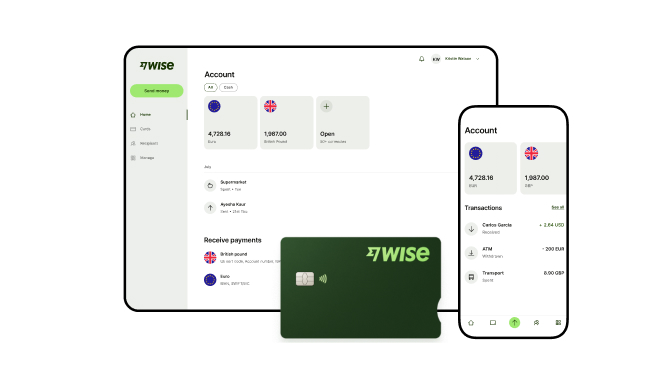
Wise Business addresses this gap by enabling Indian businesses to receive money from abroad using local account details in supported foreign currencies. Conversions are offered mid-market exchange rates with no hidden markups and a transparent upfront fee.
Are you a small business or freelancer receiving payments from overseas? Transform the way you receive global payments with Wise Business:
Sign up for the Wise Business account! 🚀
1. Does Skydo support card payments?
Yes, but only for clients in the US. With Skydo's InstaLinks, US clients can pay by Visa, Mastercard, or ACH bank debit. Skydo charges 5% for card payments and 2% for ACH.13
2. Do Skydo and PayPal provide a FIRA or eFIRC?
Yes, but they handle it differently. Skydo provides a free FIRA for every payments.7 PayPal provides one free digital FIRA each week, covering all payments received that week. If you need a FIRA for a single payment, you can make a paid custom request. PayPal keeps FIRA copies in your account for 12 months.6
Sources checked on 19 November 2026
*Please see terms of use and product availability for your region or visit Wise fees and pricing for the most up to date pricing and fee information.
This publication is provided for general information purposes and does not constitute legal, tax or other professional advice from Wise Payments Limited or its subsidiaries and its affiliates, and it is not intended as a substitute for obtaining advice from a financial advisor or any other professional.
We make no representations, warranties or guarantees, whether expressed or implied, that the content in the publication is accurate, complete or up to date.

Explore how Payoneer works in India. Learn about its features, fees, 24-hour auto-withdrawal rules, account setup requirements, safety, and alternatives.

Learn how to open a business bank account in India. More on required documents, step-by-step process, timelines, and global solutions.

Understand corporate bank accounts in India, their key features, and the opening process. Learn how they differ from current accounts to find the right fit.

Compare the best business bank accounts in India for 2026. Learn about fees, transaction limits, and features available. Explore alternatives here.

Explore HDFC Bank business current account options, key services, and setup requirements. Compare fees and discover alternatives for international payments.

Learn about Citibank commercial banking in India. Explore account types, key services, setup requirements, fees, and alternatives for global payments.


