
How to Receive Money from Remitly Philippines (GCash, Bank, Cash Pickup)
Learn how to receive money from Remitly in the Philippines using bank deposit, GCash or cash pickup. Step-by-step guide and delivery times explained.




| ⚠️ Update: Effective 8 September 2025, SeaBank is now officially known as MariBank. This article has been updated to reflect this change, though some historical references to "SeaBank" may remain. |
|---|
If you use MariBank and need to move money to your MariBank account from BPI, you’ve got a few different available options. You can send a payment through Instapay or PESOnet, and you can link your BPI account to MariBank if you’d prefer, for a faster transfer.
Let’s look at ways to transfer money between BPI and Maribank (formerly SeaBank), plus we’ll explore how to link BPI to MariBank, and whether or not it’s possible to get a BPI to MariBank free transfer. We'll also introduce the Wise account, a handy companion to make your money go further with low, transparent fees.
| Table of contents |
|---|


Sign up for a free account now
MariBank can accept incoming deposits which are processed through either Instapay or PESOnet¹. You can also link your BPI and MariBank accounts to make the process more streamlined² The BPI to MariBank transfer fee and transfer time depend on the way you manage your payment.
We’ve pulled out some key details on each transfer type, so you can decide whether this is the right option for your BPI to MariBank transfer:
| Feature | Instapay³ | PESOnet⁴ |
|---|---|---|
| Maximum number of daily transactions | No limit | No limit |
| Maximum payment limit | 50,000 PHP per transaction | 250,000 PHP per day |
| BPI fee | 10 PHP (waived for some account types) | 50 PHP |
| MariBank fee | Up to 15 PHP | Up to 15 PHP |
| Delivery time | Instant | Same day for payments made before 4:00pm, next day if you miss this cut off |
*Details correct at the time of writing - 6th August, 2025
The BPI to MariBank transfer time depends on how you send your payment. For the fastest available transfer use Instanet, which can arrive in your MariBank account instantly. Otherwise, you can use PESOnet. This is suited to higher value transfers, but has higher fees and a slightly slower delivery time. Payments arranged before the 4:00pm cut off time will arrive on the same business day, but transfers after this time will deposit the next working day.
So - is BPI to MariBank free?
The standard fee for a BPI Instapay transfer is 10 PHP. However, there’s no BPI fee for sending a payment with Instapay if you’re a BPI Preferred, BPI Gold, or BPI Private Banking client.
There’s a 50 PHP fee from BPPI if you send your money with PESOnet.
Depending on how you arrange your payment you might also have to pay a MariBank fee for the incoming transfer. MariBank specifies a 15 PHP fee for transfers made with a linked account, for example⁵.
You can transfer money from BPI to MariBank in several different ways:
- Transfer online through Instapay
- Transfer online through PESOnet
- Transfer online using a QR code
- Transfer online by linking your bank accounts
Let’s look at a step by step guide on how to send money online and using a QR - we've got more information about linking your accounts and making a payment coming up right after.
The process you follow to send money from BPI to MariBank online is very similar, whether you want to use Instapay or PESOnet. The fees are different, though - so do make sure you've checked the details before transferring.
The steps you need to take to send a payment from BPI to MariBank are as follows:
Here’s transfer money from BPI to MariBank using QR:
The final option to transfer money from BPI to MariBank is to link your BPI and MariBank accounts.
Once you have linked your accounts you can then add money to MariBank from your BPI account, in the MariBank app. Just tap Add Deposit, then select your BPI account, to be directed to the BPI online banking system to make a fast deposit to your account.
Here’s how to link BPI to MariBank⁶:
- Login to your MariBank app and tap Add Deposit
- Tap Link New Account and then tap BPI
- Tap Link Now and follow the prompts to log into your BPI account
- Verify your account with your OTP and tap Submit
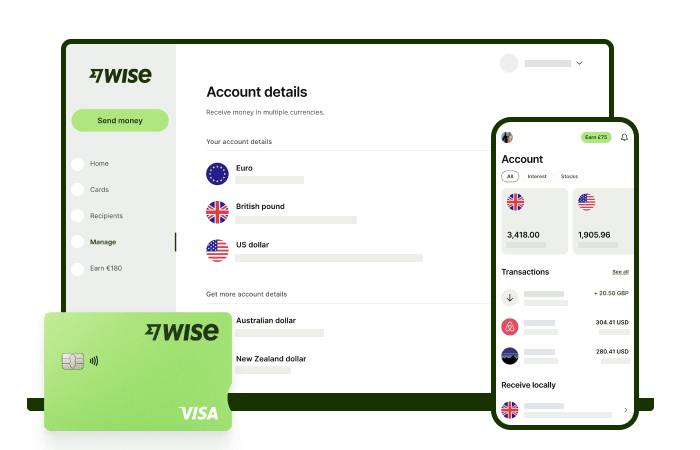
Receive foreign currency and exchange it directly to pesos at the mid-market rate with Wise.
With Wise, you'll get 8+ local account details including PHP, USD, GBP, AUD, and more. This way, you can receive money directly, in a cheap and convenient manner. All you need to get started is to sign up for a free account, and you'll be able to manage your money with just a few taps of your phone.
After getting your money, you can easily convert it to 40+ currencies, with low fees, and the mid-market rate - also known as the rate you see on Google. This includes exchanging to PHP with a one-time conversion fee from 0.57% that's shown upfront, and no markups or additional fees.
Receive, exchange, and move your funds to your local bank account in PHP in a cheap and convenient manner with Wise.
It’s simple and stress free - and lets you keep on top of your finances no matter what you’re up to.
*Please see terms of use and product availability for your region or visit Wise fees and pricing for the most up to date pricing and fee information.
This publication is provided for general information purposes and does not constitute legal, tax or other professional advice from Wise Payments Limited or its subsidiaries and its affiliates, and it is not intended as a substitute for obtaining advice from a financial advisor or any other professional.
We make no representations, warranties or guarantees, whether expressed or implied, that the content in the publication is accurate, complete or up to date.

Learn how to receive money from Remitly in the Philippines using bank deposit, GCash or cash pickup. Step-by-step guide and delivery times explained.

Compare the best international money transfer apps in the Philippines. See fees, exchange rates, speed and payout options to find the right app for you.

Wondering how to pay for your Atome bill using GCash? Learn more about how to make payments for your Atome card and more.

Need to send money from Paypal to GoTyme? Our 2025 guide covers the step-by-step online transfer process, fees, and processing times.
Learn how to transfer money from GCash to Wise with our detailed guide. We cover fees, processing times, verification steps, and account requirements.

Sending money from Japan to the Philippines? Learn how to transfer from SBI Remit to GCash with our guide, covering fees, exchange rates, and transfer times.


















































