


QR Ph: How to Use QR Payments in the Philippines

QR payments are now one of the most common ways to pay in the Philippines. Whether you're buying coffee, paying for transport, or shopping in local stores, you’ll likely see QR codes at checkout.
But how does QR Ph work, and can you use it if you’re not a local?
This guide covers everything you need to know about QR payments in the Philippines, including how to use QR Ph and alternative ways to pay if you don’t have a local wallet. We'll also introduce the Wise card, a handy travel companion to make seamless card payments when you're overseas.


What is QR Ph?
QR Ph is the national QR code payment standard in the Philippines. It allows people to send and receive money, including paying merchants, by scanning a QR code instead of using cash.
It’s powered by InstaPay, a real-time payment network regulated by the Bangko Sentral ng Pilipinas (BSP).
With QR Ph, participating banks and e-wallets can work together, so you can pay merchants or send money using a compatible app even if the other party uses a different provider.
How do QR payments work?
QR payments are designed to be fast and simple. For QR Ph merchant payments in the Philippines, you’ll typically:
- Open your payment app
- Scan the merchant’s QR code
- Enter the amount if prompted
- Confirm the payment
Depending on the QR code type, some payment details may already be pre-filled. For example, static QR codes may require you to enter the amount manually, while dynamic QR codes can include a pre-set amount.
Where can you use QR Ph?
QR Ph is widely accepted across the Philippines.
You can use it in:
- Cafés and restaurants
- Shopping malls and retail stores
- Convenience stores
- Local markets and small businesses
In many places, especially smaller vendors, QR payments are preferred over cards.
Is QR Ph safe?
Yes, QR payments are generally safe to use.
Payments are processed through regulated financial institutions, and you don’t need to share your full bank or card details with the merchant.
Most apps also include security features like:
- App authentication (PIN, fingerprint, or face ID)
- Transaction notifications
- The ability to review your payment history
As with any payment method, it’s important to check details before confirming a transaction.
How to use QR Ph in the Philippines
To use QR Ph, you’ll typically need a local account with a participating provider.
Common options include:
- Local banks
- E-wallets like GCash or Maya
Once set up, you can scan QR codes and pay directly from your balance.
Can foreigners use QR Ph?
This is where things get tricky.
Most QR Ph-compatible apps require:
- A Philippine mobile number
- Local ID verification
- A local bank account or wallet
That means if you’re visiting the Philippines, it may not be easy to access QR payments using local apps. With Wise, you can scan QR Ph codes and make payments without setting up a local wallet.
Best ways to pay in the Philippines (comparison)
Here’s a quick comparison of common payment methods:
| Payment method | Pros | Cons |
|---|---|---|
| Cash | Widely accepted | Need to withdraw and carry cash |
| Card | Convenient | Not accepted everywhere |
| QR Ph (local apps) | Fast and common | Requires local setup |
| Wise (QR + card + cash) | Multiple payment options in one account | Requires Wise account |
How to pay with QR codes using Wise
Wise offers another way to use QR payments, without needing a local wallet.
With Wise, you can:
- Scan QR codes using your phone camera in the Wise app
- Import QR codes saved in your phone gallery
- Pay from your Wise balance in multiple currencies
Here’s how it works¹:
- Open the Wise app
- Go to the Card tab
- Tap Pay with QR code
- Scan or import the QR code
- Confirm your payment
Your payment is processed instantly, and you can review it anytime in your transaction history.
*Availability of QR payment features may vary depending on your location and the type of QR code.
Wise - an easier way to pay in the Philippines and abroad
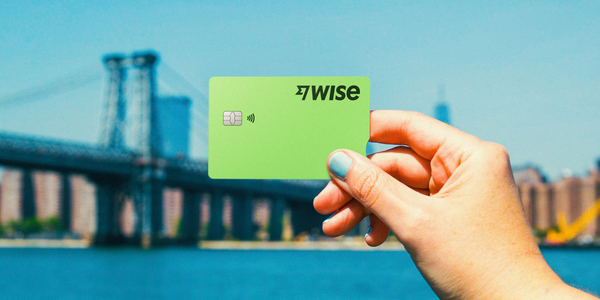
The Wise card lets you spend in 40+ currencies at the mid-market rate including USD, SGD, GBP, and JPY so you know you'll be getting a great deal in over 150+ countries. Simply create a free Wise account, order a card and top-up PHP to get started.
A physical Wise card can be ordered for a low fee of 369.60 PHP. Having a physical Wise card allows you to make chip and pin payments, as well as 2 free ATM withdrawals to the value of 12,000 PHP each month, before low fees start.
In supported countries, Wise also lets you pay with QR codes, giving you another easy way to pay when cards or cash aren't your first choice. That means you can use Wise for card payments, cash withdrawals, and QR payments, all from the same account.
While abroad, you can choose to spend directly in PHP and let auto-conversion do the trick, or convert to your desired currency with your Wise account. Either way, you’ll get the exchange rate you see on Google, with low, transparent fees from 0.57%.
Save while you spend, and pay like a local — whether you’re using your card or scanning QR codes with Wise.


FAQs about QR Ph
Do I need a local bank account to use QR Ph?
Most QR Ph-compatible apps require a local account or wallet.
Can tourists use QR payments in the Philippines?
Not easily with local apps. However, alternatives like Wise allow you to pay using QR codes without setting up a local wallet.
Are QR payments better than cards?
In the Philippines, QR payments are often more widely accepted than cards, especially at smaller merchants.
Can I use QR payments internationally?
Some QR systems are local, but providers like Wise are expanding QR payment support across multiple countries.
*Please see terms of use and product availability for your region or visit Wise fees and pricing for the most up to date pricing and fee information.
This publication is provided for general information purposes and does not constitute legal, tax or other professional advice from Wise Payments Limited or its subsidiaries and its affiliates, and it is not intended as a substitute for obtaining advice from a financial advisor or any other professional.
We make no representations, warranties or guarantees, whether expressed or implied, that the content in the publication is accurate, complete or up to date.

















































