
Top 10 international banks in the Philippines: accounts, fees and options
Compare the top 10 international banks in the Philippines, including foreign banks, account options, fees, requirements, and transfer alternatives.




Filing your annual income tax return in the Philippines? If you’re a self-employed resident of the Philippines, or a self-employed non-resident earning income generated from the Philippines, you’ll usually need to report earnings to the Bureau of Internal Revenue (BIR) and pay your taxes. There are several different forms which may be required, but choosing the right option from BIR form 1701 and BIR form 1701A¹ will depend on the type of income you’ve earned during the tax year.
This guide covers an outline of both options so you can decide which is right for your needs. We'll also introduce the Wise account, a handy companion to make your money go further with low, transparent fees.
| Table of Contents |
|---|


This guide is for information only. Tax can be complex and penalties may apply if you make mistakes. Get professional support and advice if you are unsure about how to file your taxes.
The full name of BIR Form 1701² is as follows:
BIR Form No. 1701 - Annual Income Tax Return For Individuals (including MIXED Income Earner), Estates and Trusts
You need to use this form to report your income to the BIR if you’re self employed, engaged in trade or a professional and earn both from employment and as a self employed person.
If BIR Form 1701 is the right one for you, you’ll need to file this document with BIR on or before April 15 annually.
The full name of BIR Form 1701A³ is as follows:
BIR Form No. 1701A - Annual Income Tax Return for Individuals Earning Income PURELY from Business/Profession
You need to use this form to report your income to the BIR if you’re self employed, or a professional and earn income purely as a self employed person.
BIR Form 1701A should be filed on or before April 15 annually.
Here’s a quick comparison of 1701 vs 1701A to illustrate where they're similar - and what the differences are:
| Feature | BIR Form 1701 | BIR Form 1701A |
|---|---|---|
| Who files | People with mixed income - such as employment income alongside self employed income | People who are self employed, engaged in trade or professionals |
| Tax rates | Graduated or 8% flat, depending on situation | Graduated or 8% flat, depending on situation |
| Mixed income allowed | Yes | No |
| Deductions | Itemized deductions or OSD (optional standard deduction) | OSD only |
*Details correct at time of research - 24th February 2026
This is the correct form to select if you’re reporting income under the following circumstances:
For example, Mary works full-time as an employee and as a side hustle runs an online shop. She should file BIR Form 1701, as she has a mixed income.
This is the correct form to select if you’re reporting income under the following circumstances:
AND:
You used the optional standard deduction method to calculate taxable income, and your income is subject to graduated income tax rates
OR:
You’re using the 8% flat income tax rate and your sales and non-operating income does not exceed 3 million PHP
For example, Anna is a freelance graphic designer. Her only income over the tax year arises from freelance clients. She should use BIR Form 1701A as her income comes PURELY from her freelance business.
If you earn a mixed income from both employment and self employment you can not file 1701A. If you earn only from self employment, trade or your profession, the form you use depends on factors including whether you use itemized deductions, OSD deductions, or the 8% flat income tax rate - which is chosen at the beginning of the tax year.
If you’re thinking of switching between 1701 and 1701A, get professional tax advice to ensure you’re complying with the law.
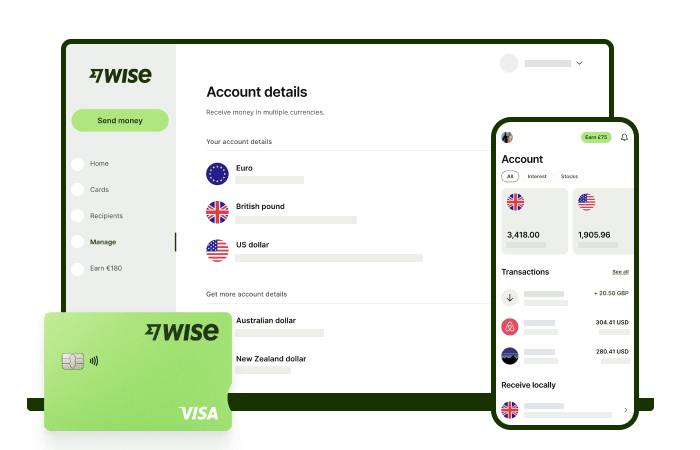
If you’re self-employed, whether you’re freelancing, running a small business, or working with overseas clients — you may need to receive payments or send money internationally.
Traditional banks often charge high fees and add hidden costs in the exchange rate when converting currencies. The Wise account is an easy way to hold and exchange 40+ currencies, including PHP, USD, CNY, and more. All you need to do is create a free account to get started.
With Wise, you can exchange currencies at the mid-market rate each time, with low, transparent conversion fees from 0.57% and absolutely no markups. Plus, you can order a Wise card for convenient spending at the same great rate, without any foreign transaction fees.
In supported countries, you can also use Wise to pay with QR codes, which means you can pay like a local without needing cash or a separate local wallet. This can be especially handy when you're travelling in places where QR payments are widely accepted.
At times you need cash, you can also make up to 2 free ATM withdrawals to the value of 12,000 PHP when you're overseas. You'll even get 8+ local account details to get paid conveniently to your Wise account in PHP and a selection of other major global currencies.
Sending money or making payments abroad? Wise also offers fast, low cost transfers to 140+ countries - you can track your transfer in your account and your recipient will also be notified when a transfer reaches them.
✍️ Sign up for a free account now
Sources:
*Please see terms of use and product availability for your region or visit Wise fees and pricing for the most up to date pricing and fee information.
This publication is provided for general information purposes and does not constitute legal, tax or other professional advice from Wise Payments Limited or its subsidiaries and its affiliates, and it is not intended as a substitute for obtaining advice from a financial advisor or any other professional.
We make no representations, warranties or guarantees, whether expressed or implied, that the content in the publication is accurate, complete or up to date.
Compare the top 10 international banks in the Philippines, including foreign banks, account options, fees, requirements, and transfer alternatives.

Sending money overseas with GCash? Learn about GCash International Transfer fees, limits, exchange rates, supported countries and transfer times.
Learn how the GCash US Virtual Account works, who can apply, how to receive USD, and what fees and exchange rates to expect.

Learn how GCash Overseas works, who can register, where it's available, the fees, limits and features, and whether it's right for Filipinos abroad.

Learn how to send money to GCash step by step, including GCash-to-GCash and international transfers with Wise to Philippine mobile wallets.

See Metrobank Travel Signature Visa benefits, annual fee, lounge access, miles conversion and requirements, plus ways to save on travel spending.

















































