
How to use the Revolut card abroad: Guide for Kiwis
Planning a trip? Learn how to use your Revolut card abroad, including fees, limits to be aware of, and how it compares to the Wise card for travel.



Kernel Wealth¹ is a Kiwi owned and operated investment platform that lets you buy and sell stocks, funds and ETFs locally and internationally.
So - how does Kernel Wealth work, who’s it for, and what does it cost? This Kernel Wealth review covers all you need to know. We’ll also touch on Wise which is a helpful tool for people converting, sending and receiving foreign currencies for investments, travel and day to day use.
| Table of Contents |
|---|
Kernel Wealth is a Kiwi owned investment platform with over 50,000 customers and over 3 billion NZD invested so far. You can use Kernel Wealth to create a digital investment account and buy and sell various funds and shares, or to access Kiwisaver investments.
Kernel Wealth offers three different account types which have variations in some key fees and product availability. To sign up you must be a New Zealand citizen or Permanent resident and you must live in New Zealand.
We’ll explore the products and investigate how to invest in Kernel Wealth in a moment, but let's loot at some things to keep in mind.
The rise of digital investment platforms has made it easier than ever to buy and sell shares, ETFs, funds and other assets. However, it’s still important to know which platform will work best for you - and you’ll only be able to decide if you shop around a little.
If you’re looking for the best investment platform in New Zealand consider the following while you choose:
- Eligibility - Not all platforms are right for all investors - Kernel Wealth is only for NZ citizens and PRs for example, and can’t be used if you live abroad
- Fees - Management fees can eat into your investment’s performance gains, while transaction costs can kick in every time you buy or sell. Compare all possible costs before you sign up
- Cross currency costs - If you plan to diversify your portfolio into other countries you’ll need to understand how your platform manages currency conversion, and any fees that apply
- App performance and services - Check you find the platform app easy and intuitive to use before you start - and look out for providers which have a reputation for good customer service and ways to talk to support 24/7 if you can
Let's dive in what Kernel Wealth offers.
The value of investments can go down as well as up. This guide is for information only and does not constitute advice. Get professional help if you’re new to investing, to help you understand the risks involved and how to make the most of your money.
Kernel Wealth has 27 different funds² to choose from which are all Portfolio Investment Entities (PIEs) for tax efficiency. You can choose local, global, hedged, unhedged and thematic funds, and mix and match between them to build out your own ideal portfolio.
Funds which are available include:
Buy into US shares and ETFs including tech companies and well known brand names³. There are options to buy US assets using New Zealand dollars which may help streamline the purchase process and avoid some currency conversion fees. Compare the costs when considering buying in foreign markets, as cross border transactions can attract higher fees, even if these aren’t always obvious.
Kernel Wealth also offers Kiwisaver plans⁴ which include High Growth, Balanced and Cash Plus options designed to suit investors at different life stages, and with different investment time horizons.
Kernel a licensed fund manager, subject to ongoing regulation by the Financial Markets Authority. It’s considered safe to use as long as you understand the general risks inherent in investments.
Kernel Wealth has three different plans you can choose from if you want to invest. Here’s a summary of some key features and fees you’ll pay - this may not capture all details, so if you’re not sure which plan is right for you, do compare the options thoroughly before you sign up:
| Plan/Service⁵ | Core | Plus | Premium |
| Annual fee | 0 NZD | 50 NZD | 150 NZD |
| Product availability | KiwiSaver, Investing & Saving | KiwiSaver, Investing & Saving | KiwiSaver, Investing & Saving |
| Account types | Individual, joint & child accounts | Individual, joint & linked child accounts | Individual, joint, child, trust and company accounts |
| Management fees | 0.25-0.50% p.a. | 0.25-0.50% p.a. | 0.25-0.50% p.a. |
| Transaction fees | None | None | None |
| FX fees on USD trades | 1.5% | 0.6% | 0.4% |
*Details correct at time of research - 11th March 2026
Firstly it’s worth checking the eligibility rules to make sure you can use Kernel Wealth. You can only set up an account if you use Kernel Wealth if you’re a New Zealand citizen or permanent resident (PR), and you live in New Zealand when you apply.
Next, to invest in Kernel Wealth you’ll first need to register an account and get verified. This process is entirely managed digitally so all you’ll need is your phone or laptop, some information and a couple of documents. Generally you’re prompted to set up your account using⁶:
- Your IRD number
- Your resident Withholding Tax (RWT) rate
- Your Prescribed Investor Rate (PIR) for Portfolio Investment Entity (PIE) investments
- Your NZ driver licence or NZ passport
If you don’t have a local driver license or passport there may be alternative options, but bear in mind that you can only use Kernel Wealth if you’re a New Zealand citizen or PR.
Once you have a live and verified Kernel Wealth account you can add money to your account. This is done from your digital banking service⁷.
- Log into Kernel Wealth and look for the Wallet widget - click on the 'Top up' icon
- Select 'Deposit to Kernel Wallet' and tap the method you want to use to deposit - create a new payee or using your banking app to find Kernel automatically
- You’ll see your unique reference number - hold onto this as it must be used in the 'Reference' field of your payment to ensure your money arrives safely
- Now you can navigate to your online banking service and set up the transfer to Kernel Wealth, using your reference number
Transfers into Kernel Wealth usually take 1-2 business days to process. With your wallet funded you can then invest - here’s how to buy funds with Kernel Wealth as an example⁸:
- Go to to the 'Invest' tab within the menu bar, then select 'Browse Funds'
- Select the fund you want to buy and then click the 'Buy' button
- Follow the prompts to enter and confirm the details of your trade
Funds you buy may take 2 days to show up in your Kernel Wealth account.
Once you’re ready to sell your funds or other assets you can do so in the Kernel app and then withdraw your funds to your linked NZD bank account. Withdrawals may take a day or two to arrive once initiated⁹.
Kernel Wealth offers a broad range of managed funds with relatively low fees, and access to some US stock and ETF options. The key drawback is likely to be that it’s only available if you’re a New Zealand resident citizen or PR - foreigners in New Zealand, or Kiwis living abroad can’t use the service.
Shop around a bit to check if Kernel Wealth is the right platform for your investments. Look out for eligibility constraints, as well as costs and convenience. Plus, while you’re planning your financial future, why not also check out Wise.
Wise can help people living an international lifestyle, or investing abroad, with low cost ways to manage currency conversions and overseas payments, plus a powerful international account that lets you hold, send, spend and receive a broad range of foreign currencies all in the same account.
The Wise account is an easy way to save up to 4x when you send, spend, and withdraw money internationally. Hold and manage 40+ currencies, including NZD, USD, EUR, and more. All you need to do is sign up for a free account to get started, there's no monthly fees either.
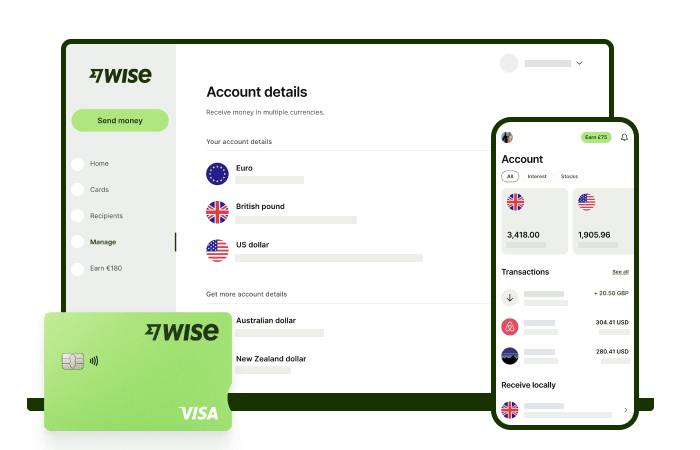
You can exchange currencies at the mid-market rate on every conversion — basically the rate you see on Google. And with zero foreign transaction fees, and low, transparent pricing, Wise usually gives you the best value for your money.
You'll get 8+ local account details in NZD and a selection of other global currencies to get paid conveniently to your Wise account. And when it's time to send money abroad, enjoy fast, low-cost transfers to 140+ countries. Plus, you can get a linked Wise debit card for spending internationally at the same great mid-market rate.
When it comes to managing money globally, the Wise account is a handy tool that makes it easier and simpler.
This general advice does not take into account your objectives, financial circumstances or needs and you should consider if it is appropriate for you. Savings claim based on our rates vs. selected New Zealand banks and other similar providers in Jan 2026. To learn more please visit https://wise.com/nz/compare
Please see Terms of Use and product availability for your region or visit Wise Fees & Pricing for the most up to date pricing and fee information.
Sources:
*Please see terms of use and product availability for your region or visit Wise fees and pricing for the most up to date pricing and fee information.
This publication is provided for general information purposes and does not constitute legal, tax or other professional advice from Wise Payments Limited or its subsidiaries and its affiliates, and it is not intended as a substitute for obtaining advice from a financial advisor or any other professional.
We make no representations, warranties or guarantees, whether expressed or implied, that the content in the publication is accurate, complete or up to date.

Planning a trip? Learn how to use your Revolut card abroad, including fees, limits to be aware of, and how it compares to the Wise card for travel.

Follow the step-by-step instructions to order your Wise Visa FIFA World Cup 2026™ digital card, thanks to Visa

Looking for the best investment platform in NZ? Compare fees, features, and more for Sharesies, Tiger Brokers, and more to find your ideal investment platform.

Our Sharesies review breaks down the platform's features and fees. Learn how to buy and sell shares efficiently and find out if Sharesies is the right for you.

Our Tiger Brokers review breaks down the platform's features, fees, and how it works. Determine if Tiger Brokers is right for you.

Discover the best credit cards for airport lounge access in New Zealand and compare their latest features and fees.

















































