
Guide on hiring remote staff: Process, benefits, costs, and payroll
Learn how Australian businesses can hire remote staff locally and overseas. We cover the recruitment process, rules and managing remote payroll.


Renting dedicated office space is a big commitment for a small business, and not always needed. A virtual office address is a compelling alternative, providing a business address and legal footing without the high upfront and ongoing costs of leasing permanent premises.
This guide covers everything you need to know about a virtual office address: the benefits, how to set one up in Australia, and 5 providers worth considering, so you can decide what’s right.
| Table of Contents |
|---|


A virtual office address gives your business a real street address without having to buy or rent permanent office space. As a business, you can use this full legal address for ABN registration, official correspondence with the ATO, as well as on supplier contracts and insurance policies.
The main purpose is to create a professional identity separate from your home address, which is especially useful for sole traders and new companies. In practice, using a virtual office address is quite straightforward:
You'll often see ‘virtual office’ and ‘virtual address’ used interchangeably, but they mean different things. A virtual address is usually just a street address and a basic mail-handling service, while a virtual office is a more complete package, adding extras like a landline phone number, a receptionist, meeting rooms you can book, and desk space (if required).
A virtual office can be used as a registered office in Australia, as long as it meets specific criteria. For example, ASIC requires an Australian company (such as a Pty Ltd) to provide a real, physical street address that exists – this is published on its company register¹. It cannot be a PO box or random postcode. The virtual office provider must also permit you to use the address for this purpose.
Using a virtual office address gives you a professional foundation in Australia, providing a consistent point of contact for you to do business. It also allows you to:
A virtual office address can be valuable for:
Getting a virtual address is relatively straightforward. You’ll need to pick a location and then verify your business with a provider, who will confirm your subscription and activate your account. Here’s a full step-by-step guide.
Start by selecting a provider and a preferred address from its location list in Australia. Check when the service starts and what the package includes: there are usually several plans with higher tiers offering additional office services.
Virtual office providers carry out a few identity and business verification checks before activating your account. The exact requirements mainly depend on your business structure, i.e., if you’re a sole trader or already have a registered company (such as Pty Ltd).

You’ll typically need:
Your provider should provide a full list of required documentation when you sign up.
After your application has been approved, the provider will confirm your new address and explain how they’ll handle incoming parcels. This might include forwarding mail or scanning it digitally (depending on the service package).
You should verify:
Once your virtual office address is active, you use it to register for specific services and add it to any public-facing communications, like marketing.
A few examples include:
You should also update other places you use an address: website, invoices, email signatures, other business directories, etc.
There’s no shortage of virtual office providers in Australia. Here’s how 5 leading options stack up on pricing and key features, followed by a more detailed overview of each.
| Provider | Starting price | Locations | Best for |
|---|---|---|---|
| WOTSO⁶ | $88 per month | 46 across Australia and NZ | Flexible, no lock-in monthly contracts. |
| Servcorp14 | From $128.80 per month | 23 across Australia | Premium city-centre addresses with office services |
| Virtual HQ⁸ | From $600 for 12 months | 60+ across Australia | Budget-conscious businesses |
| Regus¹⁰ | From $2 per day | 74 across Australia | Flexible packages for different services |
| Workspace 365¹¹ | From $115 per month for CBD address¹² | 11 in Sydney and Brisbane | Address and phone answering services |
WOTSO is a co-working provider that offers virtual offices in all six states with two service types depending on how you plan to use the address: professional address and registered business address⁶. The latter, starting from $88 per month, is aimed at businesses that need an address for ASIC and other regulatory bodies.
Servcorp provides flexible workspace and IT services from its headquarters in Sydney. It positions itself more at the premium end of the market, offering addresses in ‘5-star’ high-grade buildings and landmark towers in Australia’s major cities⁴. Servcorp provides virtual office packages from $139.20 per month, which include mail and coworking spaces. There are also options for meeting rooms and private offices.
Virtual HQ prioritises ‘premium’ virtual address and phone answering services⁸. It has office addresses at 60+ locations across Australia, with four tiers – Bronze, Silver, Gold, and Diamond – to suit different needs and budgets. Its entry-level option covers all the essentials with mail and parcel handling, and it can be used for ASIC registration⁹.
Regus is a global provider of flexible workspace. It has 74 locations across Australia, with virtual addresses in popular business districts such as Collins Street (Melbourne) and George Street (Sydney)¹⁰. Packages start from $2 per day for a business address, but it’s easy to add extras like mail handling, phone answering, meeting rooms, and coworking spaces (for additional fees).
Workspace365 is an Australia-owned coworking provider with virtual office services in Sydney and Brisbane¹¹. Its packages provide a professional address in either a ‘CBD’ or ‘fringe’ area of these two cities with mail handling and forwarding as standard¹². You can also add a Phone Answering plan or combine both services into a full Virtual Office package, which includes credits for meeting rooms and workspace bookings.
To find a provider that fits your business type and requirements, look at:
Operating with a virtual address gives your company a professional presence without the expense of a permanent physical workspace. However, many business owners still face strict location requirements and slow processing times when using traditional banking to pay international contractors and suppliers.
Wise Business helps solve these geographical limits by offering a multi-currency account designed specifically for remote and global operations. You get local account details to easily collect foreign payments, and you can convert funds to Australian dollars at the mid-market exchange rate with a clear upfront fee.
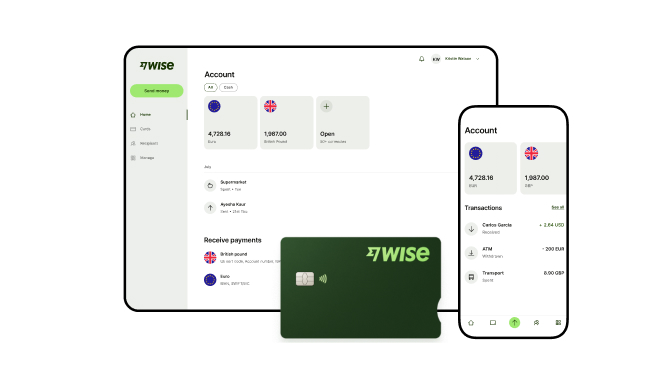
A Wise Business account allows users to send, receive, and hold in multiple currencies. Experience hassle-free global transactions by transacting like a local business. Here's what you get with a Wise Business account:
Sign up for the Wise Business account! 🚀
This general advice does not take into account your objectives, financial circumstances or needs and you should consider if it is appropriate for you.
**Capital at risk, growth not guaranteed. Interest is the name of a custody and nominee service provided by Wise Australia Investments Pty Ltd in partnership with Franklin Templeton.
1. Can I use a virtual office address to register a company with ASIC?
Yes, you can use a virtual office to register a company, provided it meets certain requirements, such as being a physical street address – not a locker or PO Box – that’s staffed during standard business hours. You’ll also need written consent to use the address.
2. Can an overseas founder use an Australian virtual office?
Yes, an overseas founder can use an Australian virtual office address as a business postal address, and in some cases, as a company’s registered address. However, it doesn’t mean you’re automatically eligible for an ABN or can form a company. For example, a Pty Ltd needs at least one director living in Australia.
3. Do banks and payment providers reject a virtual office address?
Not always. Many banks and payment providers accept a virtual office as your business address. But some still require a separate physical or residential address when verifying your account. Check the rules with each provider before signing up.
*Please see terms of use and product availability for your region or visit Wise fees and pricing for the most up to date pricing and fee information.
This publication is provided for general information purposes and does not constitute legal, tax or other professional advice from Wise Payments Limited or its subsidiaries and its affiliates, and it is not intended as a substitute for obtaining advice from a financial advisor or any other professional.
We make no representations, warranties or guarantees, whether expressed or implied, that the content in the publication is accurate, complete or up to date.

Learn how Australian businesses can hire remote staff locally and overseas. We cover the recruitment process, rules and managing remote payroll.

Discover how to manage remote employees effectively. We cover 10 best practices, Australian legal obligations, WHS rules and using Wise Business.

Compare the best international shipping options from Australia. We cover top providers, delivery times, shipping rates, required documents and customs duties.

Learn how long international shipping takes from Australia. This guide covers delivery times by region, major couriers, customs thresholds and restricted items.

Discover how to open an Amazon Business account in Australia. We explore procurement benefits, pricing tiers, setup steps, and handling global payments.

Learn how Australian businesses can streamline international payment processing, reduce exchange fees, understand payment rails, and compare processing methods.


