
Virtual Office Address: Guide for Australian Businesses
Discover how to set up a virtual office address in Australia. We cover the main benefits, ASIC requirements, and 5 top virtual office address providers in AU.


Aussies spent $82.6 billion online in 2025.1 That’s a fair bit of coin. Yet it’s only a tiny slice of the global eCommerce pie, which is worth a whopping USD 6.9 trillion.2
A literal world of opportunity awaits the ambitious Aussie eCommerce entrepreneur selling products overseas. But there is one hurdle to overcome: how to set up international shipping. If you’re on Shopify, this is exactly what we’re covering in this post.
| Table of Contents |
|---|


Shopify has a built-in shipping tool on its dashboard that helps you manage and track orders.
Understanding zones and markets
Shopify sellers must establish ‘shipping zones’ and ‘markets’ to sell products overseas.
You can only add countries/regions to your shipping zones when they belong to one of your active markets. If you don’t have an active market for a country, its residents won’t be able to place an order from your store, even if they’re in an eligible shipping zone.3
Understanding shipping rates and profiles
In Shopify, shipping rates dictate how much customers pay at checkout. Sellers can choose from self-determined flat rates, free shipping, or carrier-calculated rates. With the latter, your carrier, such as Australia Post or Sendle, will determine the shipping cost based on the size, weight, and shipping zone.
You can also customise shipping profiles, which let you set unique shipping rules for specific products and locations.
Shopify sellers can incorporate a transit time feature that displays delivery estimate timeframes. Plus, backup shipping rates can help customers finalise an order if the carrier-calculated rate doesn’t work for some reason.4
It’s possible to ship independently by charging customers a flat fee, or including free shipping, and then handling your own packaging and postage directly through a provider like Australia Post. However, many local entrepreneurs say the built-in Shopify shipping system is convenient and cost-effective.
To ship internationally on Shopify, you will need to add the target country as an active market and shipping zone through your profile settings.
Shipping labels for Shopify international orders require Harmonised System (HS) codes,5 which are standardised, 6-digit numerical codes used to classify products for customs, tax, and statistical purposes.
In addition to HS codes, sellers must include a detailed, accurate description of the product. Shopify obligates sellers to use plain language and include physical dimensions such as size and weight.5
Tax and duty requirements can be complex and vary by country. Shopify lets sellers choose between Delivered Duty Paid (DDP), where you collect duties at checkout, and Delivered at Place (DAP), where the customer pays the duty upon collection.6

Here’s how an Australian-based eCommerce store can set up international shipping on Shopify.
You can adjust your ‘shipping zones’ in the Shipping and delivery settings, and ‘markets’ within the Market settings of your Shopify profile.
To start shipping to a new country or region:
Shopify sellers can choose from three different types of flat rates:
For carrier- or app-calculated rates, third-party carriers, such as Australia Post, generally determine costs based on size, weight, and shipping zone. Sellers can also choose to offer free shipping and absorb the costs from their profit margin.7
To adjust these settings, navigate to Settings > Shipping and delivery > Shipping profiles in the Shopify admin.
What if you’ve got a local pick-up-only product and don’t want to offer shipping at all? You can turn off shipping for a specific product.
On the admin dashboard, navigate to Settings > Shipping > Shipping Profile, then delete all associated shipping rates.8
A broad range of web-based platforms and Shopify shipping apps can make eCommerce easier for Australian businesses. Some of the most talked-about options include:

Six core components make up the cost of international shipping.
Choosing the right packaging can help reduce postage costs. Cheap, flimsy packaging could damage an item, while oversized boxes occupy excess space and may incur higher carrier fees. Consider bulk buying quality packaging from a specialist provider.
Carriers charge fees based on weight and dimensional weight, typically using the higher of the two. In some situations, selecting a smaller-sized package could reduce dimensional weight and get you a better deal.
Most major carriers, including Australia Post, have a postage calculator to help you determine costs. Comparing rates between multiple carriers might also help you save on shipping.
Even with all these fancy automations and integrations, preparing an order for shipment still requires labour. For international orders, factor in the time taken to complete the customs form. Shopify recommends using the following formula:
Handling cost = (minutes / 60) x hourly labour cost.6
So, if your Australia-based warehouse worker earns $35 per hour and spends 10 minutes preparing an international order, the handling cost for that order is $5.83 – (10/60) x $35.
Sellers can incorporate the handling cost into the shipping fee or product price, or add it separately.
Customs in the destination country generally determine duties based on the product's value, origin, and classification.
Duty calculators can help, though de minimis rules vary by country and frequently change.
When selling products to overseas customers or paying offshore suppliers, Australian businesses often pay hidden foreign exchange commissions, typically somewhere between 2-5% of the total amount. A money transfer service offering the mid-market exchange rate may help reduce cross-currency transaction costs.
Your profit margin is what remains after fulfilment, shipping, handling, taxes, and FOREX costs. The Shopify Profit Margin Calculator is a helpful tool for determining when an international order becomes unprofitable.
Expanding a business globally opens up exciting opportunities, but also new challenges like receiving payments across borders. Hidden foreign transaction fees and hefty currency conversions involved with international payments can eat into your profits and time.
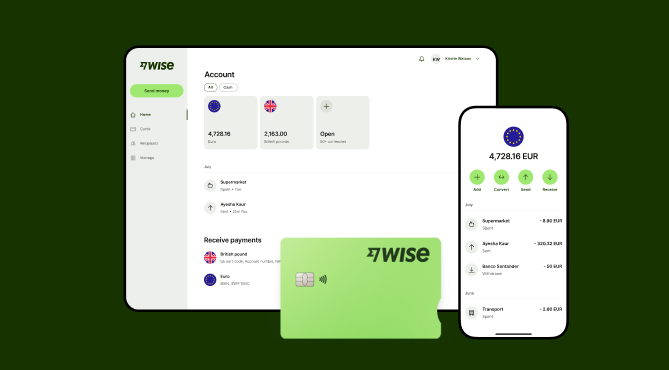
Wise Business serves as a cost-effective solution where you can receive money from around the world at the speed and price of local payments.
Transform the way you receive payments with Wise Business:
Sign up for the Wise Business account! 🚀
This general advice does not take into account your objectives, financial circumstances or needs and you should consider if it is appropriate for you.
1. How to do free shipping on Shopify?
Shopify gives you the option to offer free shipping when setting up flat-fee shipping. Sellers can include incentive qualifiers, such as free shipping for orders over $100.7
2. How to remove shipping options on Shopify?
Sellers can turn off shipping by opening the admin dashboard and going to Admin > Settings > Shipping > Shipping profile > Delete rates.8
Sources
*Please see terms of use and product availability for your region or visit Wise fees and pricing for the most up to date pricing and fee information.
This publication is provided for general information purposes and does not constitute legal, tax or other professional advice from Wise Payments Limited or its subsidiaries and its affiliates, and it is not intended as a substitute for obtaining advice from a financial advisor or any other professional.
We make no representations, warranties or guarantees, whether expressed or implied, that the content in the publication is accurate, complete or up to date.

Discover how to set up a virtual office address in Australia. We cover the main benefits, ASIC requirements, and 5 top virtual office address providers in AU.

Learn how Australian businesses can hire remote staff locally and overseas. We cover the recruitment process, rules and managing remote payroll.

Discover how to manage remote employees effectively. We cover 10 best practices, Australian legal obligations, WHS rules and using Wise Business.

Compare the best international shipping options from Australia. We cover top providers, delivery times, shipping rates, required documents and customs duties.

Compare NAB business accounts. We cover the main account types, monthly transaction fees, key banking features and the exact requirements to open an account.

Overview on Great Southern Bank business accounts - Compare the account types, monthly fees, digital features, and how to apply online.


