
How to order the Wise Visa FIFA World Cup 2026™ card, thanks to Visa
Follow the step-by-step instructions to order your Wise Visa FIFA World Cup 2026™ digital card, thanks to Visa




*Pricing claim based on comparative data for select airports and passes. Live pricing is subject to exchange rate fluctuations.
📱Find out how to get lounge access
Digital wallets like Apple Pay and Google Pay make it easy to spend online and in person with just your smartphone, smartwatch or other compatible device. If you’d prefer not to need to carry your bank cards with you when you go to the store - or if you’re looking for ways to make online shopping easier - a digital wallet may be a perfect choice.
So - what is a digital wallet and how does it work? If you’re new to using a digital wallet this guide is for you. We’ll look at popular wallets in Australia, and how to set up a digital wallet once you’ve decided which option is right for you. We'll also touch on Wise, a debit card you can link to your digital wallet to save on international transactions.
| Table of contents |
|---|
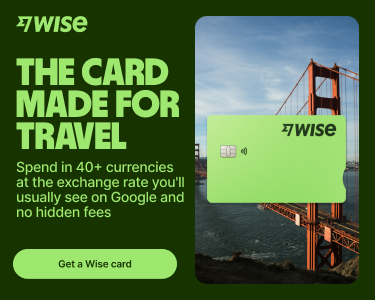

A digital wallet is an app which sits on your smart device, and which allows you to link your debit and credit cards to make mobile payments. This means you can simply tap and pay with your phone or smartwatch at the checkout instead of fumbling for your bank cards.
Digital wallets can also hold other types of cards, such as loyalty cards and travel cards, and tickets for travel, events and more. Popular digital wallet examples in Australia include Apple Pay and Google Pay for phones, and wearable options like Garmin Pay for use with your smartwatch.
Today, more and more customers use digital wallets in Australia. The Reserve Bank of Australia (RBA) started to release mobile payment data in the third quarter of 2024, and reported that over 500 million mobile payments were made using wallets in a single month alone, representing over 20 billion dollars worth of transactions¹.
If you’re thinking of starting to use a digital wallet this guide covers all you need to know.
There are many benefits of digital wallets, mainly sitting around convenience and security. Here are some of the top uses NAB suggests for its customers, as an example²:
On top of all this, there’s the convenience that you can leave your wallet at home for small purchases, and simply pay with your watch or phone instead.
Digital wallets use NFC - near-field communication - similar to your physical card when you use it to tap and pay in a store.
You’ll need to link your preferred card to the wallet app, but the app can then use your phone’s technology including bluetooth and wifi, to process the payment contactlessly. This works in Australia and abroad, even if you do not have roaming enabled on your phone, wherever contactless payments on your card network are offered.
You can also use your wallet to shop online. Often this means you don’t need to enter your full card information and shipping address when buying something, as the form will prepopulate. You just check and confirm the details are correct.
There are quite a few popular digital wallets in Australia. NAB² and Commbank³, for example, support wallets for smartphones and wearables including Apple Pay, Google Pay, Samsung Pay and Garmin Pay.
Popularity of digital wallets does vary based on country and region, but most of these popular options can be used outside of Australia very broadly, making them suited to local and international use.
To set up a digital wallet you’ll need to pick the wallet you prefer, and link your debit or credit card to it. There’s usually a security step which your bank or card provider uses to confirm the wallet can be safely added.
The exact process to add a card to a digital wallet and start to use it does vary depending on the wallet and the device you want to use. To give an example, here’s how to set up Apple Pay⁴ and Google Pay⁵.
- Open the Apple Watch app
- Tap Add Card, then Debit or Credit Card
- Tap or hold your card close to your iPhone, or scan it with the camera app to add it
- Complete the security step to verify your information with the bank or card issuer
If you prefer you can also manually add your card by adding the card number, expiry and CVV code.
- Open the Google Wallet app
- You’ll be prompted to add your card - scan your card with the camera or enter the details manually
- Set up a screen lock if you don’t already have one, for extra security
Digital wallets are convenient, and safe to use with sensible precautions. Here are a few pointers:
The Wise card is a simple way to save up to 7x when you spend in foreign currencies online. You can spend in 40+ currencies at mid-market rate and low, transparent fees, which usually gets you the best value for your money. Simply create a free Wise account, and top-up AUD to get started.
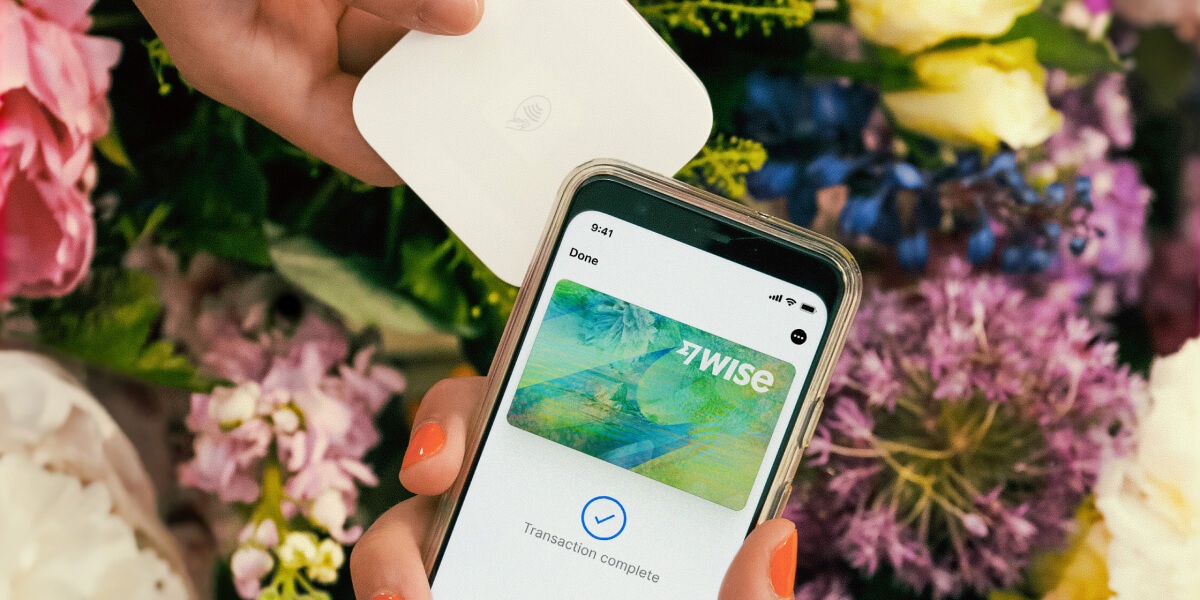
You can get up to 3 free virtual cards with unique details, so you can make convenient and secure online payments instantly or add them to your Google or Apple Pay wallet. You can spend directly with the Wise card in AUD and let auto-conversion do the trick or convert in advance to your desired currency. Easily manage, freeze, or delete your virtual cards using the Wise app. Plus, you can order a physical Wise card to make chip and pin payments, as well as get free international ATM withdrawals each month.
For your online transactions, the Wise card makes spending internationally cheaper and easier.
This general advice does not take into account your objectives, financial circumstances or needs and you should consider if it is appropriate for you. Savings claim based on our rates vs. selected Australian banks and other similar providers in Jan 2025. To learn more please visit https://wise.com/au/compare
Please see Terms of Use and product availability for your region or visit Wise Fees & Pricing for the most up to date pricing and fee information.
*Please see terms of use and product availability for your region or visit Wise fees and pricing for the most up to date pricing and fee information.
This publication is provided for general information purposes and does not constitute legal, tax or other professional advice from Wise Payments Limited or its subsidiaries and its affiliates, and it is not intended as a substitute for obtaining advice from a financial advisor or any other professional.
We make no representations, warranties or guarantees, whether expressed or implied, that the content in the publication is accurate, complete or up to date.

Follow the step-by-step instructions to order your Wise Visa FIFA World Cup 2026™ digital card, thanks to Visa
Looking for the best international debit card with no fees for your spending abroad? Compare debit cards for travel from Wise, HSBC, CommBank, and more.

Looking for a debit card for kids? Compare top options from Westpac, Commbank, Spriggy, and the Wise Young Explorer to find the right fit.

Our Kit review details how the app works and breaks down the latest Kit card fees. Plus, discover the Wise Young Explorer, a low-fee alternative.

Is Spriggy worth it for your family? Explore Spriggy card fees, parental controls, and overseas spending.

Learn how to invest in the Australian stock market, or how you can buy US and Chinese shares as a beginner in this guide.

















































