
PASMO Card Japan Guide: How to Buy, Use, and Top Up
Learn how the PASMO card works for Japan travel. Discover where to buy and how to set up PASMO on iPhone.



Deciding between a Suica or PASMO card mostly comes down to convenience when you land. In this guide, we’ll compare how both cards work to help you choose the right one for your journey. We'll also introduce to you Wise Travel Card that can help you save on international transactions with currency conversions at mid-market exchange rates.

PASMO and Suica are rechargeable prepaid IC cards. Add Japanese yen, then tap at a compatible gate instead of buying a ticket for each journey. The fare is deducted when you tap out. You can also use them on participating buses and for small purchases at shops displaying a compatible IC-card logo.1,2
Suica is issued by JR East, while PASMO is issued through participating private railway, subway and bus operators in Tokyo. Both can be used across many mutually compatible IC-card areas in Japan. The issuer mainly affects where you buy or return the card, rather than its day-to-day use.
Neither card is an unlimited pass: the balance pays for each eligible journey or purchase.
If you're looking for a quick answer on which card to choose:
- Choose whichever regular card is easiest to buy for a reusable physical card.
- Choose Welcome Suica or TOURIST PASMO for a trip of up to 28 days if you accept that unused balances are not normally refundable.3
- Consider Suica on iPhone for access to the English-language Welcome Suica Mobile app, which is valid for 180 days after issue.5
- Use a physical card on most Australian Android phones, unless your device supports Japan's Osaifu-Keitai system.6
- At the airport, buy the card near your railway. At Haneda, that may be TOURIST PASMO near Keikyu or Welcome Suica near the Tokyo Monorail.3,4
Both cards function identically for daily transit and shopping across Japan's IC network. Both cost a ¥500 deposit for regular physical cards, hold up to ¥20,000, expire after 10 years of inactivity, and can be added digitally to Apple Wallet.1,7
Their only practical differences come down to issuer logistics. Suica is issued by JR East, meaning physical cards must be purchased and returned for refunds at JR stations, service centers, or airport counters. PASMO, on the other hand, is issued by a consortium of Tokyo Metro, Toei Subway, and private railway operators, requiring physical purchases and refunds to take place at non-JR subway or private rail counters. Beyond where you physically exchange or return the cards, they also offer slightly different short-term visitor variants (the Welcome Suica vs. Tourist PASMO), but once loaded onto your phone or tapped at a turnstile, both cards provide the exact same user experience across Japan.
Japan has two short-stay physical cards for international visitors: Welcome Suica and TOURIST PASMO.11
Welcome Suica is sold in values from ¥1,000 to ¥10,000. JR East lists airport machines and service centres, plus selected locations at major stations including Tokyo, Shibuya, Shinjuku, Ikebukuro, Ueno and Yokohama.3
TOURIST PASMO is sold at specified Keikyu locations at Haneda and Keisei information centres at Narita. Haneda's traveller ticket machines accept credit cards; the listed Narita option is a ¥2,000 card.4
With either card, load only what you expect to use. It expires after 28 days and unused value is not normally refundable, so top up in smaller amounts.
At Narita, Welcome Suica is sold at JR East locations and machines at Terminal 1 and Terminal 2/3 stations. TOURIST PASMO is sold through Skyliner and Keisei information centres at Terminal 1 and Terminal 2 stations.3,4
If you know whether you are taking JR East or Keisei into Tokyo, use that operator's nearby counter or machine.
TOURIST PASMO is available at Keikyu locations serving terminals 1, 2 and 3. Welcome Suica is sold at Haneda Terminal 3's Tokyo Monorail station.3,4
There is little reason to cross the airport for a different brand, as both cover many of the same compatible journeys.
Apple Wallet supports both Suica and PASMO on compatible devices. Apple says you need an Apple Account with two-factor authentication, an eligible payment card in Wallet and a supported iPhone or Apple Watch running the latest software.8
Add a travel card in Wallet, choose Suica or PASMO and follow the prompts. An Australian-issued payment card is not guaranteed to work for every top-up, so set it up before travel and keep another payment option.
Suica also has a visitor-focused option. Welcome Suica Mobile is available from the Australian App Store for iPhones running iOS 17.2 or later. It has no deposit or issuance fee, uses Apple Pay for top-ups and expires 180 days after issue. Its balance is not refundable.5
Mobile PASMO in Google Wallet is described as a Japan-only feature and requires an Osaifu-Keitai-compatible device.6 Many Android phones sold in Australia do not meet that requirement, even if they support ordinary NFC payments. Check your exact model; a physical card will often be simpler.
A regular Suica or PASMO can make more sense than a 28-day visitor card if you expect to return. Both standard cards can remain valid for up to 10 years after their last use.1,7
Return a regular card under the issuer's rules or keep it for another trip. A visitor card has no deposit, but expires without a balance refund.
Plan on one card per traveller. Child cards deduct child fares, while an adult card charges the adult fare. You need proof of age when buying a child Welcome Suica, and similar requirements may apply to other child cards.1,3 A staffed counter may be easier for families.
Regular Suica cards are sold through JR East ticket machines and service counters. Regular PASMO cards are available from participating operators' machines and counters.9,10
For visitor cards:
Sales locations and stock can change, so check the official page shortly before departure.
Physical Suica, Welcome Suica and PASMO cards can be topped up with cash at compatible station machines. Some convenience stores and Seven Bank ATMs also support selected cards. The maximum stored balance is ¥20,000.1,3,4
Carry some yen even if you usually pay by card. Buying and topping up are separate transactions: a machine may accept a card for the purchase but require cash for top-ups. Mobile top-up options depend on the device, card type and payment card. Set up yours early and keep a backup payment method. The Wise card is a low-cost, hassle-free option: you can use it to top up your transport cards at the mid-market rate with no foreign transaction fees, and withdraw cash at local ATMs when needed.
Both cards work on participating rail, subway, bus and monorail services, plus many convenience stores, vending machines, lockers and retailers displaying a compatible IC-card symbol.1,2
When Suica and PASMO will not work
They do not work for every journey. In particular:
Check the operator's rules when travelling beyond the major city networks.
For most Australian travellers, convenience settles the PASMO vs Suica question. Buy whichever is readily available, or add one to your iPhone if your device and payment card work. You are unlikely to notice a meaningful difference on ordinary city journeys.
Choose more carefully if you want a reusable card, need a child card, use Android or will stay longer than 28 days. Your IC card covers only part of your spending, so also plan how to pay for accommodation, meals, shopping and places that require cash.
Once your Japan transport is sorted, make sure you have a plan for daily spending. Skip unexpected foreign transaction fees and exchange rate markups to get more JPY for your AUD.
The Wise card is a simple way to save up to 4x when you're spending internationally. You can spend in 150+ countries at mid-market rate — basically the rate you see on Google. With no foreign transaction fees and low, transparent pricing, Wise usually gives you the best value for your money.
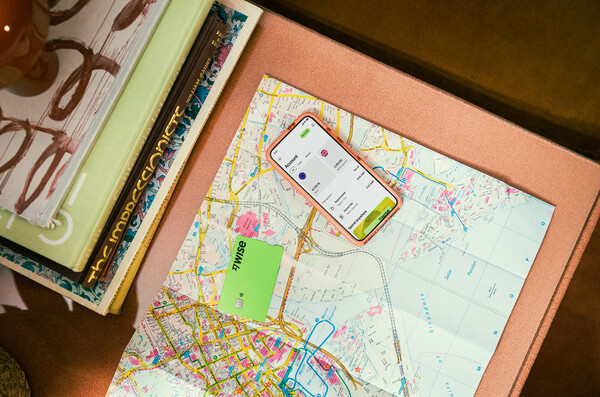
Simply create a Wise account for free, order a card and top-up AUD to get started. Having a physical Wise card allows you to make chip and pin payments, as well as make some free ATM withdrawals each month for when you're abroad. You can get digital cards and add to your Google or Apple Pay wallet for instant use. Spend directly with the Wise account in AUD and let auto-conversion do the trick or convert in advance to your desired currency. You can hold and exchange 40+ currencies in your Wise account and spend the currencies you hold for free.
Wherever your travel takes you, the Wise card makes spending money abroad cheaper and easier.
This general advice does not take into account your objectives, financial circumstances or needs and you should consider if it is appropriate for you. Savings claim based on our rates vs. selected Australian banks and other similar providers in Jan 2026. To learn more please visit https://wise.com/au/compare
Please see Terms of Use and product availability for your region or visit Wise Fees & Pricing for the most up to date pricing and fee information.
Neither is universally better. Their everyday coverage is similar, so choose the easiest card to buy. iPhone users may prefer Suica for the English-language Welcome Suica Mobile app and its 180-day validity.
Often, yes. They are part of Japan's interoperable IC-card network and work across many of the same transport systems and shops. Check for a supported IC-card logo.
Regular versions of both cards generally include a ¥500 deposit. Welcome Suica and TOURIST PASMO have no deposit, but they expire after 28 days and unused balances are not normally refundable.1,3,4
Yes, if the iPhone or Apple Watch and account meet Apple's requirements. Both cards can be added through Apple Wallet. Welcome Suica Mobile is also listed in the Australian App Store. Payment-card acceptance can vary, so complete the setup before travelling.5,8
Each person should use their own card at automatic gates so the system can record their entry and exit. Children need a child card to receive child fares.
Regular Suica and PASMO cards can be returned under the relevant issuer's refund rules, generally with a ¥220 fee deducted from the stored balance and the ¥500 deposit returned. Welcome Suica and TOURIST PASMO do not normally refund unused value, so spend or travel down the balance before expiry.1,3,7
Sources:
*Please see terms of use and product availability for your region or visit Wise fees and pricing for the most up to date pricing and fee information.
This publication is provided for general information purposes and does not constitute legal, tax or other professional advice from Wise Payments Limited or its subsidiaries and its affiliates, and it is not intended as a substitute for obtaining advice from a financial advisor or any other professional.
We make no representations, warranties or guarantees, whether expressed or implied, that the content in the publication is accurate, complete or up to date.

Learn how the PASMO card works for Japan travel. Discover where to buy and how to set up PASMO on iPhone.

Learn how to buy, use, and top up an ICOCA card in Japan, plus mobile options for Australian travellers.

Discover the difference between ICOCA and Suica IC cards in Japan. Compare coverage, refund rules, and mobile options for your trip.

JR Pass or Suica? Learn how they work, key cost differences, and whether you need a rail pass, an IC card, or both for your trip to Japan.

Learn how to get a Suica card for Japan. Compare physical vs digital options, top-up methods, and where to buy one for your trip from Australia.

Planning a trip to Japan? Don’t get stung by heavy Aussie telco roaming fees. Compare the best Japan travel eSIMs for Australians side-by-side.

















































