
Best Time to Visit Malaysia from Australia: What to do, weather, visas, and more
Wondering when the best time to visit Malaysia from Australia is? Learn more about weather, seasons and what to do throughout the year in Malaysia.



Don’t want to rely on cash in Malaysia? Get QR payments sorted before you go. Use Wise to scan DuitNow and Alipay+ QR codes and pay at food stalls, markets and smaller shops that don’t take cards.

 *For product availability and more information, visit wi.se/pay-qr.
📱 Unlock QR payments with Wise
Increasingly, payments by QR are the norm, allowing frictionless transactions which avoid the need to carry cash. If you’re planning a trip to Malaysia, you may like to learn about how to make a Malaysia QR code payment for foreigners.
This guide covers how to pay with a QR code in Malaysia step by step. Plus, we’ll also introduce Wise for paying in Malaysia with QR code or card, with the mid-market rate and low conversion fees every time.
If you’re visiting or relocating to Malaysia, paying by QR code is a convenient option for day-to-day expenses. Malaysia has its own unified national QR system called DuitNow QR¹ (easily recognizable by its pink branding). DuitNow QR connects the country's domestic bank apps and major e-wallets into a single system. To cater to foreign tourists, PayNet (Malaysia's national payments network) has integrated Alipay+² and selected regional central bank networks directly into the DuitNow ecosystem.
Just scan the QR with a compatible app to pay using your preferred method. Generally, to use a standard local DuitNow QR, you would need a Malaysian bank account or local e-wallet—but DuitNow QRs that are enabled for international cross-border transactions can be scanned using foreign partner apps, including the Wise app.
QR payments are more and more commonly used in Malaysia. In major tourist hubs and cities like Kuala Lumpur, Penang, and Johor Bahru, you’ll find pink DuitNow QR codes on display almost everywhere, from high-end shopping malls to local street food stalls, cafes, night markets, and taxis.
Uptake is increasing in more rural areas because QR codes are highly convenient for merchants, but it’s still a smart idea to have some cash on you if you’re traveling off the beaten path. Take along your Wise card for some free ATM withdrawals each month whenever you need cash on hand.
How you pay by QR depends largely on your length of stay and residency status in Malaysia.
Foreigners who have long-term residency in Malaysia can open a local bank account or register for local digital wallets. This allows you to link a Malaysian bank card. We’ll look at a couple of commonly used local wallets which offer QR services later.
For short-term visitors in Malaysia, setting up a local bank account or registering for a domestic e-wallet can be a major hassle. An easy alternative for traveling is Wise. Instead of managing multiple regional apps, you can scan and pay seamlessly wherever you see a DuitNow QR code that displays the Alipay+ logo.
With Wise, you can choose to convert your balance to Malaysian Ringgit (MYR) before you travel to lock in a rate, or simply let Wise’s auto-conversion tool handle the exchange instantly at the mid-market rate when you pay.
If you are wondering how to pay with QR code in Malaysia, the basic process is usually simple:
Scanning a QR code is straightforward; just ensure your payment app is compatible with the network the merchant is using.
You can use Wise to pay in Malaysia where you see an Alipay+ enabled DuitNow QR displayed. This is available in thousands of stores and restaurants, and local merchants.
- Log into the Wise app and open your Card tab.
- Swipe left on the image of your card to bring up Pay with QR code or Pay like a local.
- Tap Scan QR code to open your phone’s camera.
- Scan the merchant's DuitNow / Alipay+ QR code.
- Follow the steps to confirm your payment amount.
- You’ll see the transaction listed as completed in the Wise app.
It’s also possible to pay using a QR code you have saved as a photo to your phone. When you’re in the Wise app, follow the steps above, but select the option to Import QR code instead of ‘Scan QR code’ in step three. You can then open the photo of the QR you want to use, and follow the prompts to pay that way.
The exact QR payment fees and charges you pay depend on the specific service you choose, as well as your funding method.
If you’re a foreign resident of Malaysia and use a domestic QR payment app with a linked local MYR bank card, there is generally no fee for the service³.
Tourists using traditional foreign credit or debit cards via international QR networks often face foreign transaction fees added by their home bank. In many cases, traditional card issuers add a fee of around 3% to payments processed in a currency different from the underlying account.
A good alternative here is to use Wise. Paying by QR with Wise is simple, and it allows you to skip foreign transaction fees and hidden exchange rate markups. You can spend directly from an MYR balance with no additional Wise fee, or leave your balance in whichever currency you happen to have and let the app convert to MYR at the point of payment. In this case, you get the transparent mid-market rate and low, upfront Wise conversion fees.
Here are a few other wallets and digital solutions which are popular for QR payments in Malaysia. Some wallets may be suitable only for long-term residents or visitors from specific neighboring countries:
Whether you’re grabbing street food at a Jalan Alor hawker stall in Kuala Lumpur, shopping in Penang, or taking a weekend trip to Johor Bahru, Wise gives you flexible ways to pay while you travel. With Wise, you can:
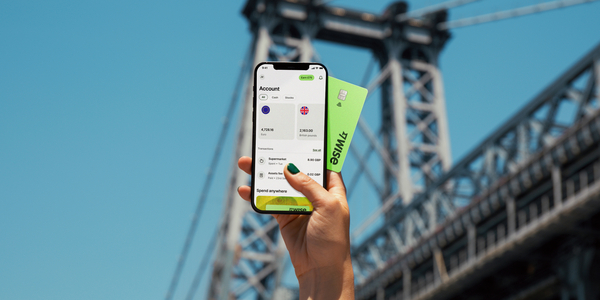
- Scan and pay via QR: Use the Wise app to scan Alipay+ enabled DuitNow QR codes at thousands of merchants across Malaysia, as well as other supported QR codes across other Asian destinations.
- Tap and pay: Add your Wise card to Apple Pay or Google Pay for contactless payments.
- Make chip and PIN payments: Use your physical card to make payments.
- Withdraw cash when needed: Get free international ATM withdrawals up to $400 AUD (or equivalent) per month for those cash-only shops.
- Generate instant digital cards: Create virtual cards in seconds for safer online bookings or to use immediately with mobile wallets.
- Purchase discounted airport lounge access: Relax before your flight with access to 1,400+ lounges globally, bookable directly in the Wise app for up to 30% less than walk-in rates.
Whether you’re tapping your card in a boutique or scanning a QR code at a local hawker, Wise ensures your money goes further on every Malaysian adventure.
*Please see terms of use and product availability for your region or visit Wise fees and pricing for the most up to date pricing and fee information.
This publication is provided for general information purposes and does not constitute legal, tax or other professional advice from Wise Payments Limited or its subsidiaries and its affiliates, and it is not intended as a substitute for obtaining advice from a financial advisor or any other professional.
We make no representations, warranties or guarantees, whether expressed or implied, that the content in the publication is accurate, complete or up to date.

Wondering when the best time to visit Malaysia from Australia is? Learn more about weather, seasons and what to do throughout the year in Malaysia.

Drawing over 27 million people annually, Malaysia has long been a popular tourist destination for regional travellers. Most come for short stays to experience...

Don’t want to rely on cash in Malaysia? Get QR payments sorted before you go. Use Wise to scan DuitNow and Alipay+ QR codes and pay at food stalls, markets...


















































