
Best eSIM for Bali: Data Plans & Costs Compared for Aussies (2026)
Planning a Bali getaway? Don’t get stung by heavy Aussie telco roaming fees. Compare the best Bali travel eSIMs for Australians side-by-side.



Increasingly, payments by QR are the norm, allowing frictionless transactions which avoid the need to carry cash. If you’re planning a trip to Indonesia, you may like to learn about how to make an Indonesia QR code payment for foreigners.
This guide covers how to pay with QR code in Indonesia step by step. Plus, we’ll also introduce Wise for paying in Indonesia with QR code or card, with the mid-market rate and low conversion fees every time.
| Table of Contents |
|---|


📱 Unlock QR payments with Wise
If you’re visiting or relocating to Indonesia, paying by QR code is a convenient option for day-to-day expenses. A common question is whether every QR code in Indonesia is the same. In practice, no—but Bank Indonesia resolved this fragmentation entirely by introducing QRIS (Quick Response Code Indonesian Standard), pronounced like the traditional keris dagger 1.
QRIS is a unified, standardised national QR code system. Before its rollout, every digital wallet had its own unique code. Today, a merchant displays a single QRIS code sticker at the counter, which consolidates multiple electronic payment instruments into one unified terminal.
The primary domestic payment instruments integrated behind a QRIS code include:
Just scan the QRIS code with a compatible application to pay using your preferred balance1. Generally, utilising local wallets requires an Indonesian setup, but international tourists can clear transactions via cross-border integrations or by using their Wise application.
QRIS is widely used across Indonesia, especially in cities and tourist areas, but cash remains useful for smaller or remote merchants. 9
You may find QRIS at many cafés, restaurants, supermarkets, shops and small merchants, but acceptance varies.
Uptake is massive, but if you venture off the beaten path into remote rural villages, take a public boat, or purchase a low-cost item from a tiny family-run vendor outside the tourist corridors, physical currency is still standard. It is always a smart idea to keep a backup buffer of Indonesian Rupiah (IDR) cash on hand. Take along your Wise card for some free ATM withdrawals each month whenever you need quick cash.
If you live in Indonesia as an expat or long-term resident, setting up local payment channels is highly accessible. Once you open a local Indonesian bank account or configure a verified e-wallet profile utilising an active local mobile number, you can natively use apps like GoPay or OVO2,3. Long-term residents can top up their digital accounts directly from their domestic checking profiles, track spending, and scan any QRIS code display across the nation smoothly1,2.
For short-term visitors in Indonesia, setting up domestic payment paths can vary based on your origin. Opening an Indonesian bank account is generally out of reach for a brief holiday. However, tourists can download local apps like Gojek/GoPay or OVO, create a profile, and connect an international debit or credit card to add funds for scanning QRIS codes3,10.
Alternatively, Bank Indonesia has actively established reciprocal QRIS Cross-Border payment frameworks across Asia6. If you travel from a connected partner country, you can scan an Indonesian QRIS code directly using your home country's banking or e-wallet application, with calculations handled via automated local currency settlement. Supported regional setups include:
For a streamlined solution, using Wise for QR payments is an ideal option if you want to avoid downloading multiple localised apps or dealing with hidden charges. It lets you pay straight from your multi-currency balance using the real exchange rate, keeping your travel spending transparent and straightforward.
It gives you the freedom to move through Indonesia cash-free, knowing exactly what you are spending without the typical foreign transaction markups.
Every QRIS transaction requires a live mobile data connection to process. Ensure your international data roaming is active, or maintain a local Indonesian eSIM to prevent network timeouts when scanning at merchant counters.
If you are wondering how to pay with QR code in Indonesia, the basic process is straightforward:
You can use Wise to pay in Indonesia where you see an Alipay+ QR displayed. This is available in thousands of stores and restaurants, and local merchants.
- Open the Wise app and tap Scan on the Home tab, or go to the Cards tab, swipe to the front of the card queue until you see your card image, then tap the QR code symbol.
- Aim the QR scanner at a supported QR code, or upload one from Photo or Document if it is saved on your device.
- Enter the payment amount if applicable, review any fees and confirm the payment in the app.
It’s also possible to pay using a QR code you have saved as a photo to your phone. When you’re in the Wise app, follow the steps above, but select the option to Import QR code instead of ‘Scan QR code’ in step three. You can then open the photo of the QR you want to use, and follow the prompts to pay that way.
The exact QR payment fees and processing charges you incur vary based on your selected platform and linked funding methods.
Expats using local Indonesian e-wallets tied to local IDR accounts generally settle transactions with minimal or zero added service fees at everyday merchants10.
As for tourists, utilising standard foreign-issued cards via local e-wallet linkages often face foreign transaction fees added by their home banks, typically averaging around 3% for converting the currency back into home denominations. Using Wise means you can avoid foreign transaction fees and get the mid-market rate, with a low conversion fee. You can choose to pre-fund an IDR balance wallet before boarding your flight or let the automatic conversion system calculate the exchange rate at the terminal.
Here is a quick overview of popular digital tools and financial platforms frequently utilised for processing QR transactions across Indonesia:
Whether you’re ordering fresh satay at a traditional Balinese warung, shopping in central Jakarta, or diving around Lombok, Wise gives you flexible ways to pay while you travel. With Wise, you can:
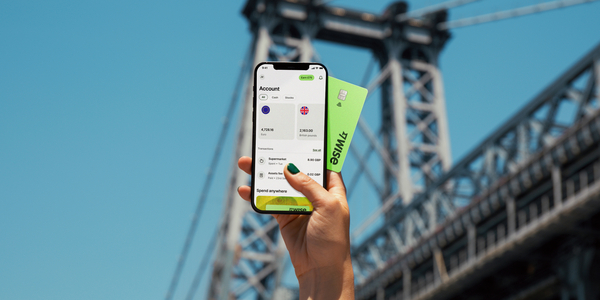
- Scan and pay via QR: Use the Wise app to scan Alipay+ QR codes at thousands of merchants across Indonesia, as well as other supported QR codes across other Asian destinations.
- Tap and pay: Add your Wise card to Apple Pay or Google Pay for contactless payments.
- Make chip and PIN payments: Use your physical card to make payments.
- Withdraw cash when needed: Get free international ATM withdrawals up to $400 AUD (or equivalent) per month for those cash-only shops.
- Generate instant digital cards: Create virtual cards in seconds for safer online bookings or to use immediately with mobile wallets.
- Purchase discounted airport lounge access: Relax before your flight with access to 1,400+ lounges globally, bookable directly in the Wise app for up to 30% less than walk-in rates.
Whether you’re tapping your card in a boutique or scanning a QR code at a local warung, Wise ensures your money goes further on every Indonesian adventure.
*Please see terms of use and product availability for your region or visit Wise fees and pricing for the most up to date pricing and fee information.
This publication is provided for general information purposes and does not constitute legal, tax or other professional advice from Wise Payments Limited or its subsidiaries and its affiliates, and it is not intended as a substitute for obtaining advice from a financial advisor or any other professional.
We make no representations, warranties or guarantees, whether expressed or implied, that the content in the publication is accurate, complete or up to date.

Planning a Bali getaway? Don’t get stung by heavy Aussie telco roaming fees. Compare the best Bali travel eSIMs for Australians side-by-side.

Planning a trip to Lombok? Discover the best ways to get there from Bali via flight, fast boat, or ferry, including prices, travel times, and booking tips.
Compare travel insurance options for Bali. Find the best coverage for medical, cancellation, and activities at competitive rates for Australians.

Planning your Bali trip? This guide covers the entry requirements and visa options available for Australians.

Heading to Bali and wondering how to navigate it? Here's all you need to know about the online ride hailing app Gojek.

Heading to Bali and wondering how to navigate it? Here's all you need to know about the online ride hailing app Grab.


















































